Configuration
LITECOM, Commissioning and maintenance instructions 17.0 | 04.2024 | en 111
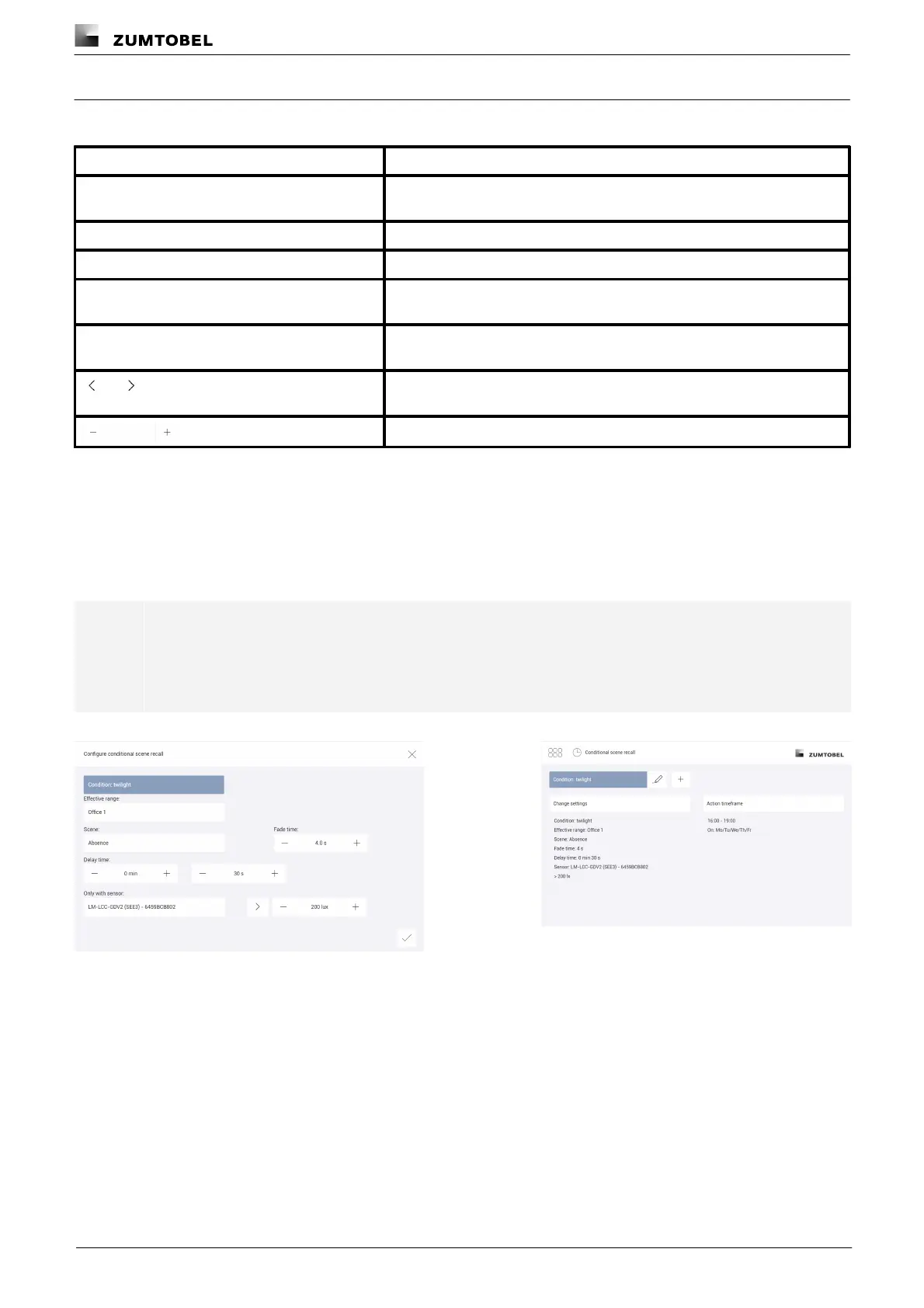
Condition: twilight
The following table provides a description of the individual configuration options:
Effective range (group, room or zone) in which the conditional scene recall
occurs.
Scene recalled by the conditional scene recall.
The time it takes to change from the last value to the defined scene.
Time in which the illuminance value must exceed or fall below the threshold
in order for the conditional scene recall to occur.
Light sensor measuring the illuminance. The sensor does not have to be
located in the effective range of the conditional scene recall.
Button that defines whether the illuminance has to exceed or fall below the
threshold.
Illuminance threshold that must be breached.
Table 63: Configuration options – conditional scene recall with condition "twilight"
Example
If on weekdays Monday to Friday between 16:00 and 19:00 the illuminance at the sensor exceeds 200 lux, scene
Working must be recalled in room Office 1 after 30 seconds. The scene recall should take place with a fade time
of 4 seconds.
Note
In the action timeframe select the timeframe and the weekdays when the conditional scene recall is
to take place, and the exceptions when it does not take place.
Path: App overview > Conditional scene recall > Action timeframe
Figure 32: Configuring the conditional scene recall with condition
"twilight"
Figure 33: Summary of configuration for conditional scene
recall with condition "twilight"



 To Next Page