Configuration
LITECOM, Commissioning and maintenance instructions 17.0 | 04.2024 | en 137
User settings
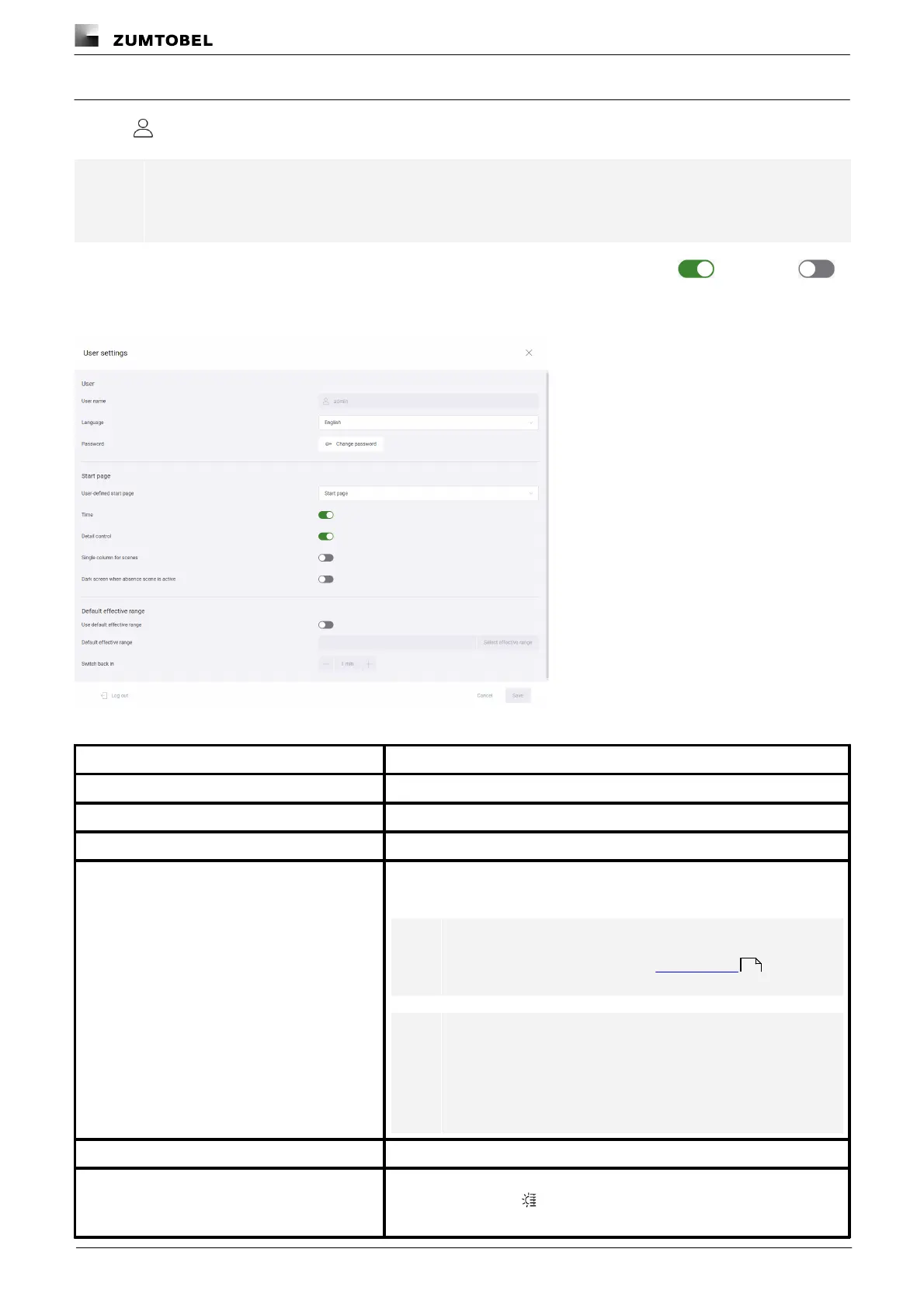
Tap the icon on the start page to open the user settings.
Note
The touch panel user can only open this view after entering the password.
Each user can individually configure the user settings. The individual options are enabled or disabled .
The settings must be selected separately for each display device. The following functions are available for this
purpose:
Figure 45:“User settings” view
The user name is displayed.
Select the desired language to be displayed in LITECOM.
Tap this button to set a new password.
Determine which start page (default start page, Pix or emergency lighting) is
displayed as standard.
Note
For more information see Section Pix start page
Note
The administrator is the only one who can select the
“Emergency lighting” view as the default start page.
For more information see Self-contained emergency
luminaires manual
The time is also displayed on the start page.
The following button is enabled on the start page, which can be used to
access detail control:
19



 To Next Page