6253 DC Voltage Current Source/Monitor Operation Manual
2.5.1 DC Source and Measurement
2-14
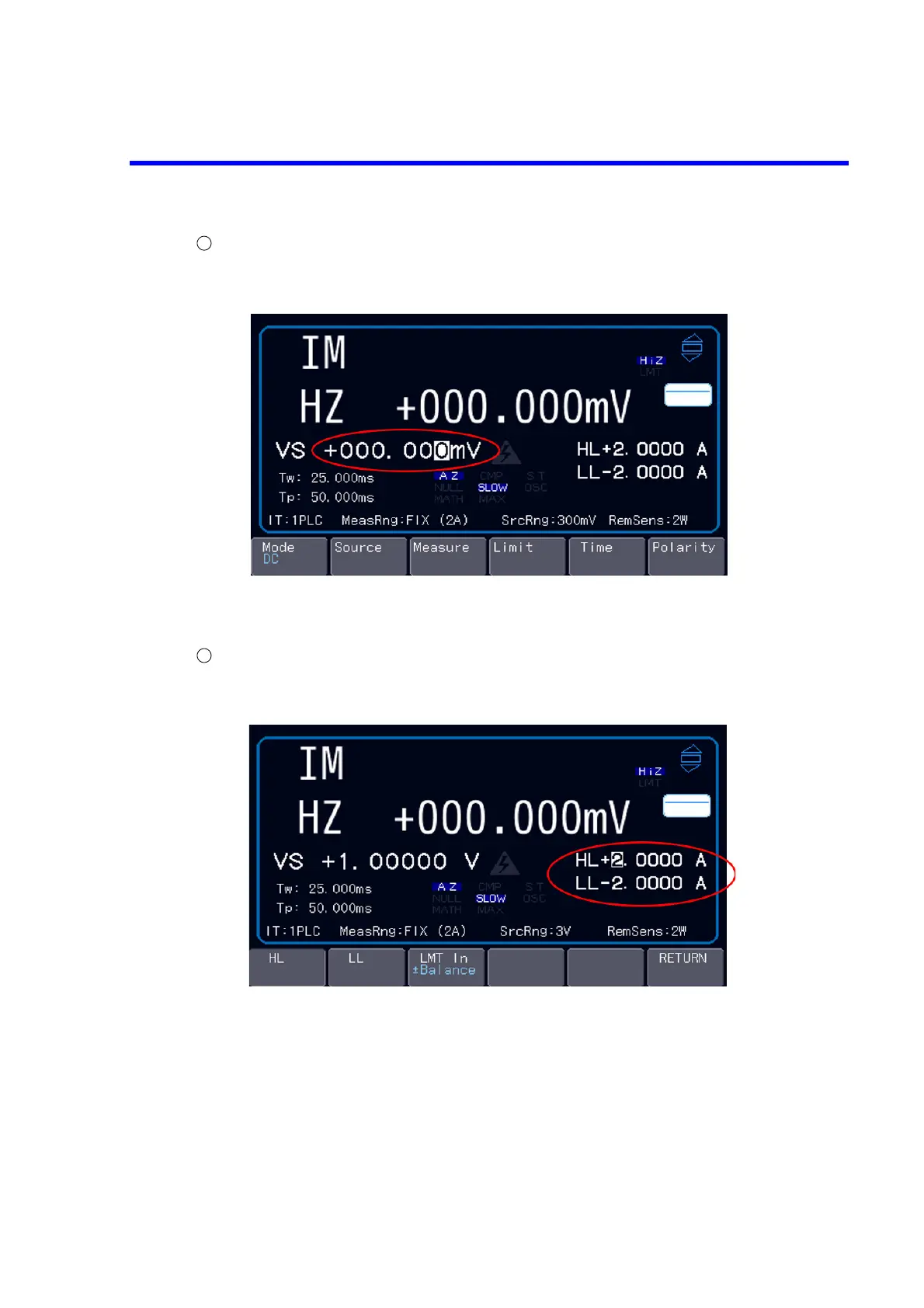
Setting the source value
Set the source value.
For more information how to enter numbers, refer to Section 2.4.1, “Numerical Input.”
When the source range is set to LOCK, out-of-range values cannot be set.
When the source range is set to FIT, the range is switched automatically according to the setting value.
Setting the limit values
When voltage source (VS) is selected, current limit (IL) is automatically set, and when current source
(IS) is selected, voltage limit (VL) is automatically set in the same way.
Pressing the soft key Limit will develop the limit layer and move the cursor to HL.
When LMT In is set to Balance, setting HL will set LL to the same value of the reverse polarity.
When LMT In is INDIV, HL and LL can be set individually.
Pressing the soft keys HL or LL will switch the cursor between HL and LL.
Set the limit values in the same way as the source value setting.
Press the soft key RETURN to return to the top layer of the soft keys.



 To Next Page