6253 DC Voltage Current Source/Monitor Operation Manual
2.1.2 Rear Panel
2-3
• SUSPEND (SHIFT, OPR) key
Switches to the Suspend status regardless of whether the output
status is Operate or Standby. The OPR indicator goes OFF.
• STBY key Switches the output status to Standby. The OPR indicator goes
OFF.
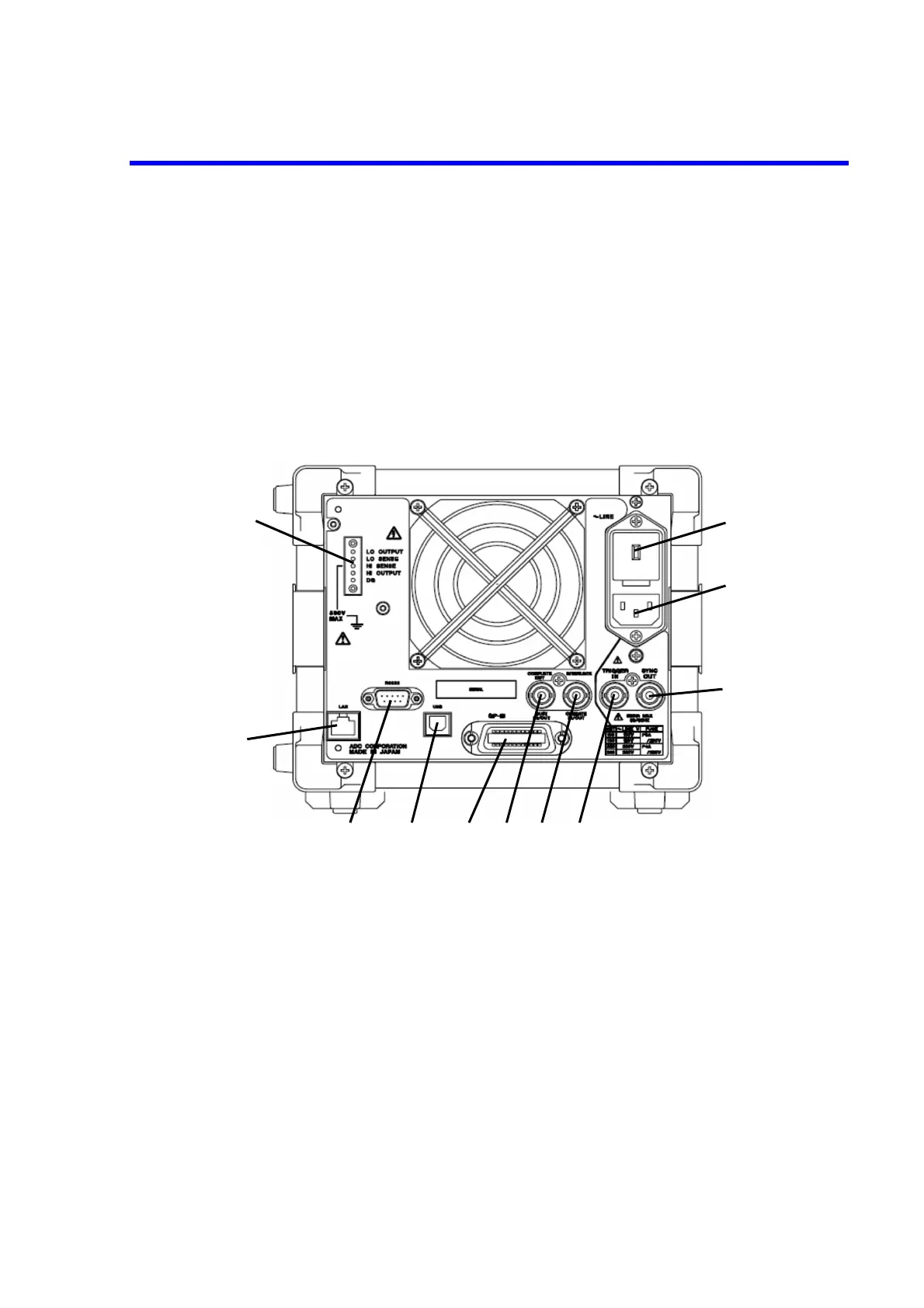
2.1.2 Rear Panel
The rear panel is described below.
Figure 2-2 Rear Panel
1. USB connector Connects to an external controller via a USB cable.
2. GPIB interface connector Connects to an external controller via a GPIB cable.
3. LAN interface connector (factory option)
Connects to an external controller via a LAN cable.
4. RS232 interface connector (factory option)
Connects to an external controller via a RS232 cable.
5. COMPLETE OUT / BUSY IN/OUT
Refer to Section 4.2.10, “External Control Signals.”



 To Next Page