6253 DC Voltage Current Source/Monitor Operation Manual
2.2 Display
2-5
2.2 Display
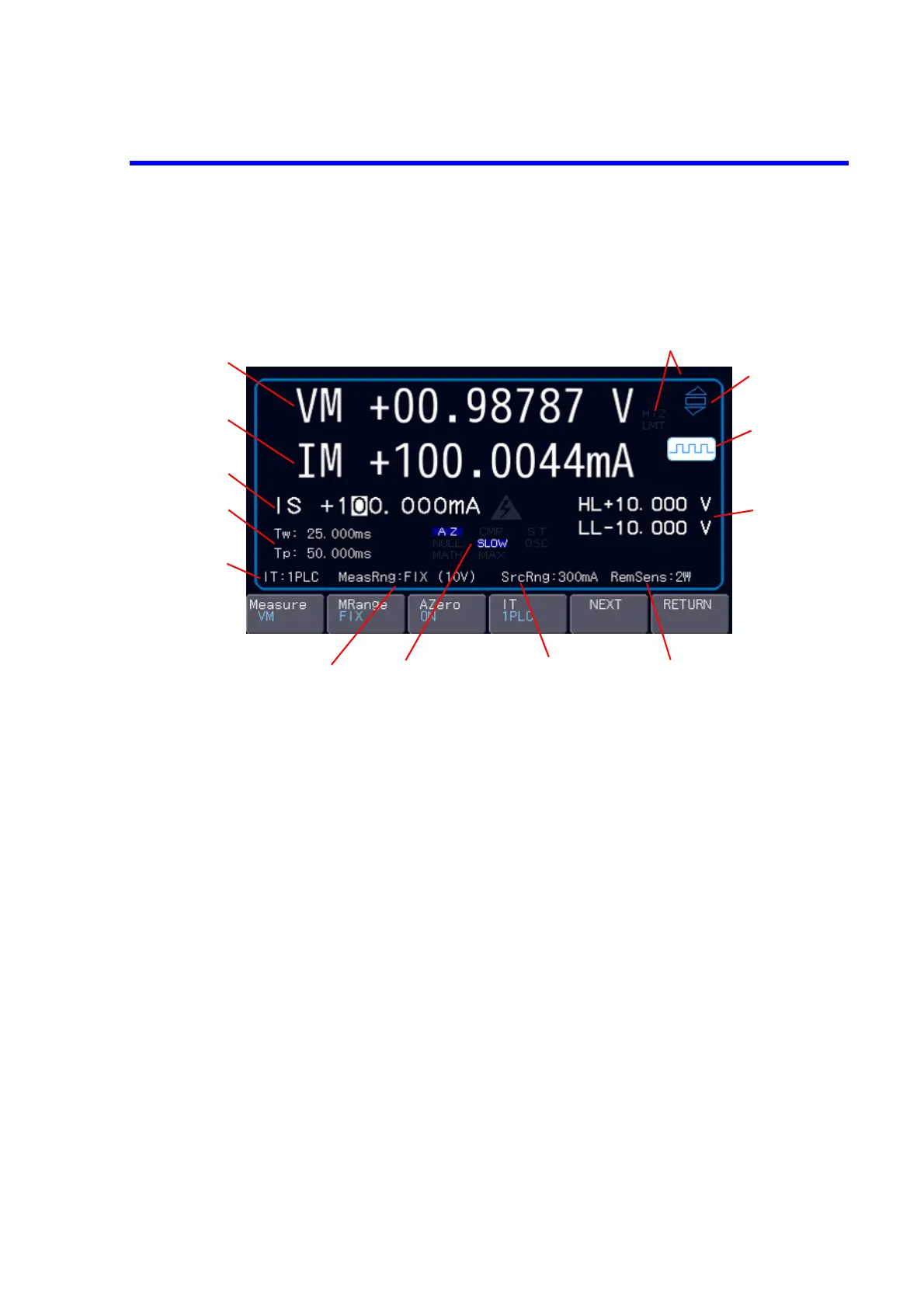
This section describes the annotations displayed on the home screen.
Figure 2-3 Home screen
1. Measured value
• Operate:
Indicates the measurement function and the measured value.
VM (voltage measurement)/IM (current measurement)/RM
(resistance measurement)
• Standby or Suspend:
Indicates the previous measured value.
2. Monitor value
• Operate:
Indicates the monitor value of the source function.
VM (voltage measurement)/IM (current measurement)
• Standby or Suspend:
Indicates the suspend status HZ (high-resistancestatus) or LZ
(low-resistance status) and the suspend voltage.
3. Source value Indicates the source function and the source value.
VS (voltage source)/IS (current source)
Indicate the status in the sweep mode.
SWP STBY (sweep standby)/SWP STOP (sweep stop)/SWP RUN
(sweep in progress)
4. Tw and Tp Indicates the pulse width and the period.
5. IT Indicates the integration time.



 To Next Page