6253 DC Voltage Current Source/Monitor Operation Manual
2.5 Example Operations
2-13
2.5 Example Operations
Parameter settings are available by using the soft keys or the MENU.
This section describes how to set parameters with the soft keys.
For how to set on the MENU, refer to Section 2.6, “MENU Hierarchy.”
Also, for more information on the soft keys, refer to Section 2.3, “Soft Keys.”
2.5.1 DC Source and Measurement
This section describes how to perform voltage source current measurement (VSIM) and how to set the
limit values in the DC source mode.
Example 1: VS: +1 V, IL:300 mA, Integration time (IT): 1 PLC, Load: 10
Note that the 6253 is supposed to be set as default.
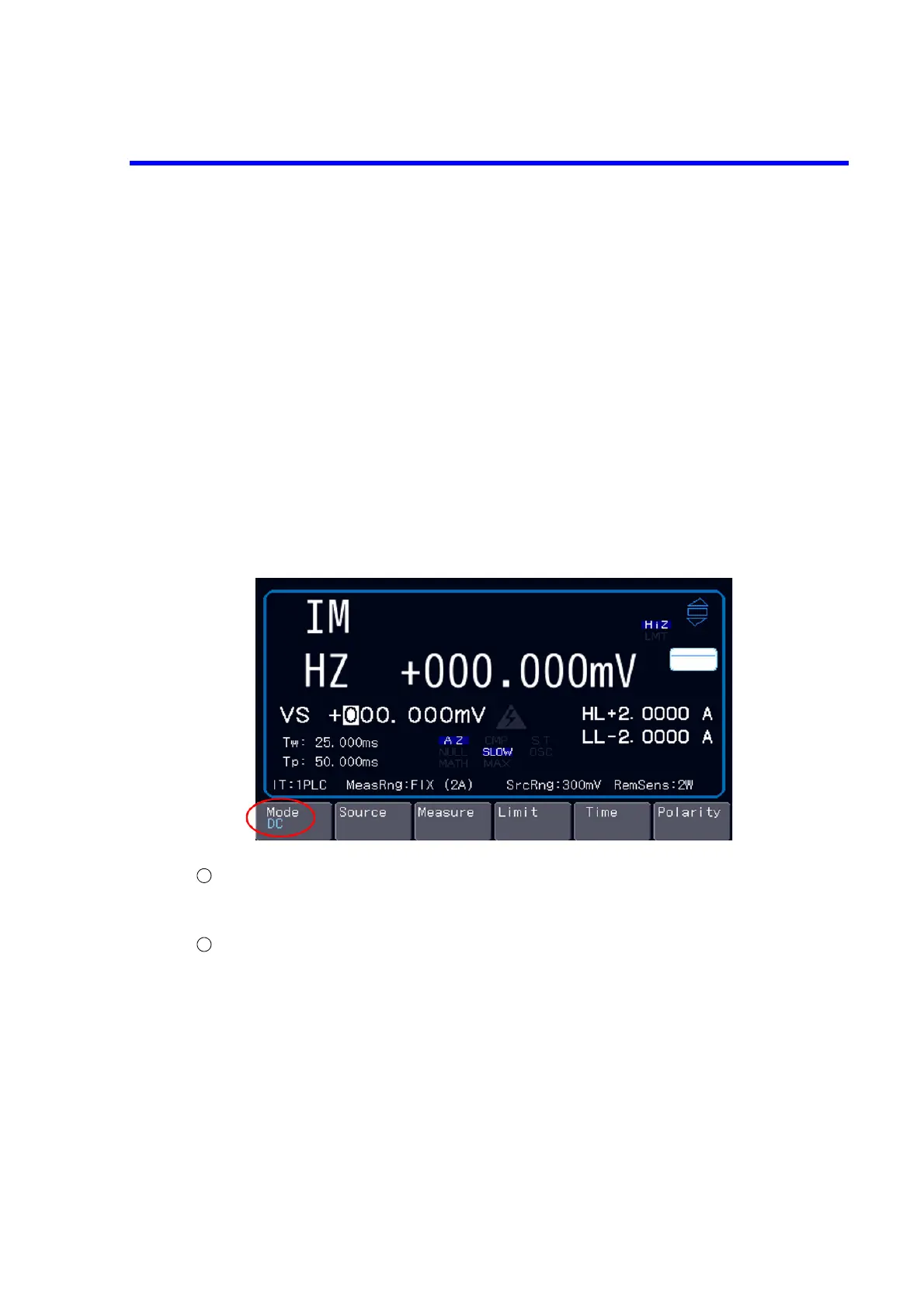
Selecting the source mode
Choose “DC” with the soft key Mode.
(DC has been set as default.)
Selecting the source and measurement functions
Choose “VS” with the soft key Source, and choose “IM” and set IT with the soft key Measure.
(VS and IM have been chosen, and the integration time has been set to 1 PLC as default.)



 To Next Page