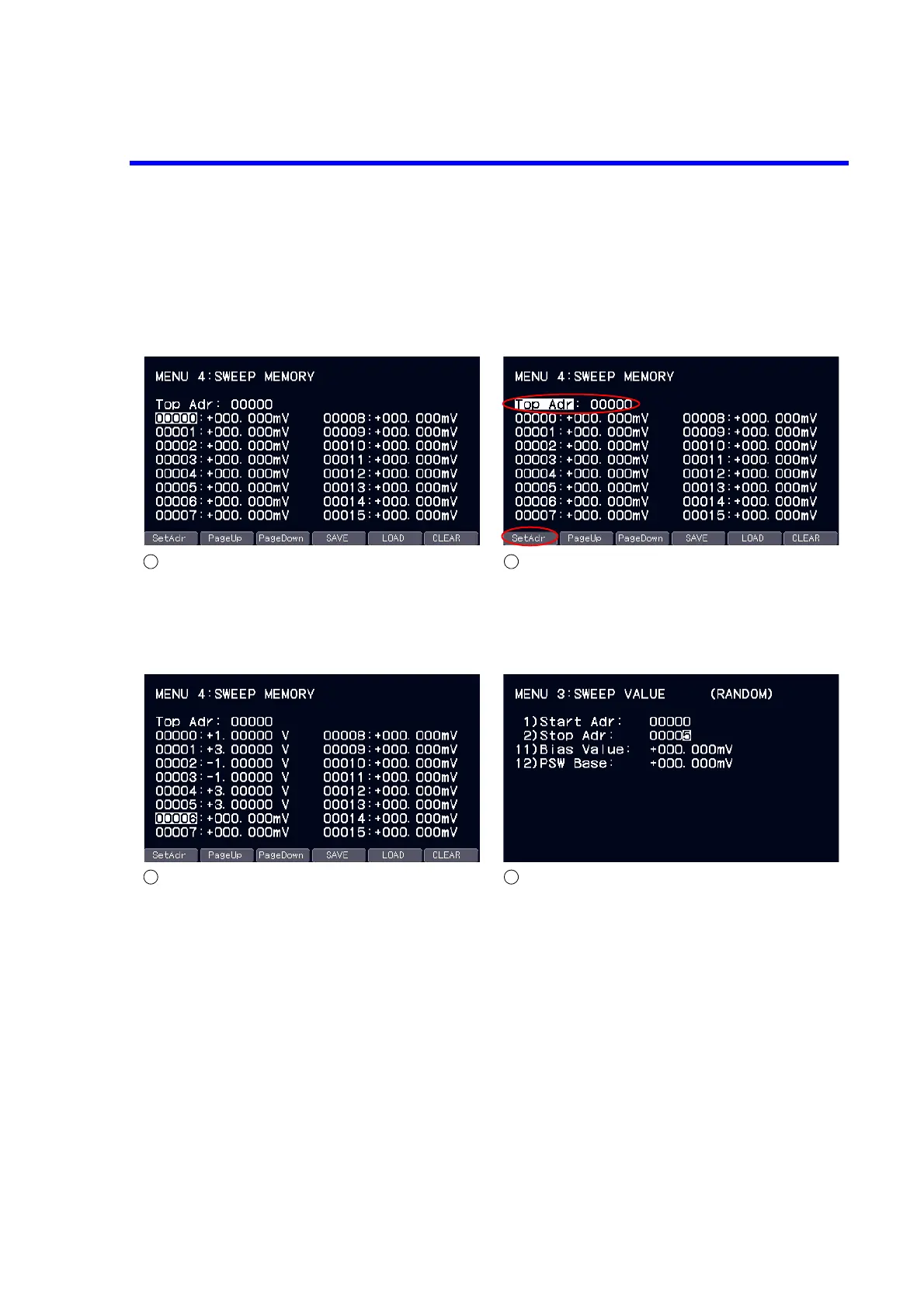
Switching addresses
Switch addresses with the rotary knob.
To scroll pages, use the soft keys PageUp and PageDown.
Setting the top address
Switch the top address with the soft key SetAdr.
Press the ENTER key to edit the address.
The page of the address specified at “Top Adr” is displayed.
Entering memory data
Press the ENTER key at a specified address to enter the edit
status.
Enter any source value in the edit status.
To save the input value, press the soft key SAVE.
To load the saved value, press the soft key LOAD.
Setting random sweep
Set the start value at 1) Start Adr and the stop value at 2) Stop
Adr in 3) Sweep Value on the MENU layer.
(The start address should be less than the stop address.)
Source values from addresses 0 to 5 are generated in the case
of the above screen.
Return to the home screen, press the OPR key to output the
bias value and press the TRIG key to start sweep.
12
34



 To Next Page