6253 DC Voltage Current Source/Monitor Operation Manual
2.6 MENU Hierarchy
2-23
2.6 MENU Hierarchy
This section describes the MENU hierarchy details.
2.6.1 MENU Operation
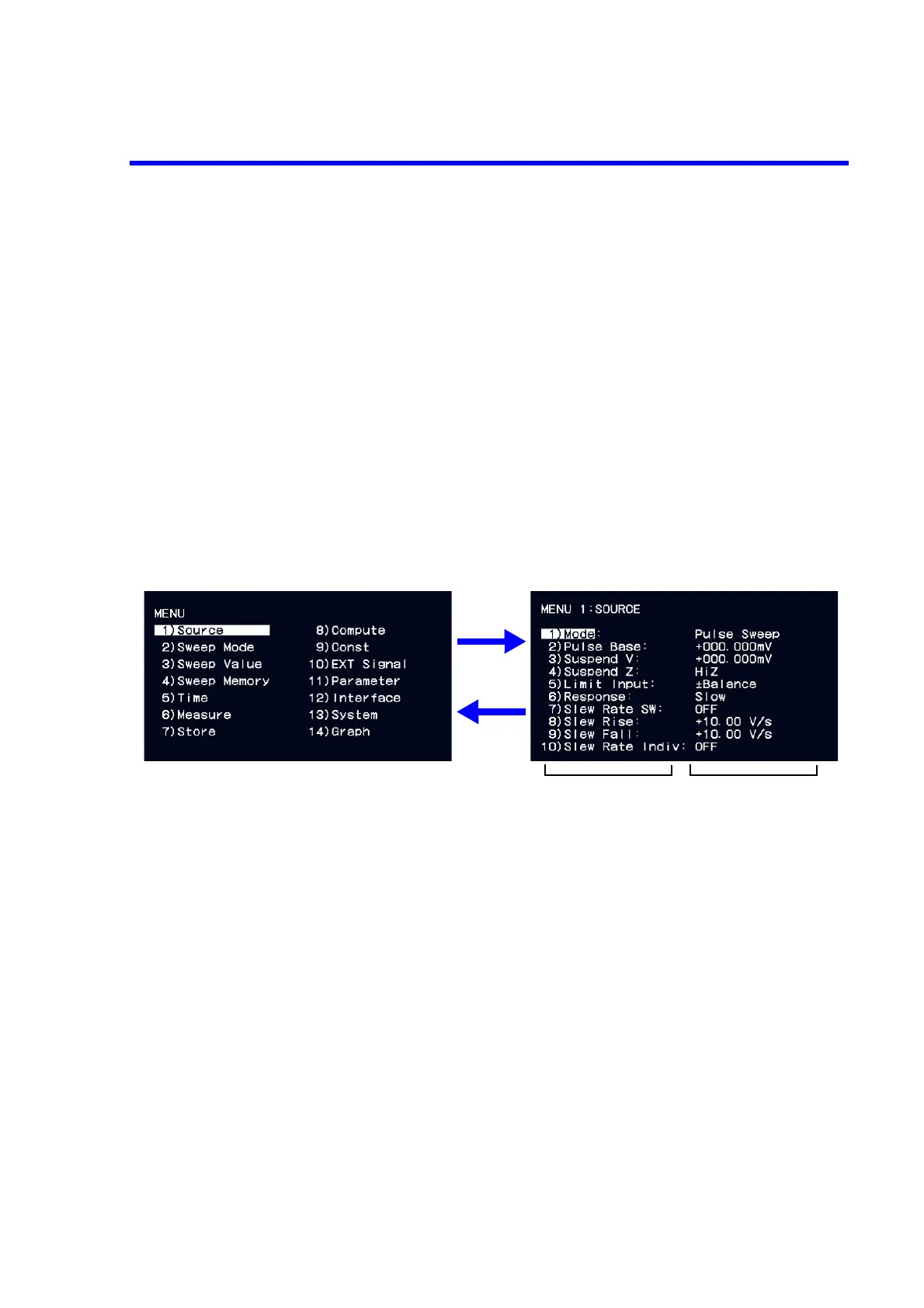
Press the MENU key will display the MENU hierarchy (top layer).
The MENU is a 2-layer hierarchical structure.
First layer MENU layer (top layer) Select MENU parameters.
Second layer Parameter layer Select level:
Select parameters on each layer.
Input/Run level: Enter values or select parameters in the edit
status.
Figure 2-6 MENU Hierarchy Operation
Select level
Input/Run level
• Select level operation
1 Select parameters with the rotary knob.
2 Press the ENTER key to move to the Input/Run level and enter
the edit status.
3 Press the EXIT to return to the first layer.
• Edit status operation
1 Numerical input is available by using the rotary knob and right
and left keys or by using the direct input mode.
Select parameters with the rotary knob.
2 Press the ENTER key to fix the entry and return to the select
level.
To cancel the entry, press the EXIT key and return to the select
level.
ENTER
EXIT
• MENU layer operation
1 Select parameters with the rotary knob.
2 Move to the second layer with the ENTER key.
• Home screen
1 Press the MENU key to return to the home screen.
Pressing the HOME key in the edit status will cancel the
entry and return to the home screen.



 To Next Page