6253 DC Voltage Current Source/Monitor Operation Manual
7.5 Calibration Procedure
7-6
7.5 Calibration Procedure
The 6253 is calibrated by using the remote commands through USB, GPIB, LAN or RS232.
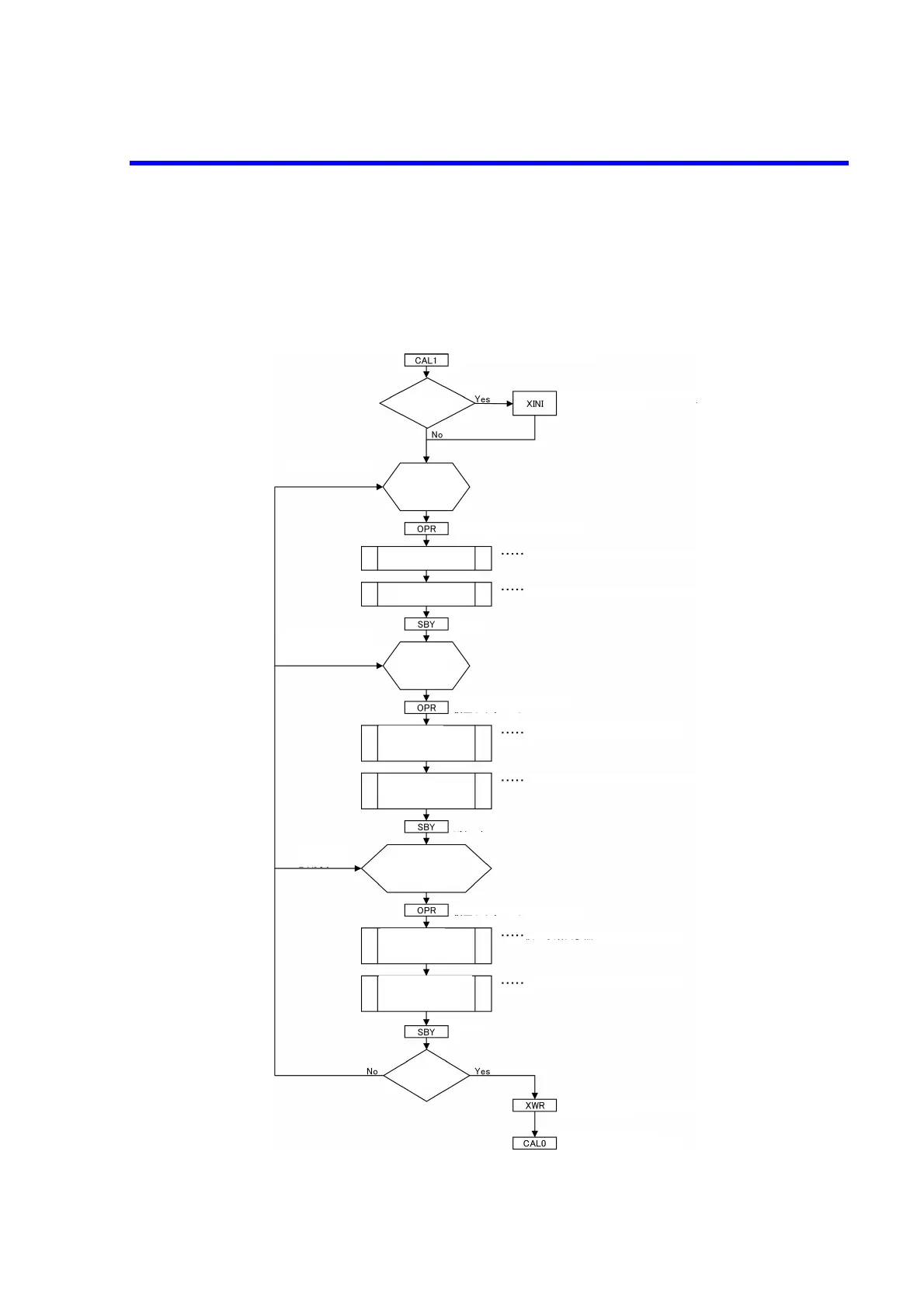
Figure 7-2 to Figure 7-8 show the calibration procedures. For more information on the remote commands,
refer to the calibration parameters described in Section 5.8.3, “Remote Command List.”
Figure 7-2 Calibration Procedure (1)
Enters the calibration mode.
Calibration data initialization
(Default to Ram)
Initialize?
[Voltage calibration]
DMM
preparation
- Cable
- DCV setting
Calibration mode: Operate
Refer to Calibration Procedure (2).
Refer to Calibration Procedure (3).
Voltage source/
limit calibration
Voltage measurement
calibratio
Standby
[Current calibration]
3 μA to 300 mA range
DMM
preparation
- Cable
- DCI setting
Calibration mode: Operate
Refer to Calibration Procedure (4).
Refer to Calibration Procedure (5).
Current source/
limit calibration
(3
μ
A to 300 mA range)
Current measurement
calibration
(3
μ
A to 300 mA range)
Standby
[Current calibration]
2 A range
DMM preparation
- Standard resistor
- Cable
Calibration mode: Operate
Refer to Calibration Procedure (6).
Refer to Calibration Procedure (7).
Standby
Current source/
limit calibration
(2 A range)
Current measurement
calibration
(2 A range)
Calibration
end?
Calibration data save
(Ram to Flash)
Calibration mode end



 To Next Page