6253 DC Voltage Current Source/Monitor Operation Manual
2.5.3 Sweep Measurement
2-22
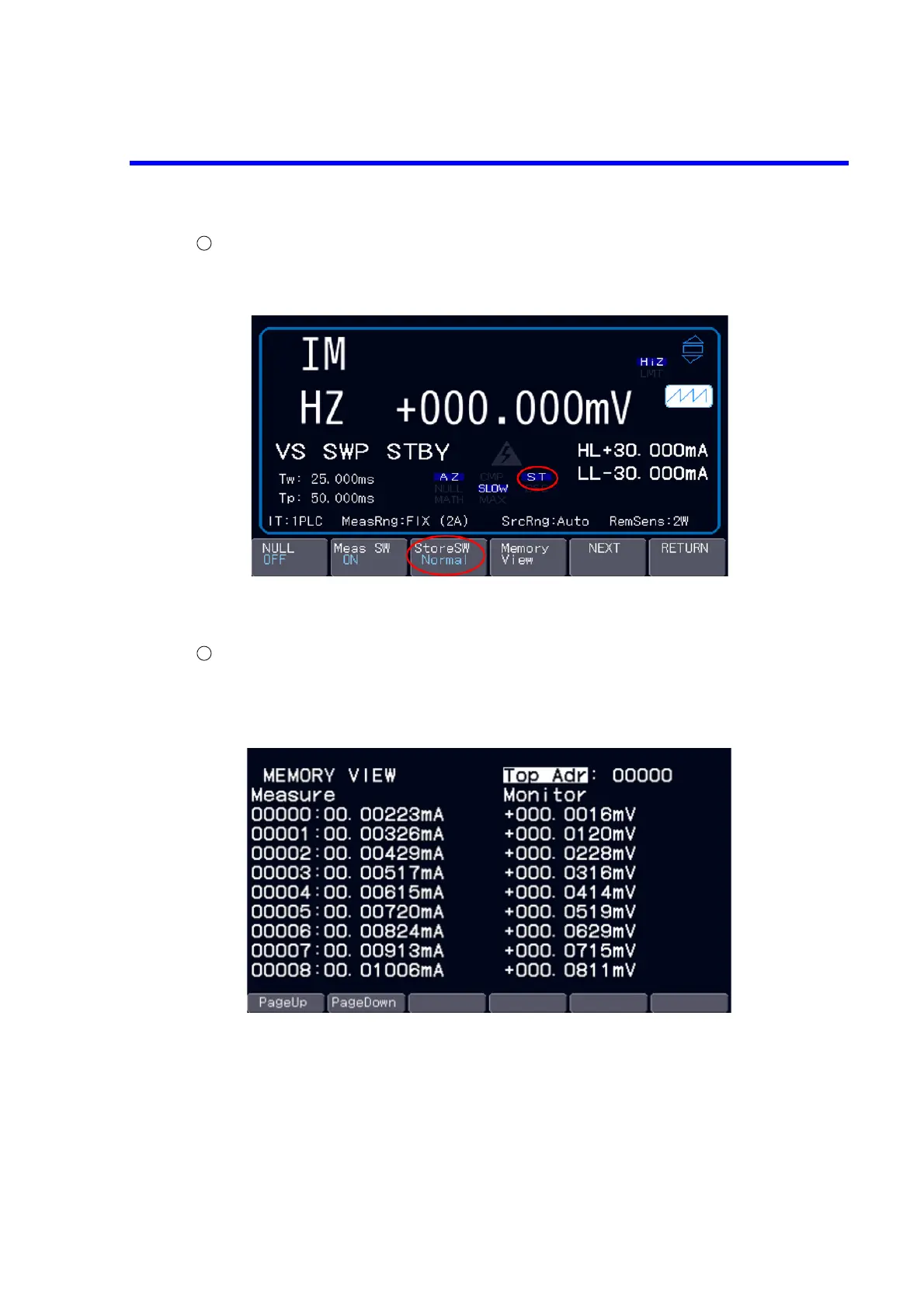
Setting the measurement memory and Operate
Press the soft key Measure first and the soft key StoreSW second to select Normal.
The “ST” appears on the screen.
Press the OPR key to output the bias value.
Press the TRIG key to start sweep measurement.
Checking the measurement data
After completion of sweep measurement, press the soft key Memory View in Measure to display
the data stored in the measurement data memory. When limit detection occurs, the relevant measured
values are displayed in red.



 To Next Page