ALIEN MEGA/MAX USER MANUAL
33
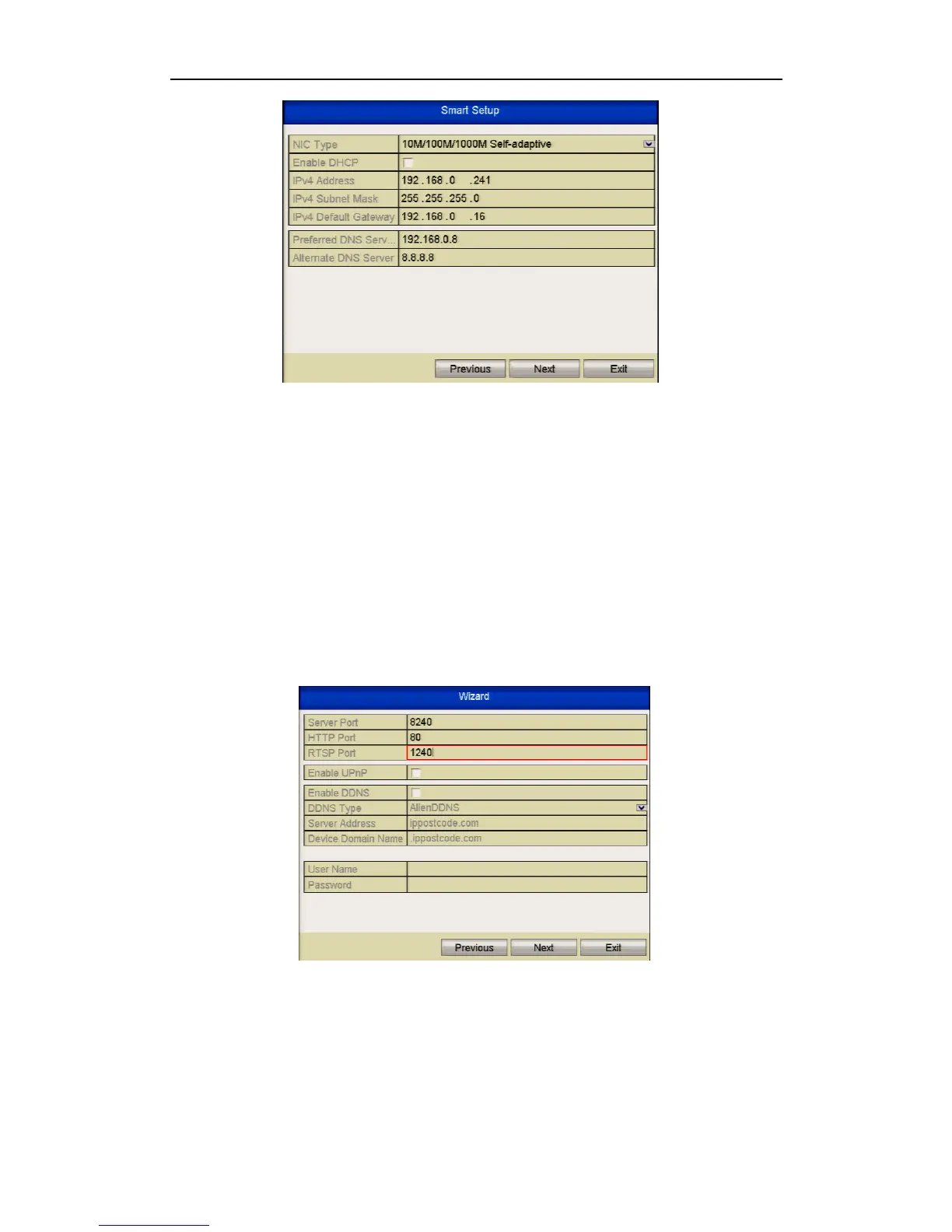
Figure 2.2.5 General Network Configuration
1. Self-adaptive 10M/100M network interface for MEGA204 / MEGA208.
2. Self-adaptive 10M/100M/1000M network interface for MEGA216 / MAX316. 3.
Self-adaptive 10M/100M/1000M 2 x network interfaces for MAX416 but with three
working modes configurable: multi-address, load balance & network fault tolerance
options.
4. Click Next button after you having configured the network parameters, which will
take you to the Advanced Network Setup Wizard window as shown below.
Figure 2.2.6 Advanced Network Configuration
5. Set the parameters for ports used, Auto UPnP or DDNS if required.
6. Click Next button after configuring the advanced network parameters, which will
take you to the HDD Management window.



 To Next Page