GreenDrill control terminal 3.2
62
GreenDrill BAH0054-9 11.17
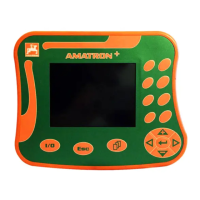
6.12 Programming by your AMAZONE service partner
This section explains the programming of the implement configuration on control terminal 3.2. Have
the programming performed by your AMAZONE service partner.
Before each setting, first switch off the seeding shaft motor and then
the blower fan motor.
6.12.1 Blower fan drive
Settings in the program:
Setting with electric blower fan drive: .................... ON
Setting with hydraulic blower fan drive: ................. OFF
1. Switch the control terminal off and then back on again (see page 52).
2. Press and hold the button when switching on and then also press the button.
The program is opened when the buttons are released.
3. Press the
button repeatedly until the desired setting (ON or OFF) appears on the display.
4. Save the programming with the
or button and exit the program.
6.12.2 Selecting the seeding shaft gearbox motor
Settings in the program:
Setting for GreenDrill with 8 outlets: .......................................... 8
Setting for GreenDrill with 16 outlets: ........................................ 16
1. Switch the control terminal off and then back on again (see page 52).
2. Press and hold the button when switching on and then also press the button.
The program is opened when the buttons are released.
3. Press the
button repeatedly until the desired setting (8 or 16) appears on the display.
4. Save the programming with the
or button and exit the program.



 To Next Page