GreenDrill control terminal 5.2
GreenDrill BAH0054-9 11.17
69
7.6 Calibration [kg/ha and grains/m
2
]
The seed calibration can be terminated at any time by pressing the
button or button.
The blower fan cannot be switched on during calibration.
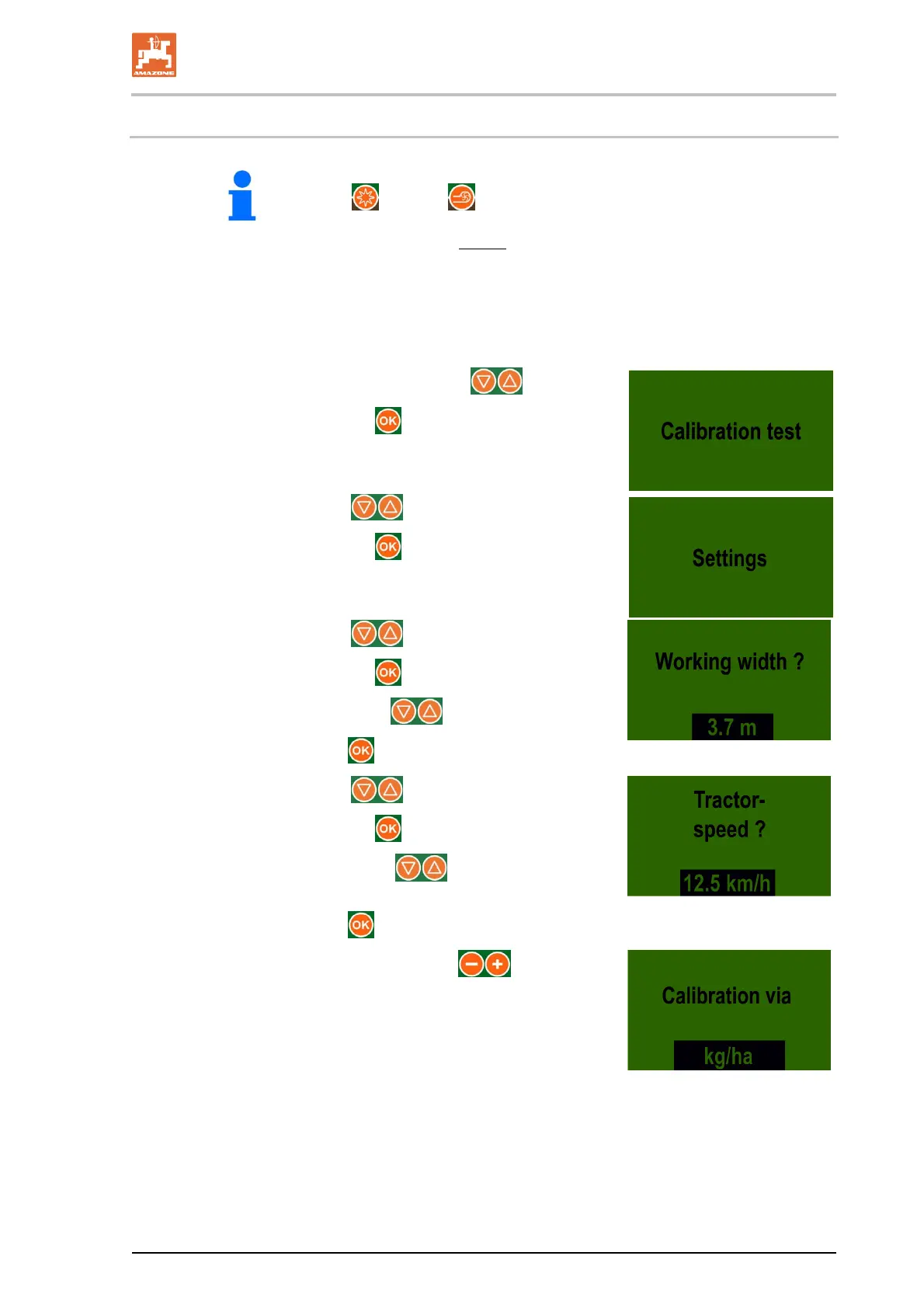
1. Prepare the implement for the calibration test (see section 5.6, page 46).
2. Check that the correct seed metering wheels have been fitted.
3. Fill the seed hopper (see section 5.5, page 45).
4. Adjust the brush for the seed type (see section 4.1.3, page 35).
5. Call up the "Calibration" submenu using the
buttons.
6. Confirm the selection with the
button.
7. Select the display with the buttons.
8. Confirm the selection with the
button.
9. Select the display with the buttons.
10. Confirm the selection with the
button.
11. Enter the working width with the
buttons (e.g., 3.7 m).
12. Confirm the entry with the
button.
13. Select the display with the buttons.
14. Confirm the selection with the
button.
15. Enter the forward speed with the
buttons
(e.g. 12.5 km/h).
16. Confirm the entry with the
button.
17. Select the desired calibration test with the buttons
calibration [kg/ha] or
calibration [grains/m
2
].



 To Next Page