GreenDrill control terminal 5.2
76
GreenDrill BAH0054-9 11.17
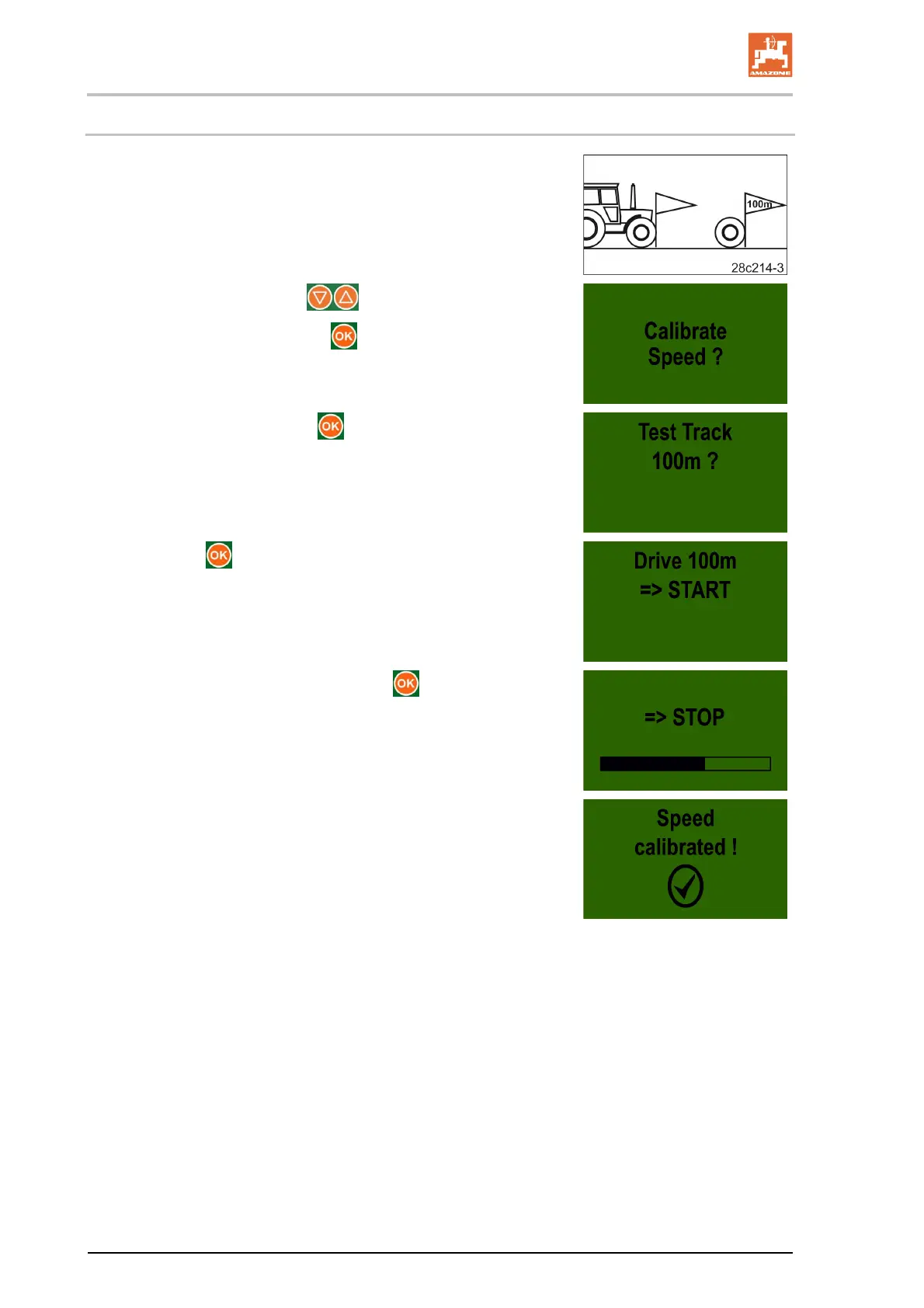
7.7.1 Calibration by driving a calibration distance
1. On the field, measure out a calibration distance of exactly
100 m.
Mark the start and end point of the calibration distance.
2. Drive the tractor to the starting position and put the carrying im-
plement into working position.
3. Select the display with the buttons.
4. Confirm the selection with the
button.
5. Confirm the display with the button.
6. Actuate the button and drive exactly the calibration dis-
tance.
7. Stop after exactly 100 m and press the button.
Display when the calibration is complete
If no button is pressed, the display switches to the main menu
after approx. 5 seconds.





 To Next Page