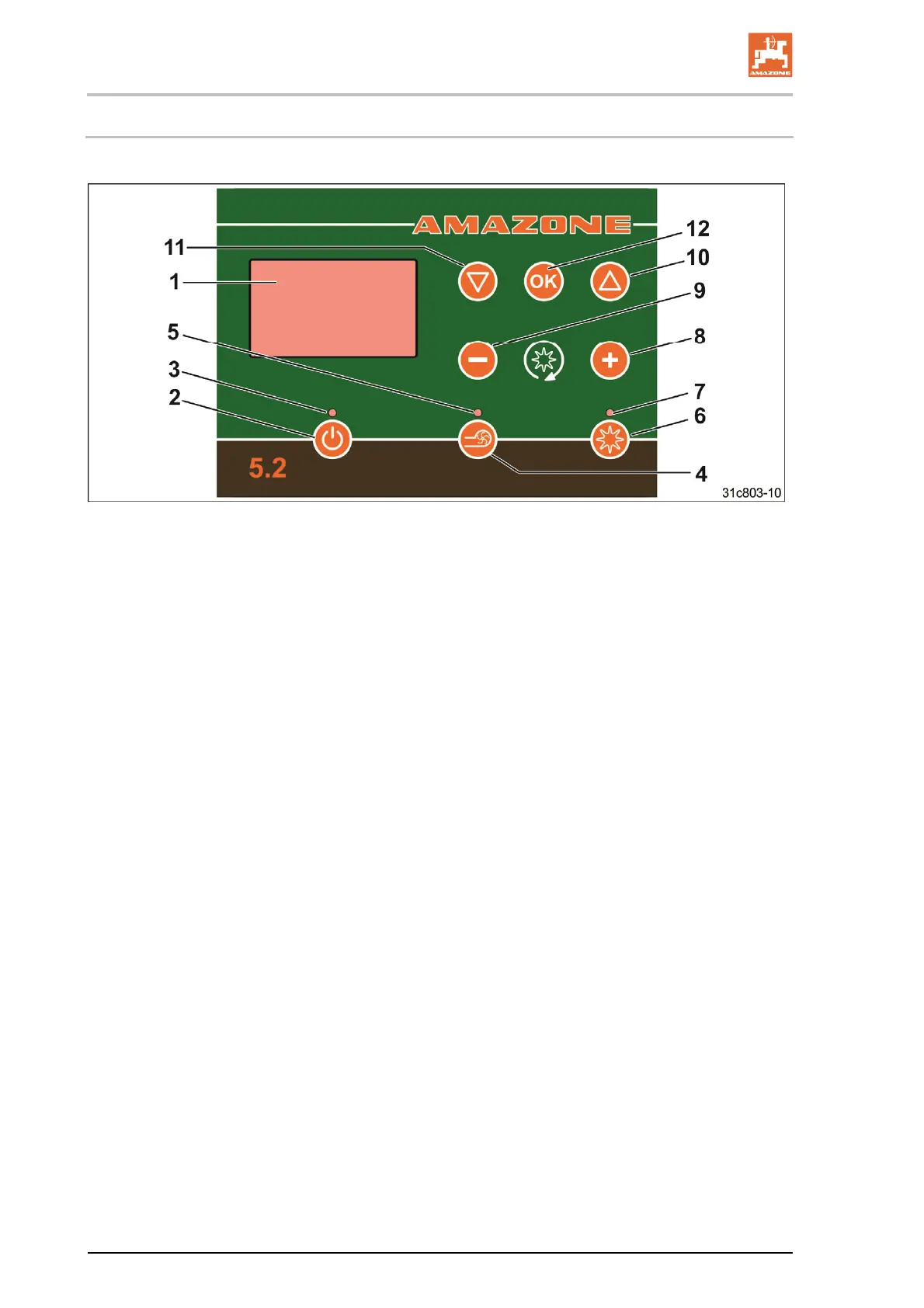
GreenDrill control terminal 5.2
64
GreenDrill BAH0054-9 11.17
7.1 Control elements
(1) Graphic display
(2) On/Off button
(3) The control lamp is illuminated
when the control terminal is switched on
(4) Switch the electric blower fan drive
on and off.
The button is without function with
the hydraulic blower fan drive.
(5) The control lamp is illuminated
when the blower fan is switched on.
With the hydraulic blower fan drive, a pressure
sensor is required, see section "Hydraulic blower
fan drive", page 38.
(6) Switch seeding shaft on/off
(7) The control lamp is illuminated
when the seeding shaft is running
(8) Increase the seeding shaft speed
(9) Decrease the seeding shaft speed
(10) Cursor key
(moves up in the menu)
(11) Cursor key
(moves down in the menu)
(12) Button for confirming the selection





 To Next Page