Chapter 3 Software Navigation
Part Number: 0160-6411, Rev A, 02/2019 Page 103 of 314
Software Release: cOS 5.00
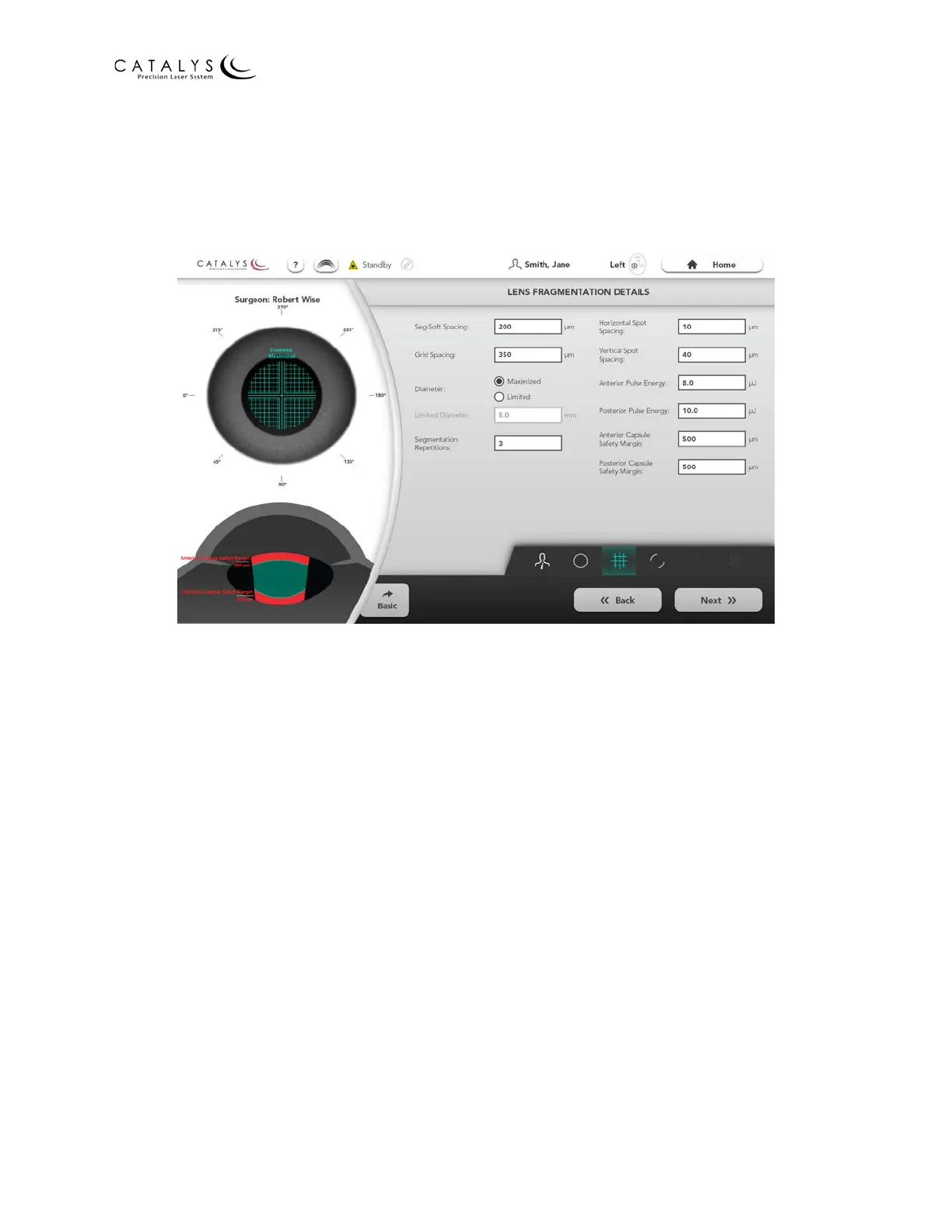
Lens Fragmentation Details Screen
To access the Lens Fragmentation Details Screen, press the DETAILS button on the Lens
Fragmentation (Basic) Screen or the Quick Navigation Bar Lens Fragmentation icon on the
Capsulotomy, Arcuate Incisions, or Cataract Incisions Primary or Sideport(s) Details Screen.
Figure 3.61 Lens Fragmentation Details Screen
From the Lens Fragmentation Details Screen, you can select the following parameters:
• Seg-Soft Spacing—distance between segmentation lines and initial softening grid pattern
lines
• Grid Spacing—distance between successive softening grid pattern lines
• Diameter—diameter for maximum allowed lens fragmentation pattern
─ Maximized—diameter is determined by the detected iris
─ Limited—diameter is determined by the smaller of either the detected iris or the
limited diameter specified
• Segmentation Repetitions—number of times the treatment of the selected segmentation
lines is repeated in the lens fragmentation pattern as the treatment laser passes over the
segmentation portion of the pattern
• Horizontal Spot Spacing—lateral spot-to-spot spacing
• Vertical Spot Spacing—axial spot-to-spot spacing
• Anterior/Posterior Pulse Energy—system varies pulse energy between these values (if
they are different) as the pattern is delivered, moving from posterior to anterior
• Anterior/Posterior Capsule Safety Margin—safety distances between lens fragmentation
incisions and anterior/posterior capsule surfaces



 To Next Page