Appendix A – Chapter 2 Mobile Patient Bed Operation
Part Number: 0160-6411, Rev A, 02/2019 Page 253 of 314
Software Release: cOS 5.00
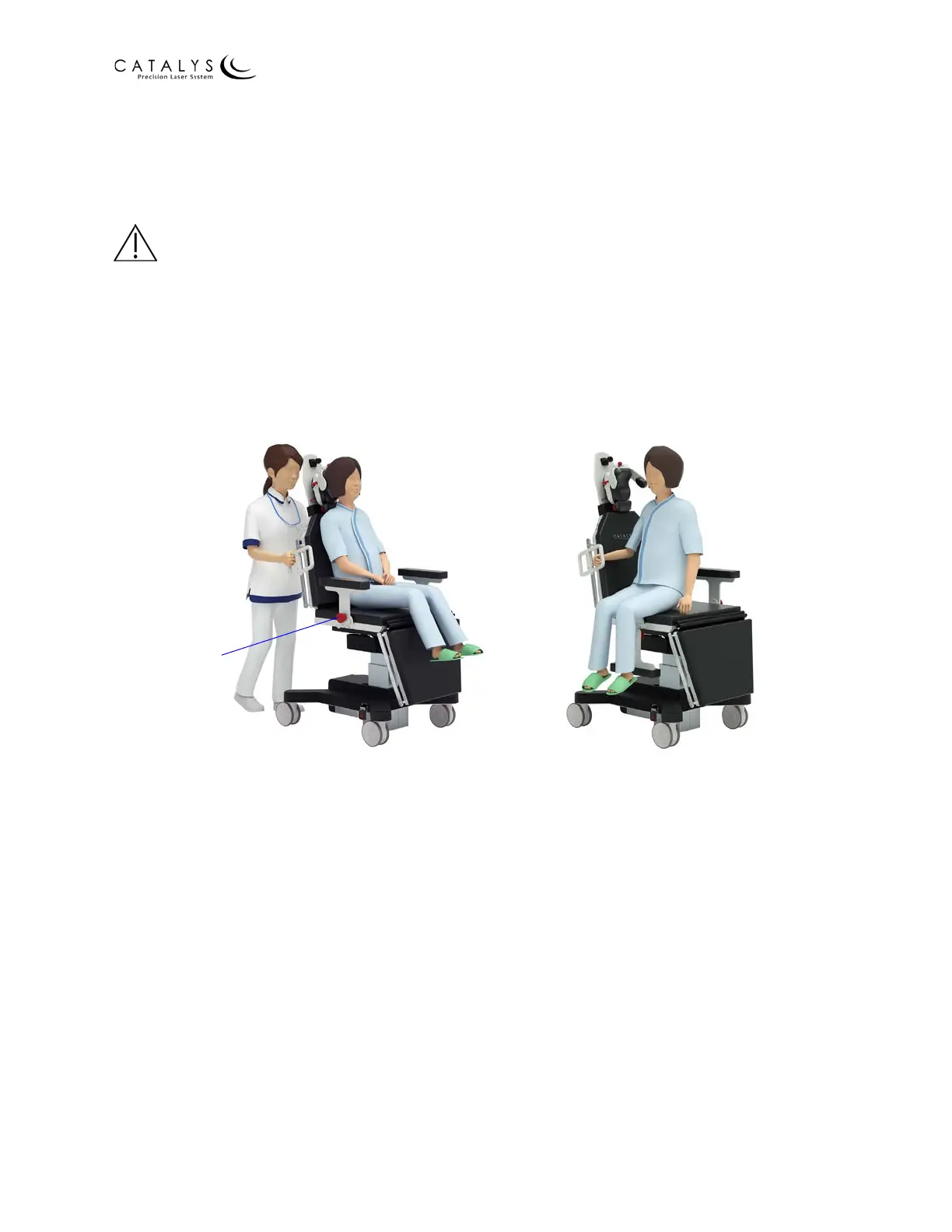
Lowering/Raising the Armrests
The armrests can be lowered to facilitate patient loading and unloading. To lower the armrest,
pull the armrest release knob toward you, and fold the armrest downwards. To raise the
armrest, fold the armrest upwards until it clicks into place.
WARNINGS
Raising the armrest presents a potential pinching hazard. Ensure that the patient and operator
are clear of the armrest locking mechanism before folding the armrest upwards.
Ensure that the patient's body and clothing are clear of the armrest locking mechanism at all
times. The armrest locking mechanism can cause discomfort or injury if the patient's body is
dragged against it, or the patient's clothing may get caught in the armrest locking mechanism.
Figure 2.6 Armrest in Raised and Lowered Positions
Adjusting the Backrest, Seat, and Footrest
The articulating backrest, seat, and footrest are adjustable using the control pendant. The
backrest can be adjusted up to 85°, the seat can be adjusted up to 20°, and the footrest can be
adjusted up to 80°.
To adjust the backrest, seat, and footrest:
1. Press the button on the control pendant that corresponds to the surface you wish to
adjust; the button for the active surface illuminates.
2. Press and hold the up/down button to adjust the selected surface.
3. Release the up/down button when the surface is at the desired position.
Alternatively, you can select one of the two preset memory positions by pressing and holding
the desired memory button on the control pendant.
Armrest
release knob
Armrest in Raised Position Armrest in Lowered Position



 To Next Page