Chapter 3 Software Navigation
Page 64 of 314 Part Number: 0160-6411, Rev A, 02/2019
Software Release: cOS 5.00
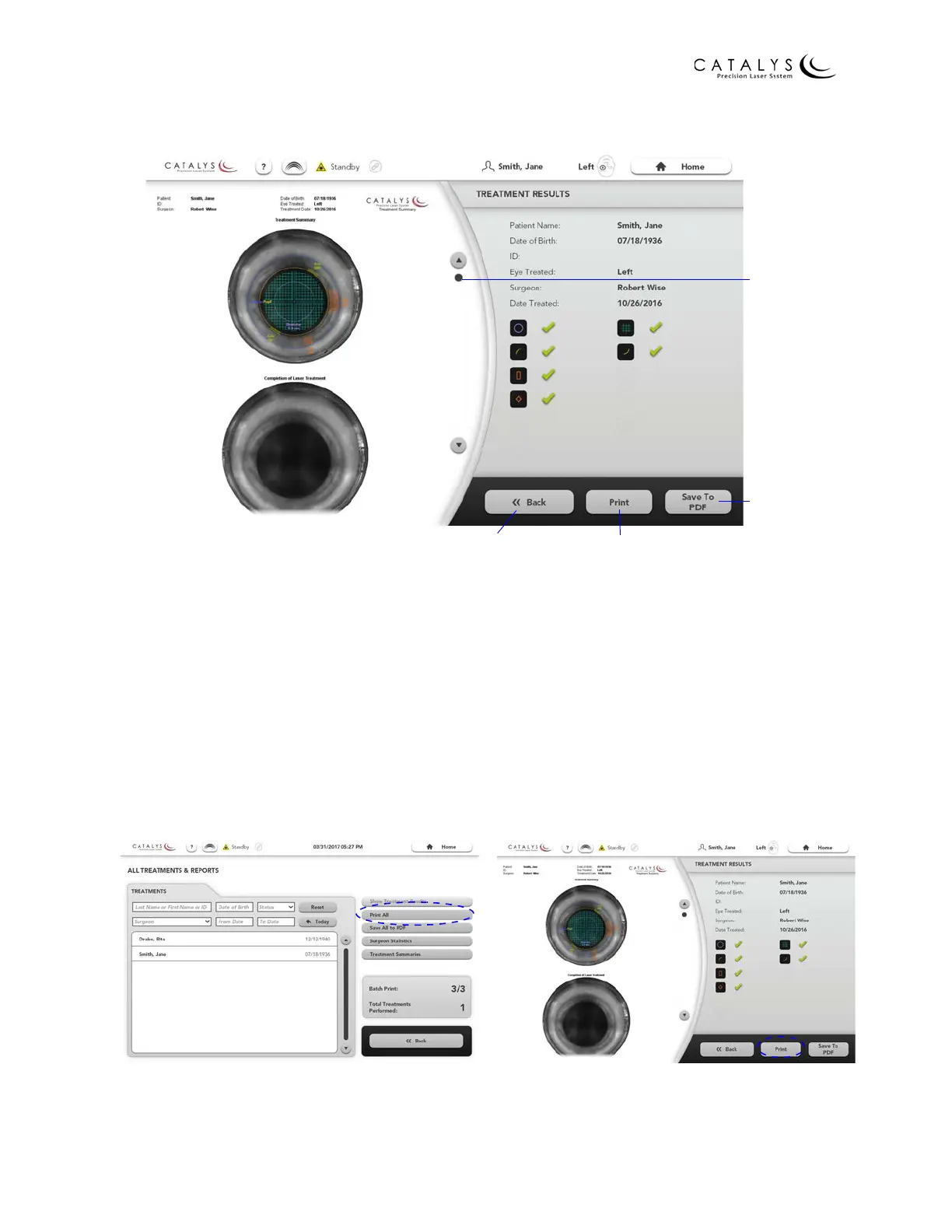
Figure 3.6 Treatment Results Screen
Printing the Treatment Report(s)
To print the treatment report(s) to a network printer:
1. Ensure that the network is enabled, as described in Setting Up Network Printing and
Remote Connectivity (optional) on page 38.
2. From the All Treatments & Reports Screen, press the PRINT ALL or PRINT SELECTED
button, or from the Treatment Results Screen, press the PRINT button.
Figure 3.7 PRINT ALL Button on
All Treatments & Reports Screen
Figure 3.8 PRINT Button on
Treatment Results Screen
Scroll Through
Report
Save Report
to PDF
Go to All Treatments
and Reports Screen
Print Report to
Network Printer



 To Next Page