Chapter 4 CATALYS® System Procedure
Page 186 of 314 Part Number: 0160-6411, Rev A, 02/2019
Software Release: cOS 5.00
Capturing the Suction Ring
After the system verifies that the suction ring is attached and caster lock mode is activated (if
using the Mobile Patient Bed) or the chair is latched (if using the patient chair), the Capture
panel opens, and you are prompted to capture the suction ring, as follows:
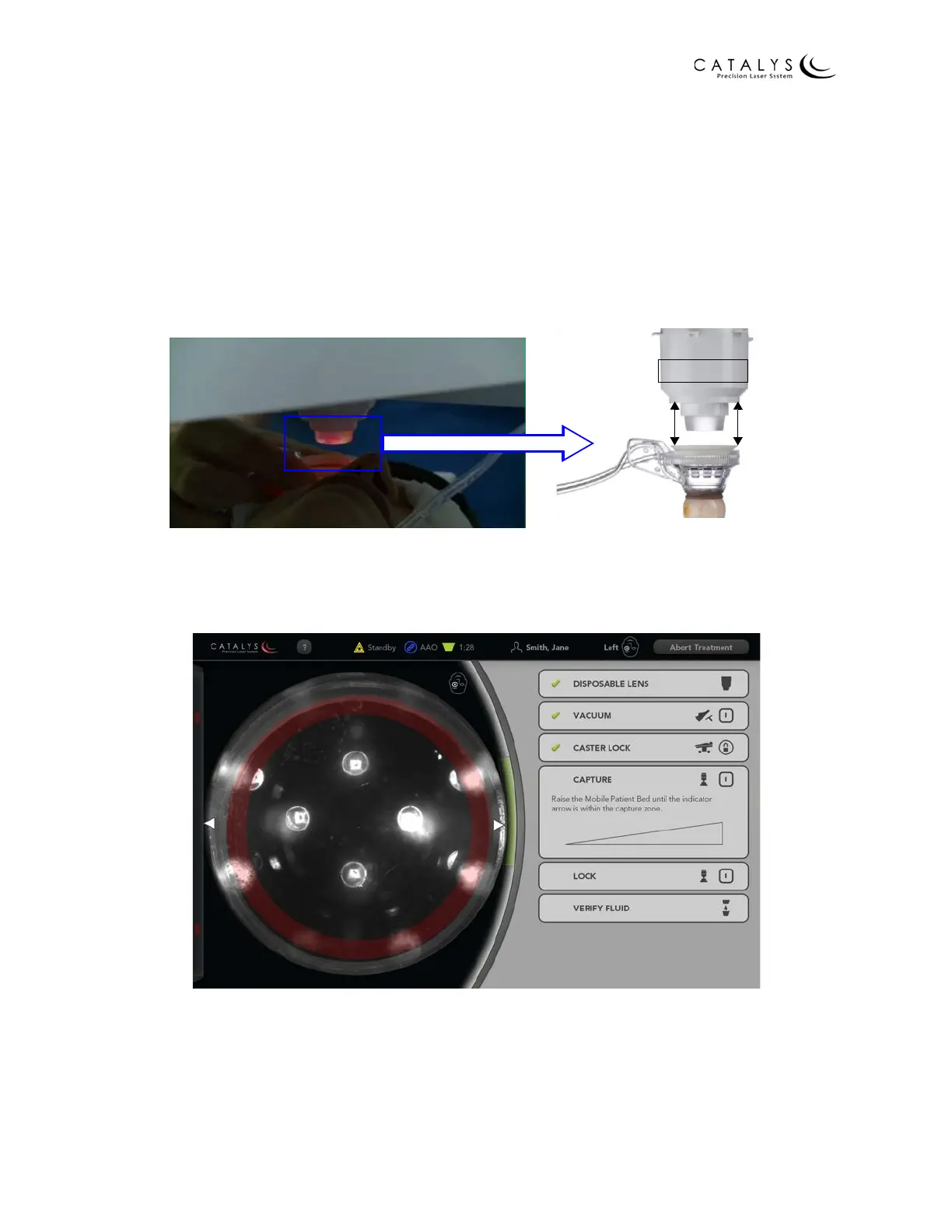
1. While maintaining the suction ring as level as possible, use the joystick control to
navigate the bed/chair up to the disposable lens. As the suction ring gets closer to the
disposable lens, use the video image on the touchscreen as a guide.
Figure 4.26 Lift Patient Eye Up to Disposable Lens
2. Navigate the suction ring and bed/chair with the joystick, and center the suction ring
within the red ring on the video image, as shown in the following figure.
Figure 4.27 Center the Suction Ring



 To Next Page