Chapter 3 Software Navigation
Part Number: 0160-6411, Rev A, 02/2019 Page 81 of 314
Software Release: cOS 5.00
Settings Screen
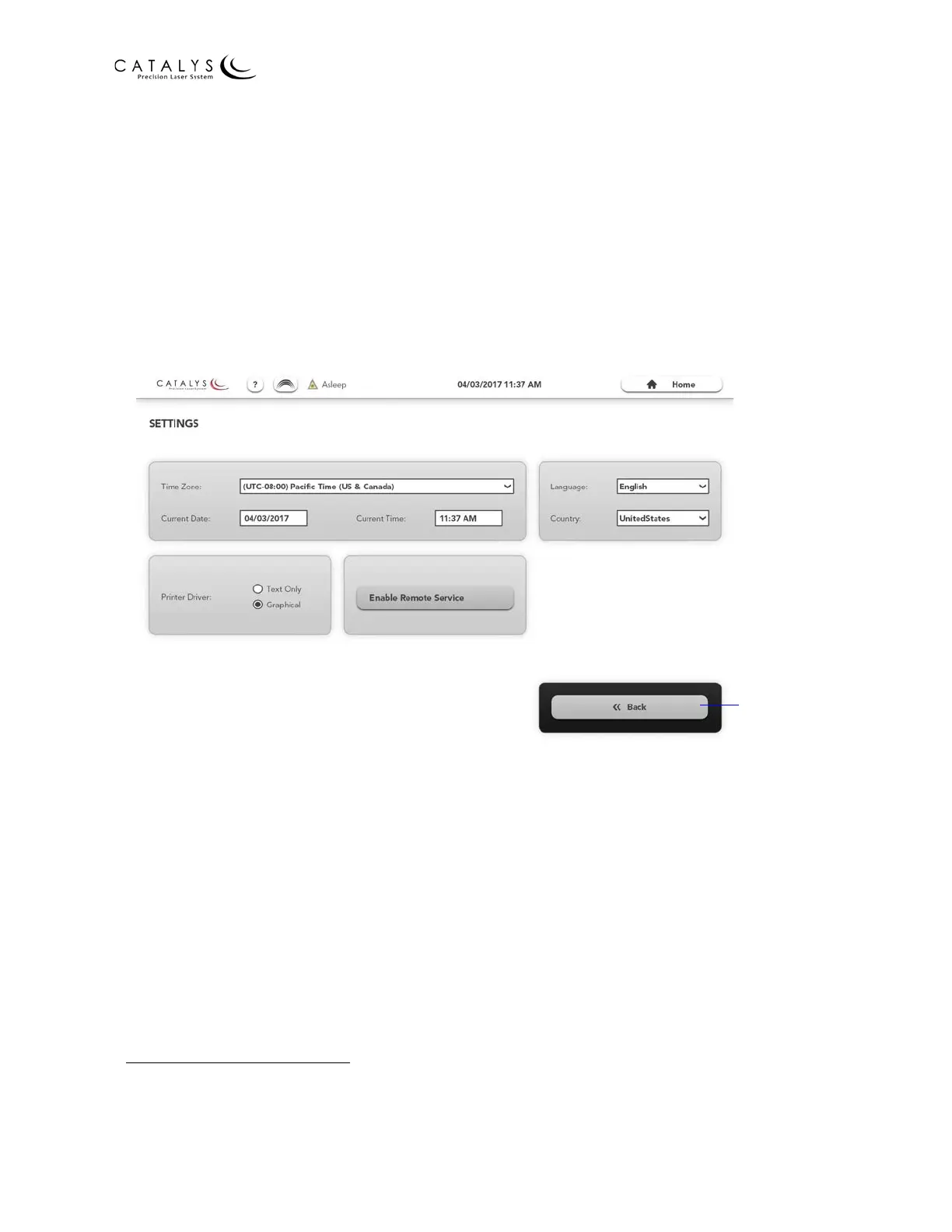
From the Administrator Home Screen, press the SETTINGS button to go to the Settings Screen.
From the Settings Screen, the administrator can:
• Select the displayed time zone, date, and time
• Select the user language and country for software localization
1
• Enable and disable graphic reports
• Enable and disable remote service (see Setting Up Network Printing and Remote
Connectivity (optional) on page 38 for additional information)
Figure 3.32 Settings Screen
1. For CATALYS® System software version cOS 5.0, English and English‐speaking countries are the only two
localization settings available.
Return to
Administrator
Home Screen



 To Next Page