Chapter 4 CATALYS® System Procedure
Part Number: 0160-6411, Rev A, 02/2019 Page 175 of 314
Software Release: cOS 5.00
4.2 Intraoperative Instructions
Installing the LIQUID OPTICS™ Interface Components
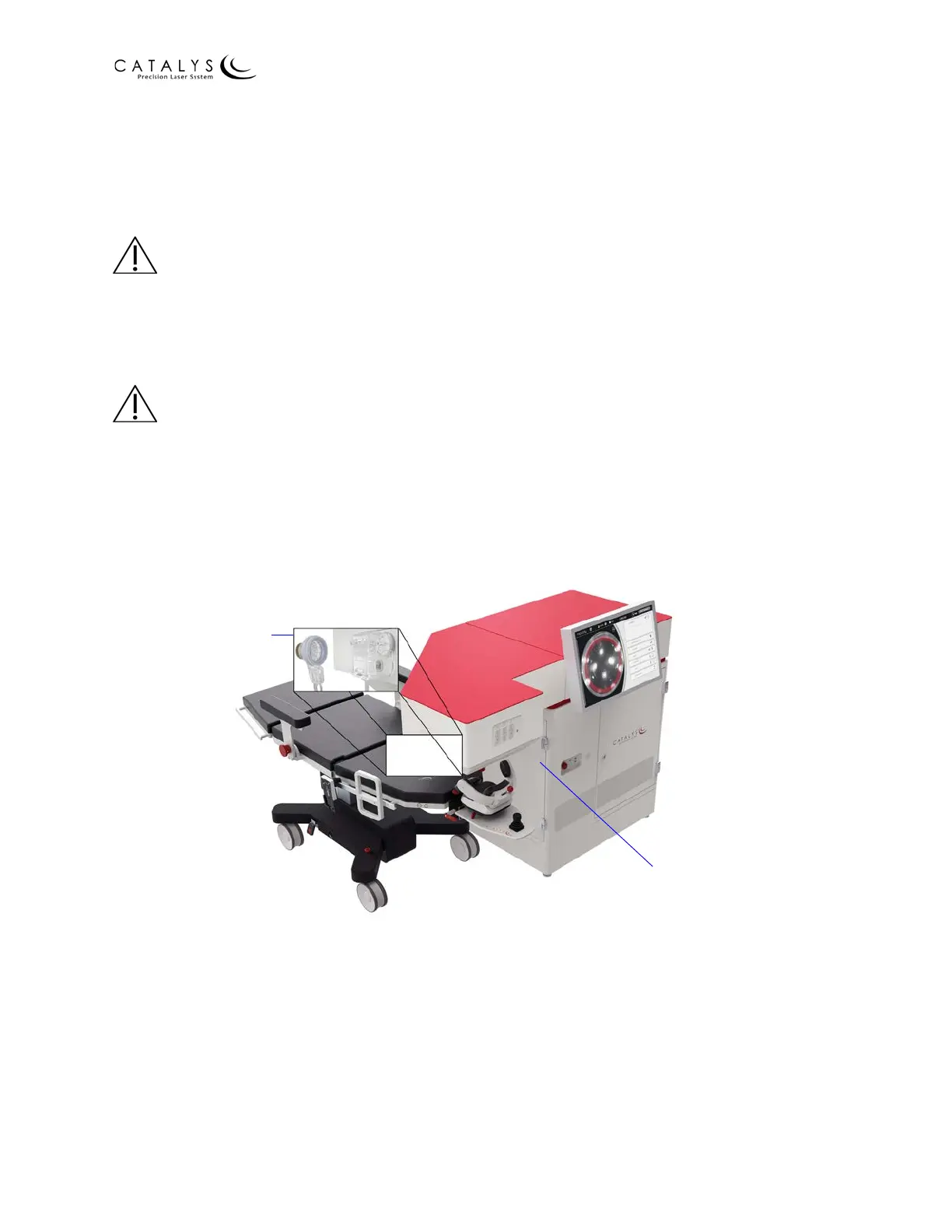
Prior to seating the patient, install the LIQUID OPTICS™ Interface components (i.e., disposable
lens and fluid reservoir) on the system.
CAUTION
Inspect all LIQUID OPTICS™ Interface packaging prior to use. Do not use if the packaging is
damaged or if the device has been dropped, and do not use after the expiration date on the
packaging. Keep the LIQUID OPTICS™ Interface disposable package sealed and unopened until
immediately prior to use.
WARNING
The OPTIMEDICA CATALYS® System is designed to work with the OPTIMEDICA LIQUID OPTICS™
Interface. The OPTIMEDICA LIQUID OPTICS™ Interface is the only patient interface approved for
use with the CATALYS® System. Do not use any other patient interface device with the CATALYS®
System. Do not modify or alter the LIQUID OPTICS™ Interface used with the CATALYS® System.
Figure 4.14 Location of LIQUID OPTICS™ Interface Component Installation
LIQUID OPTICS™ Interface
Circular Label Reader
LIQUID OPTICS™ Interface
Vacuum Connections



 To Next Page