Chapter 3 Software Navigation
Part Number: 0160-6411, Rev A, 02/2019 Page 113 of 314
Software Release: cOS 5.00
Press the button to go to Cataract Incisions Sideport(s) Laser Details Screen, the button
to go to the Cataract Incisions Sideport(s) Geometric Details Screen, the BASIC button to return
to the Cataract Incisions (Basic) Screen, the BACK button to return to the (Basic) Screen for the
previous procedure in the sequence, or the NEXT button to proceed to the Treatment Plan
Summary Screen.
NOTES
If you selected only the cataract incisions procedure on the Plan a Treatment Screen, pressing the
BACK button on any of the Cataract Incisions Details Screens will take you back to the Plan a
Treatment Screen.
If you press the HOME button on any of the Cataract Incisions Details Screens, the current
treatment parameters will be saved.
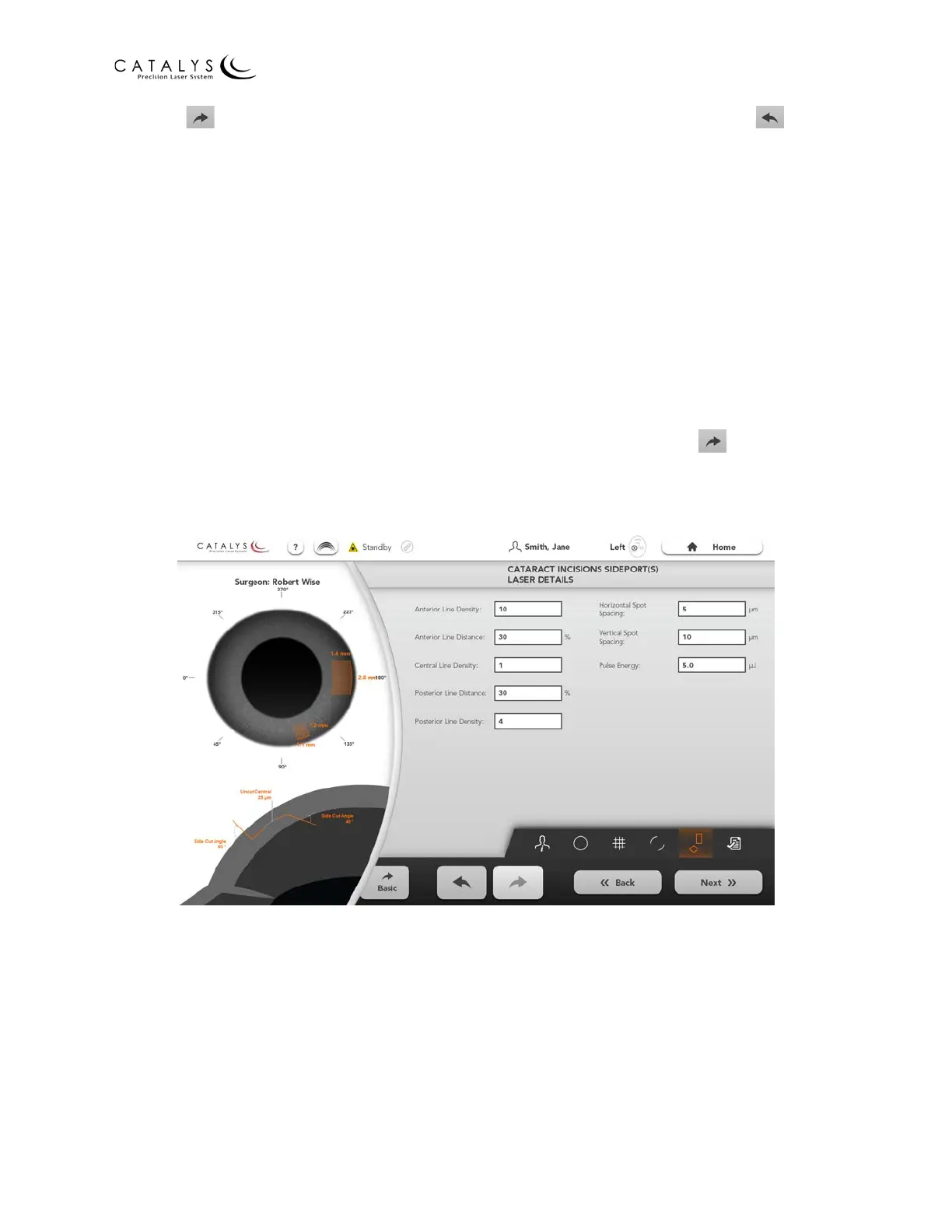
Cataract Incisions Sideport(s) Laser Details Screen
To access the Cataract Incisions Sideport(s) Laser Details Screens, press the button on the
Cataract Incisions Primary Laser Details Screen.
Figure 3.68 Cataract Incisions Sideport(s) Laser Details Screen
From the Cataract Incisions Sideport(s) Laser Details Screen, you can select the following
parameters:
• Anterior/Central/Posterior Line Density—spacing between successive lines of the
incision. For cataract incisions, the line density can be independently defined for the
anterior, central, and posterior regions of the incision. Refer to Figure 4.11 Line Density
Characteristics on page 172 for a graphic representation of line density.



 To Next Page