Chapter 2 System Overview
Page 26 of 314 Part Number: 0160-6411, Rev A, 02/2019
Software Release: cOS 5.00
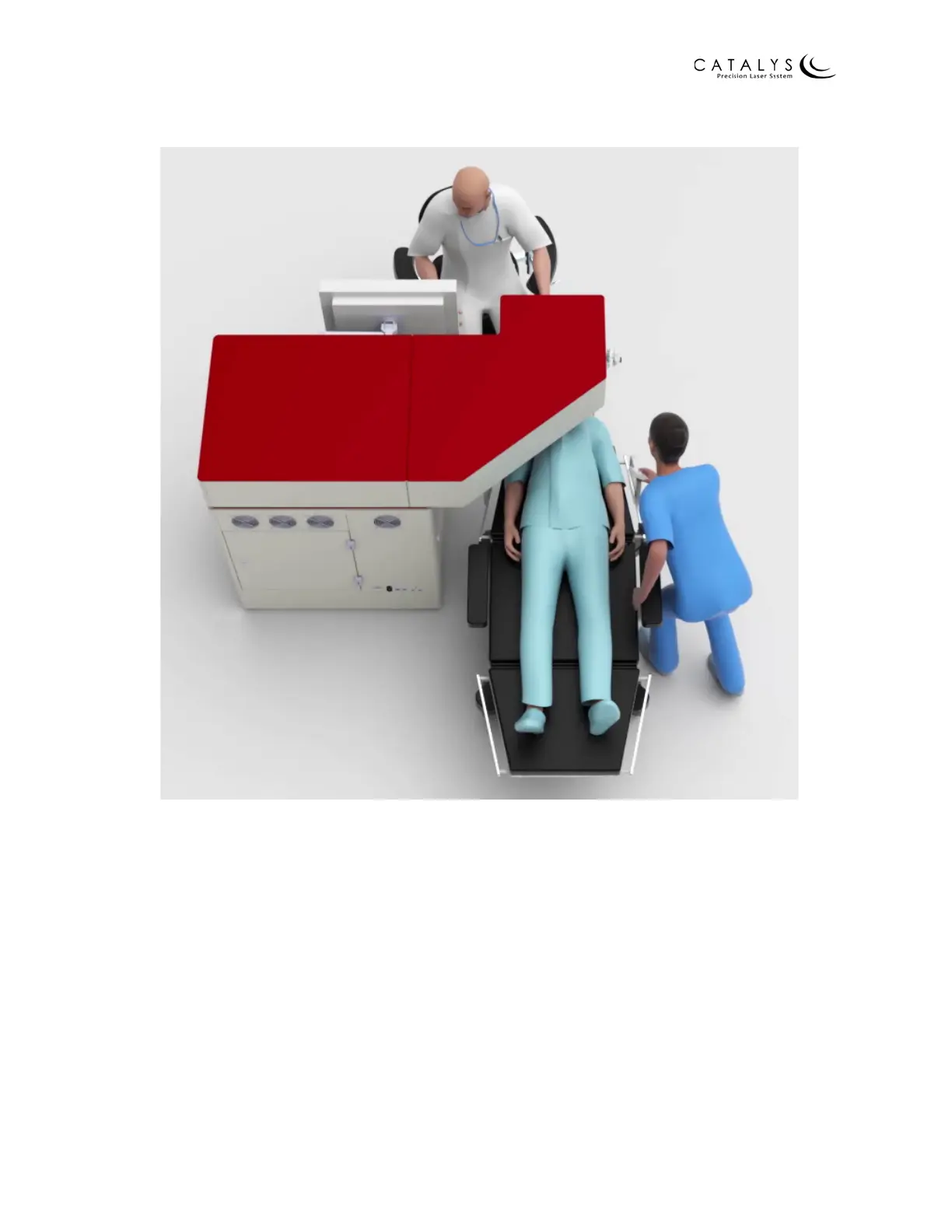
Figure 2.4 CATALYS® System and Mobile Patient Bed with Physician, Patient, and Technician
For a complete description of the Mobile Patient Bed, including detailed instructions for use,
refer to Appendix A – Mobile Patient Bed Instructions on page 233. Refer to Appendix B –
Patient Chair Instructions on page 287 for instructions on using the patient chair.
Emergency Laser Stop Button
The system is equipped with a latching emergency laser stop button. Pressing the emergency
laser stop button stops emission of all laser output by closing the safety shutter, releases the
patient vacuum, and disables the Mobile Patient Bed or patient chair. Rotate the emergency
laser stop button to disengage it. The emergency laser stop button is located on the system front
panel, next to the key switch.



 To Next Page