Chapter 3 Software Navigation
Page 66 of 314 Part Number: 0160-6411, Rev A, 02/2019
Software Release: cOS 5.00
Saving the Treatment Report(s)
To save the treatment report to a USB flash drive:
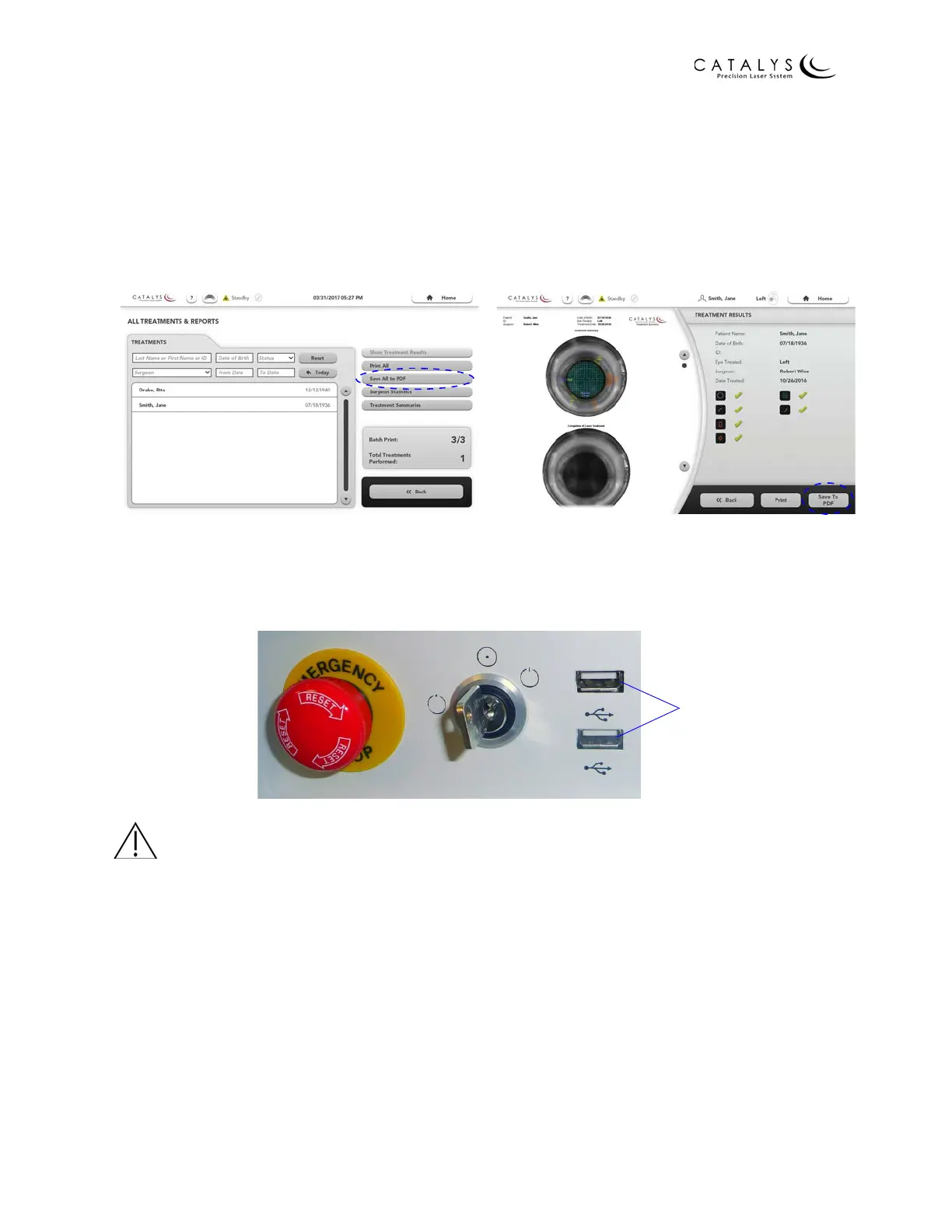
1. From the All Treatments & Reports Screen, press the SAVE ALL TO PDF or SAVE SELECTED
TO PDF button, or from the Treatment Results Screen, press the SAVE TO PDF button.
2. As instructed on the screen, insert a USB storage device into one of the two USB ports on
the system front panel.
Figure 3.14 USB Ports on System Front Panel
CAUTION
Do not connect anything other than a USB flash drive to the CATALYS® System USB ports.
Figure 3.12 SAVE ALL TO PDF Button on All
Treatments & Reports Screen
Figure 3.13 SAVE TO PDF Buttons on
Treatment Results Screen



 To Next Page