Chapter 4 CATALYS® System Procedure
Page 176 of 314 Part Number: 0160-6411, Rev A, 02/2019
Software Release: cOS 5.00
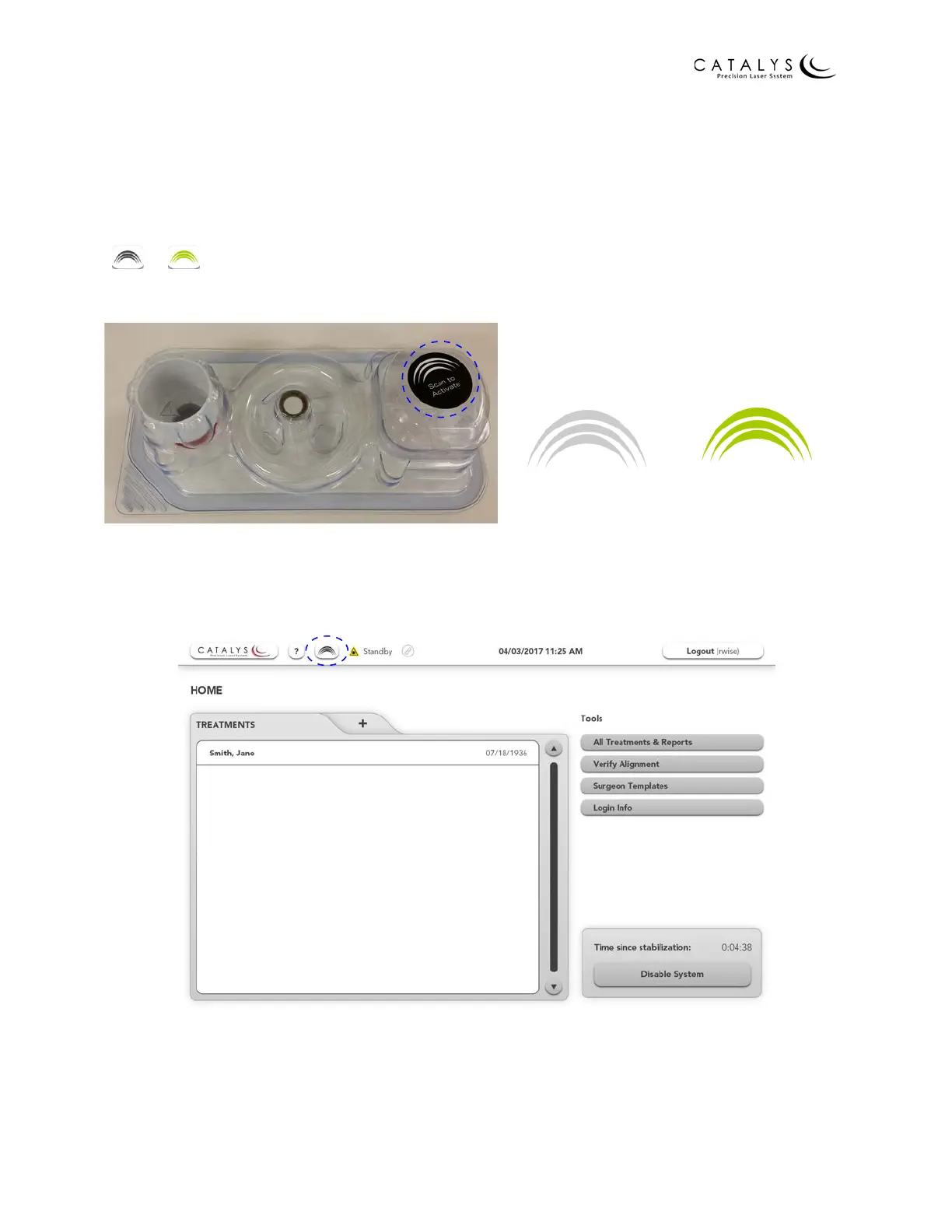
Scanning the Treatment Activation Label
Before pressing the APPROVE button on the Surgical Timeout Screen, scan the circular
treatment activation label by touching the label against the LIQUID OPTICS™ Interface circular
label reader on the patient side of the system. The circular label should contact and be held
against the label reader until the system emits an audible “ding”. “Activated - Scan Successful”
displays momentarily at the top of the screen, and the Treatment Activation icon changes from
to .
Figure 4.15 Treatment Activation Label
Figure 4.16 Location of Treatment Activation Icon
Scan to Activate Activation Successful
Location of Treatment Activation Circular Label
on LIQUID OPTICS™ Interface Tray
Displays for Status of Treatment Activation



 To Next Page