Chapter 3 Software Navigation
Page 152 of 314 Part Number: 0160-6411, Rev A, 02/2019
Software Release: cOS 5.00
Adjust the desired parameters on the Cataract Incisions Adjust Sideport(s) Laser Details Screen,
and then press the button to go to the Cataract Incisions Adjust Primary Laser Details
Screen; press the BASIC button to return to the Adjust Cataract Incisions (Basic) Screen; or press
the DONE button to return to the Cataract Incisions Review Screen.
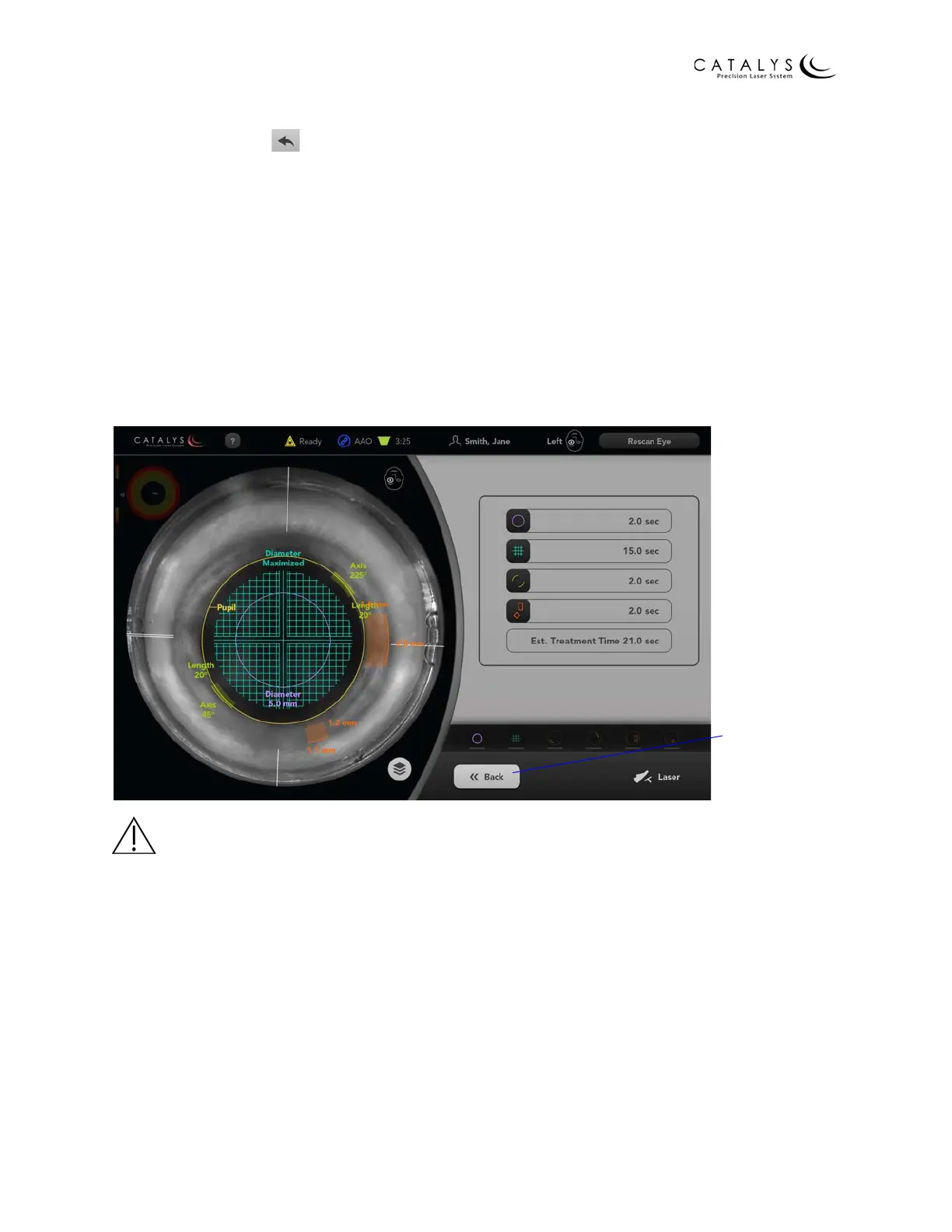
Final Review Screen
After making the desired adjustments on the Incision Adjustment Screens and verifying the
graphical representation of all incisions on the Incision Review Screens, press the APPROVE
button at the bottom of the Incision Review Screen to proceed to the Final Review Screen. The
Final Review Screen allows you to perform a final review of treatment parameters before
initiating laser treatment. If desired, press the BACK button to return to the Incision Review
Screens. Otherwise, press the laser footswitch to initiate laser treatment.
Figure 3.111 Final Review Screen
WARNING
Continuously monitor the video image immediately before and throughout each laser treatment.
Continuously verify that the suction ring remains completely filled with sterile buffered saline
solution. If any air bubbles and/or a meniscus appear on the video image before treatment, do
not initiate laser treatment. If air bubbles and/or a meniscus appear during treatment, then
terminate the laser treatment by immediately releasing the laser footswitch.
Return to Incision
Review Screens



 To Next Page