Chapter 3 Software Navigation
Part Number: 0160-6411, Rev A, 02/2019 Page 151 of 314
Software Release: cOS 5.00
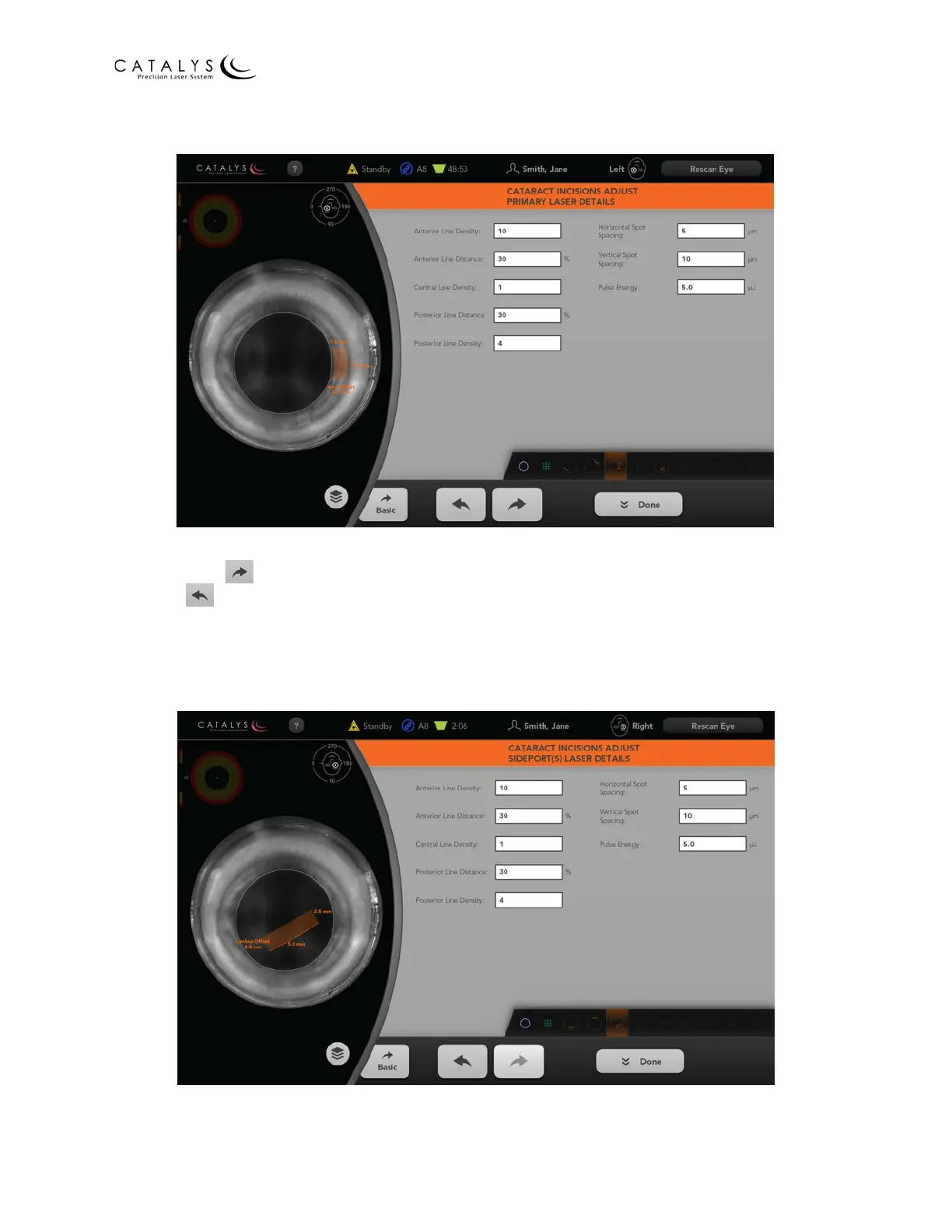
Figure 3.109 Cataract Incisions Adjust Primary Laser Details Screen
Adjust the desired parameters on the Cataract Incisions Adjust Primary Laser Details Screen, and
then press the button to go to the Cataract Incisions Adjust Sideport(s) Laser Details Screen;
press the button to go to the Cataract Incisions Adjust Sideport(s) Geometric Details Screen;
press the BASIC button to return to the Adjust Cataract Incisions (Basic) Screen; or press the
DONE button to return to the Cataract Incisions Review Screen.
Figure 3.110 Cataract Incisions Adjust Sideport(s) Laser Details Screen



 To Next Page