Chapter 3 Software Navigation
Part Number: 0160-6411, Rev A, 02/2019 Page 99 of 314
Software Release: cOS 5.00
• For a given incision, if you have selected a Treatment Template and you select a value
other than the Treatment Template value for any details parameter, an asterisk displays
to the left of the value and a “return-to-default” button displays to the right. The value of
the “return-to-default” button will be populated with the Treatment Template value.
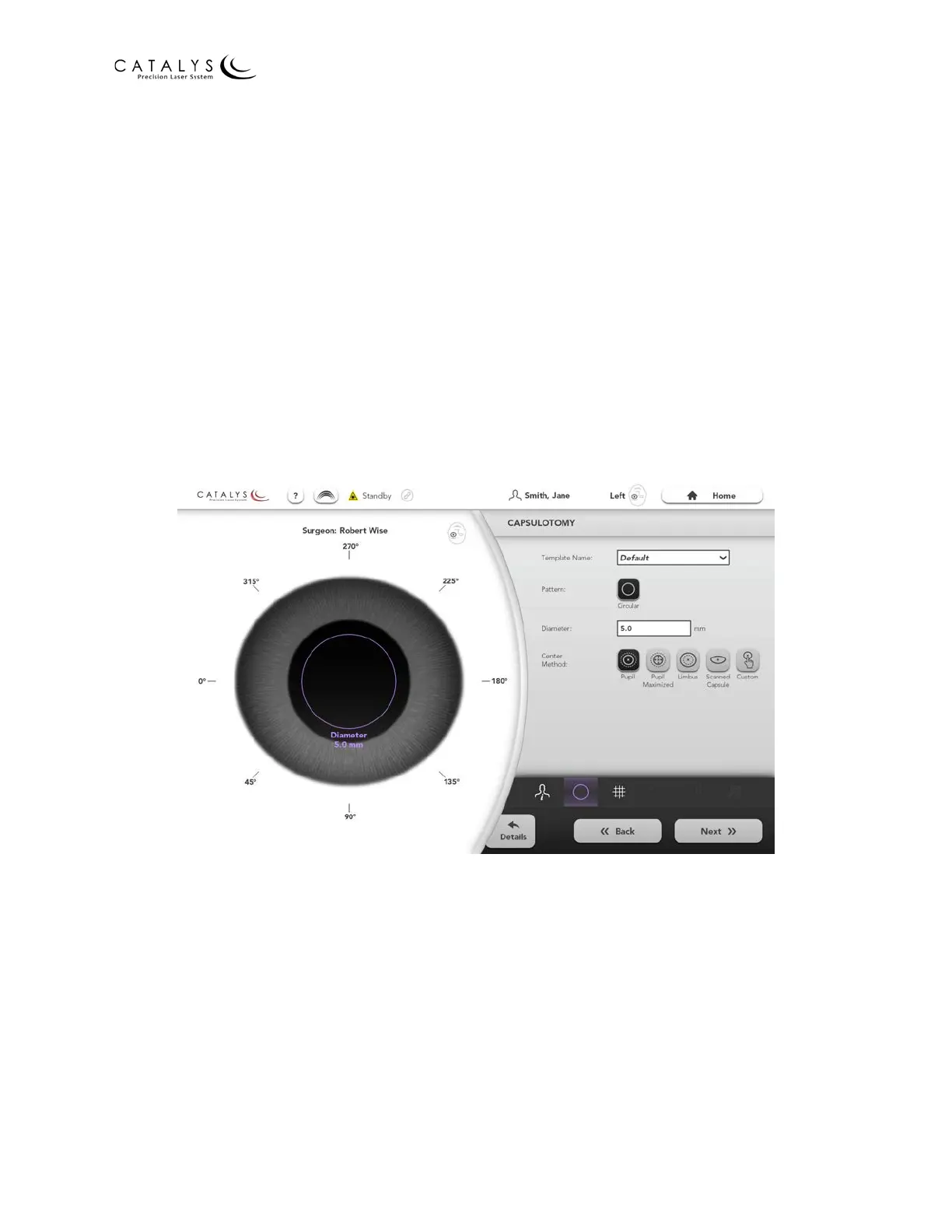
Capsulotomy (Basic) Screen
The Capsulotomy (Basic) Screen can be accessed in any of the following ways:
• Press the NEXT button on the Plan a Treatment Screen.
• Press the BASIC button on the Capsulotomy Details Screen.
• Press the BACK button on the (Basic) Screen for the next treatment in the sequence.
• Select the Quick Navigation Bar Capsulotomy Icon on the Plan a Treatment Screen; the
Lens Fragmentation, Arcuate Incisions, or Cataract Incisions (Basic) Screen; or the
Treatment Plan Summary Screen.
Figure 3.58 Capsulotomy (Basic) Screen
From the Capsulotomy (Basic) Screen, you can select the following parameters:
• Template Name
• Pattern—Circular is the only pattern option
• Diameter—capsulotomy circular opening diameter
• Center Method
─ Pupil—uses the identified pupil to center the capsulotomy
─ Pupil Maximized—uses the identified pupil to center the capsulotomy and to
maximize the capsulotomy diameter. The initial value you enter for “Diameter” will



 To Next Page