Chapter 3 Software Navigation
Page 98 of 314 Part Number: 0160-6411, Rev A, 02/2019
Software Release: cOS 5.00
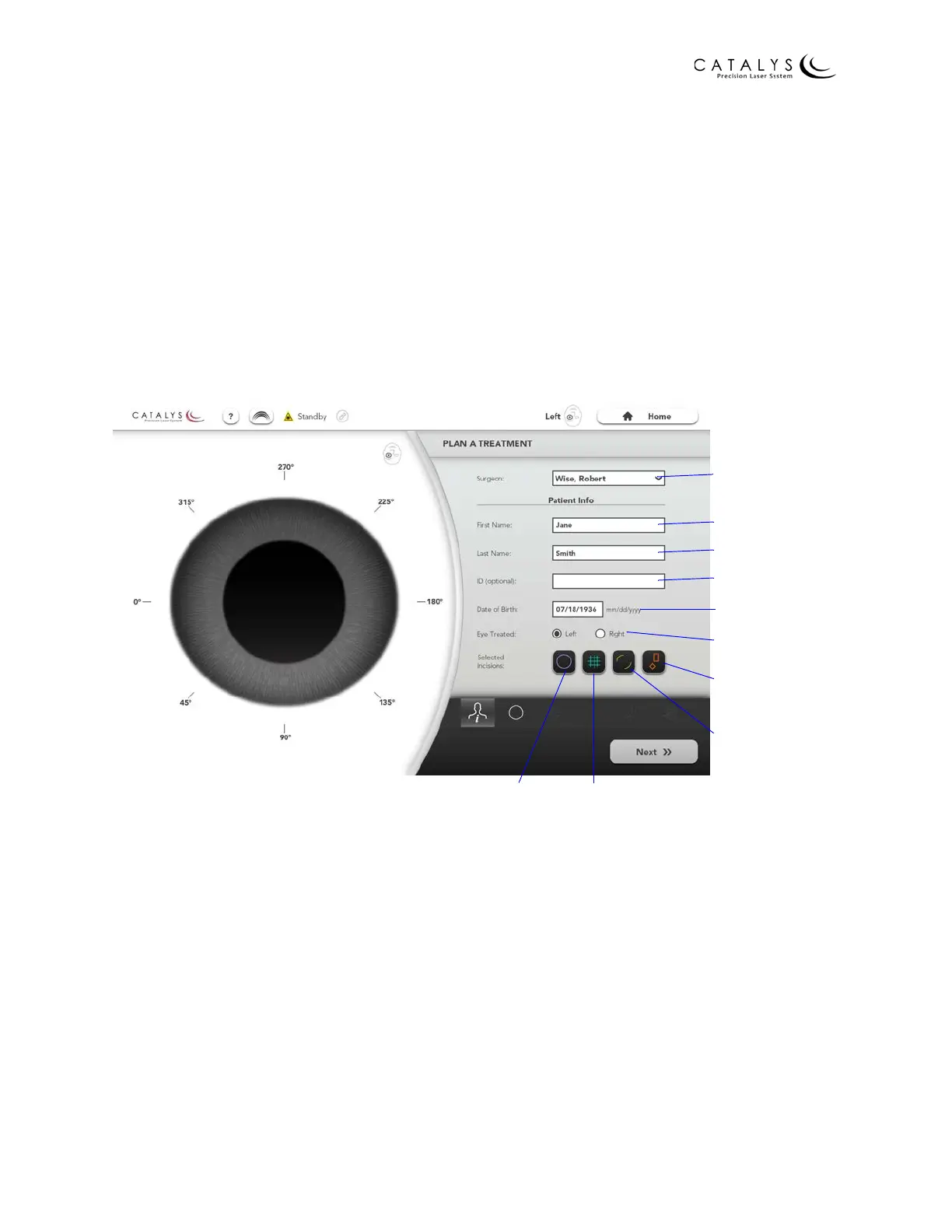
Plan a Treatment Screen
The following information must be entered on the Plan a Treatment Screen before proceeding
with treatment planning:
•Surgeon name
• Patient first and last names
• Patient ID (recommended)
• Patient date of birth
• Treatment eye (left or right)
•Selected incision(s)
Figure 3.57 Plan a Treatment Screen
After entering the required information, press the NEXT button to proceed to the treatment
parameter selection screens.
In each of the treatment parameter selection screens the following rules apply:
• You will not be able to proceed to plan the next selected incision until the current incision
is properly planned (e.g., if the capsulotomy is not completely planned, you will not be
able to proceed to plan the lens fragmentation).
• For a given incision, if you have selected the Default Template, and you select a value
other than the Default Details default value for any details parameter, an asterisk displays
to the left of the value and a “return-to-default” button displays to the right. The value of
the “return-to-default” button will be populated with the Default Details value.
Surgeon Menu
Patient First Name
Patient Last Name
Patient ID (optional)
Patient Date of Birth
Treatment Eye
Select Cataract
Incisions
Select Arcuate
Incisions
Select Lens
Fragmentation
Select
Capsulotomy



 To Next Page