Chapter 3 Software Navigation
Part Number: 0160-6411, Rev A, 02/2019 Page 75 of 314
Software Release: cOS 5.00
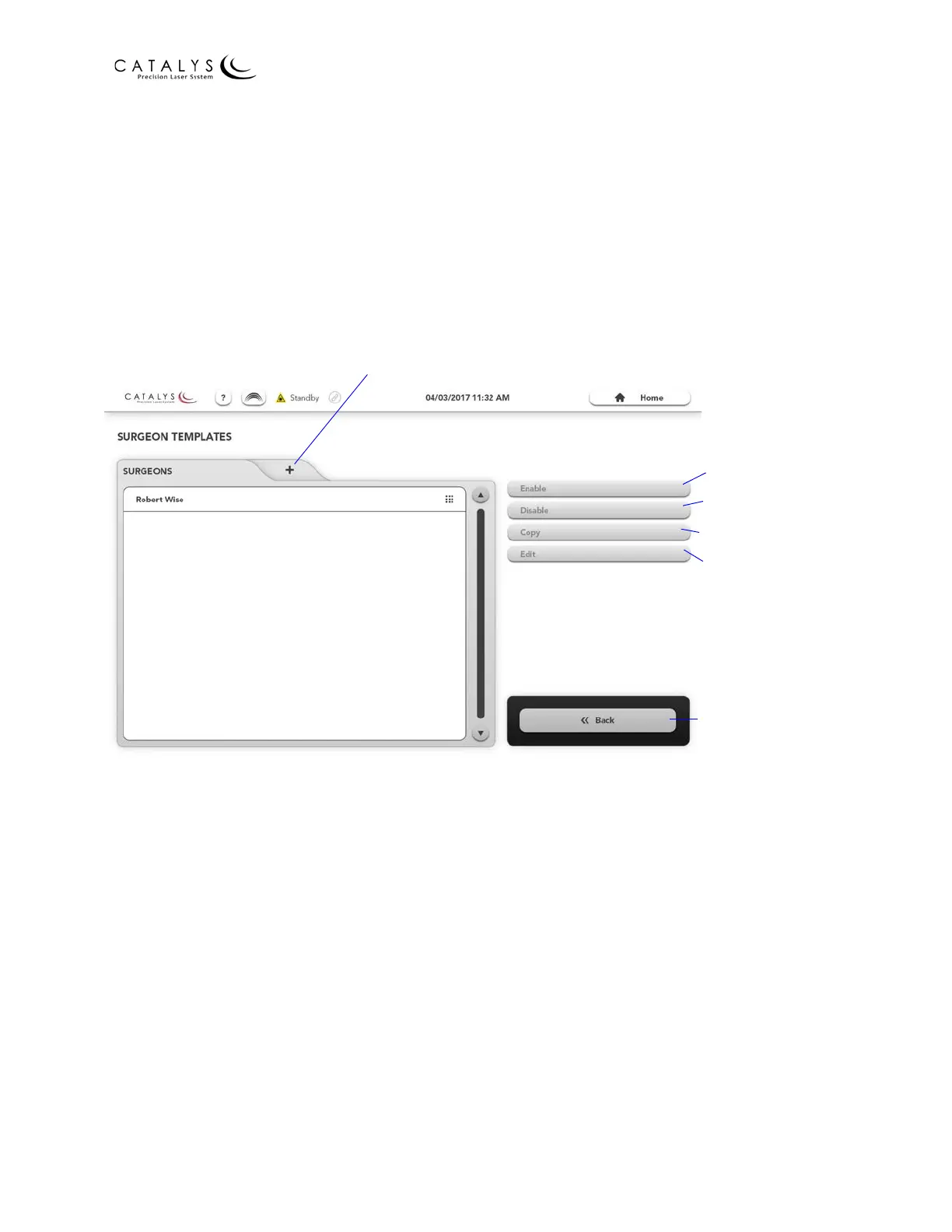
Surgeon Templates Overview Screen
From the Home Screen or Administrator Home Screen, press the SURGEON TEMPLATES button
to go to the Surgeon Templates Overview Screen. From the Surgeon Templates Overview Screen
for administrators, you can:
• Add new surgeon template sets and edit previously added surgeon template sets
• Enable or disable surgeon template sets
• Copy surgeon template sets
Figure 3.24 Surgeon Templates Overview Screen for Administrators
Enable Template Set
Disable Template Set
Copy Template Set
Edit Template Set
Return to Previous
Screen
Add Surgeon Template Set



 To Next Page