Chapter 3 Software Navigation
Part Number: 0160-6411, Rev A, 02/2019 Page 59 of 314
Software Release: cOS 5.00
• Enable/disable the system and laser
• Return to the Login Screen
• Open the Software Info window
NOTE
Refer to Planning Screens on page 83 for detailed information on creating and editing treatment
plans.
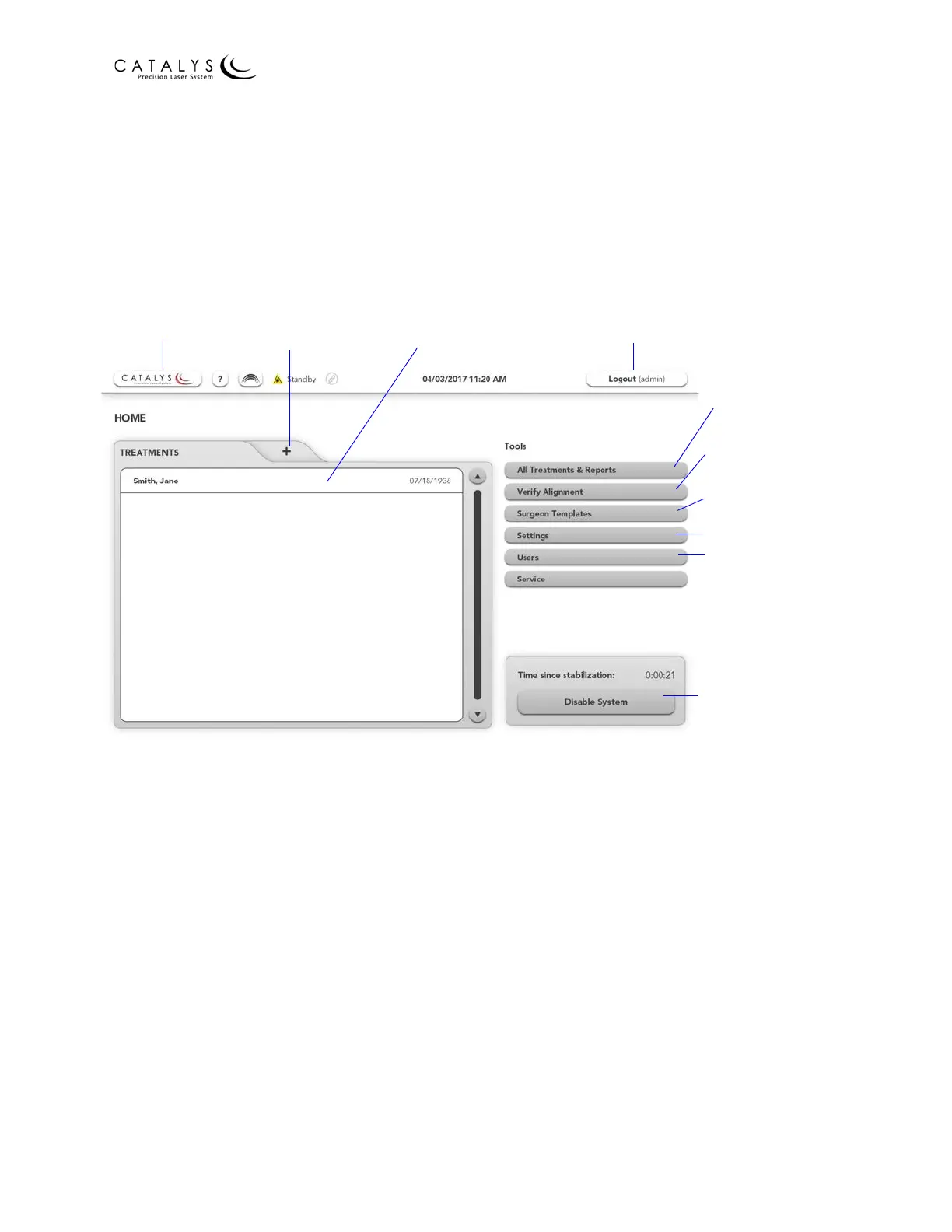
Figure 3.1 Administrator Home Screen
After logging into the CATALYS® System as a general user, the Home Screen displays. From the
Home Screen, you can:
• Add new treatment plans and edit previously added treatment plans
• Initiate a treatment plan
• Enable/disable the system and laser
• Go to the Login Info Screen, All Treatments & Reports Screen, and Surgeon Templates
Overview Screen
• Verify system alignment
• Return to the Login Screen
• Open the Software Info window
Software Info
Add a New
Treatment Plan
Edit Treatment
Plan
Go to Login
Screen
Go to All
Treatments &
Reports Screen
Go to Verify
Alignment screen
Go to Surgeon
Templates Overview
Screen
Go to Settings
Go to Users Screen
Enable/Disable
System and Laser



 To Next Page