3-4 Spectrum Analyzer Quick Start Guide
3-14 PN: 10580-00250 Rev. K Cell Master UG
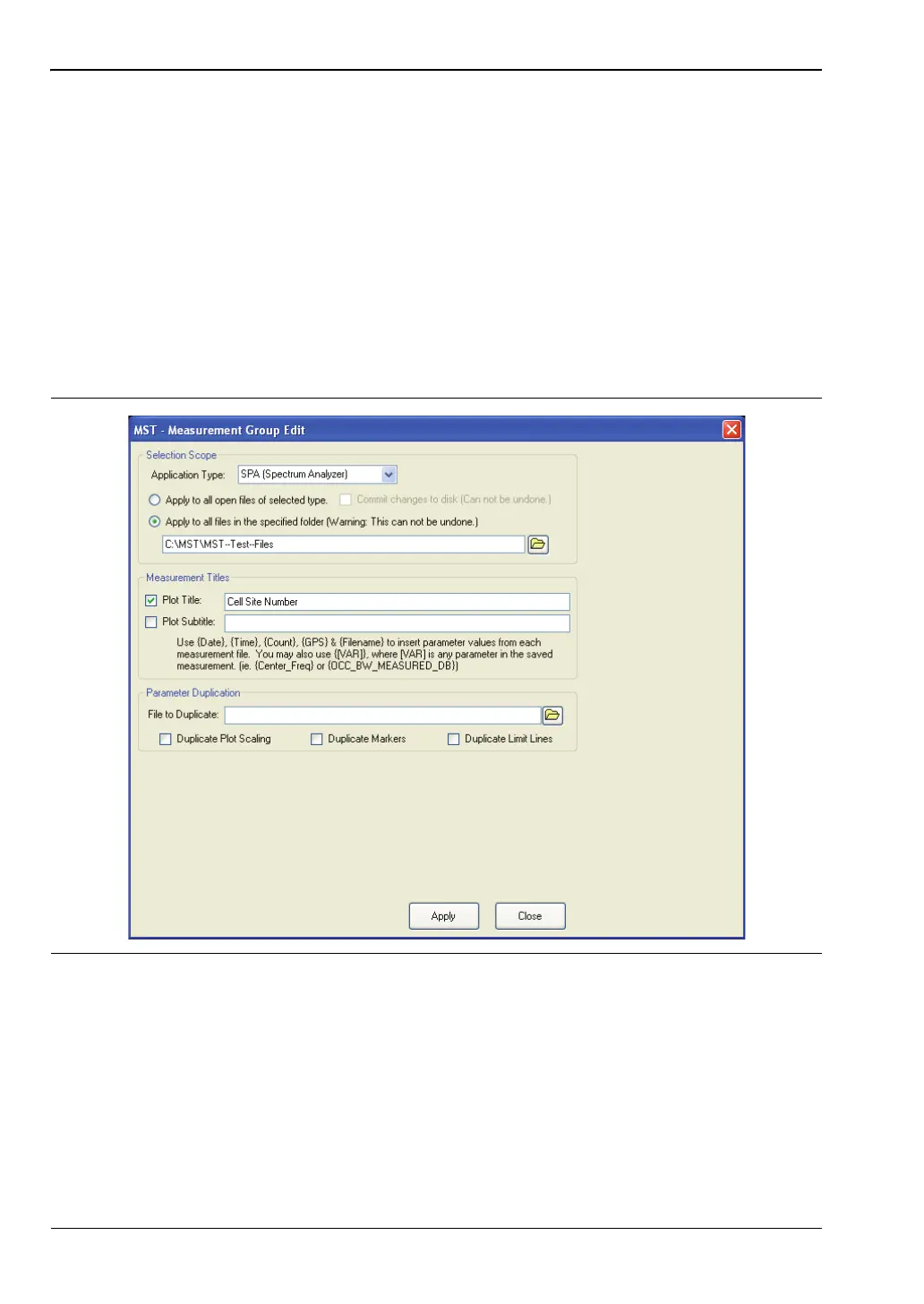
Group Edit
The Group Edit feature allows markers and limit lines to be copied from one trace to all of the
traces in a folder. In addition, the title and subtitle can be quickly renamed for all of the
traces in a folder. For example, to add a cell site number on the title.
To change the title to be the cell site number for all traces in a folder:
1. Select Too ls | Group Edit.
2. Set the application type to VNA.
3. Select the location of the folder.
4. Enter the cell site number and check Plot Title.
5. Click Apply to rename all of the plot titles in the selected folder.
Figure 3-9. MST Measurement Group Edit Dialog














 To Next Page