5-17 DVB-T/H SFN Verification, Option 78 Option Verification
5-90 PN: 10580-00255 Rev. J MT8212E and MT8213E MM
Level Accuracy Verification
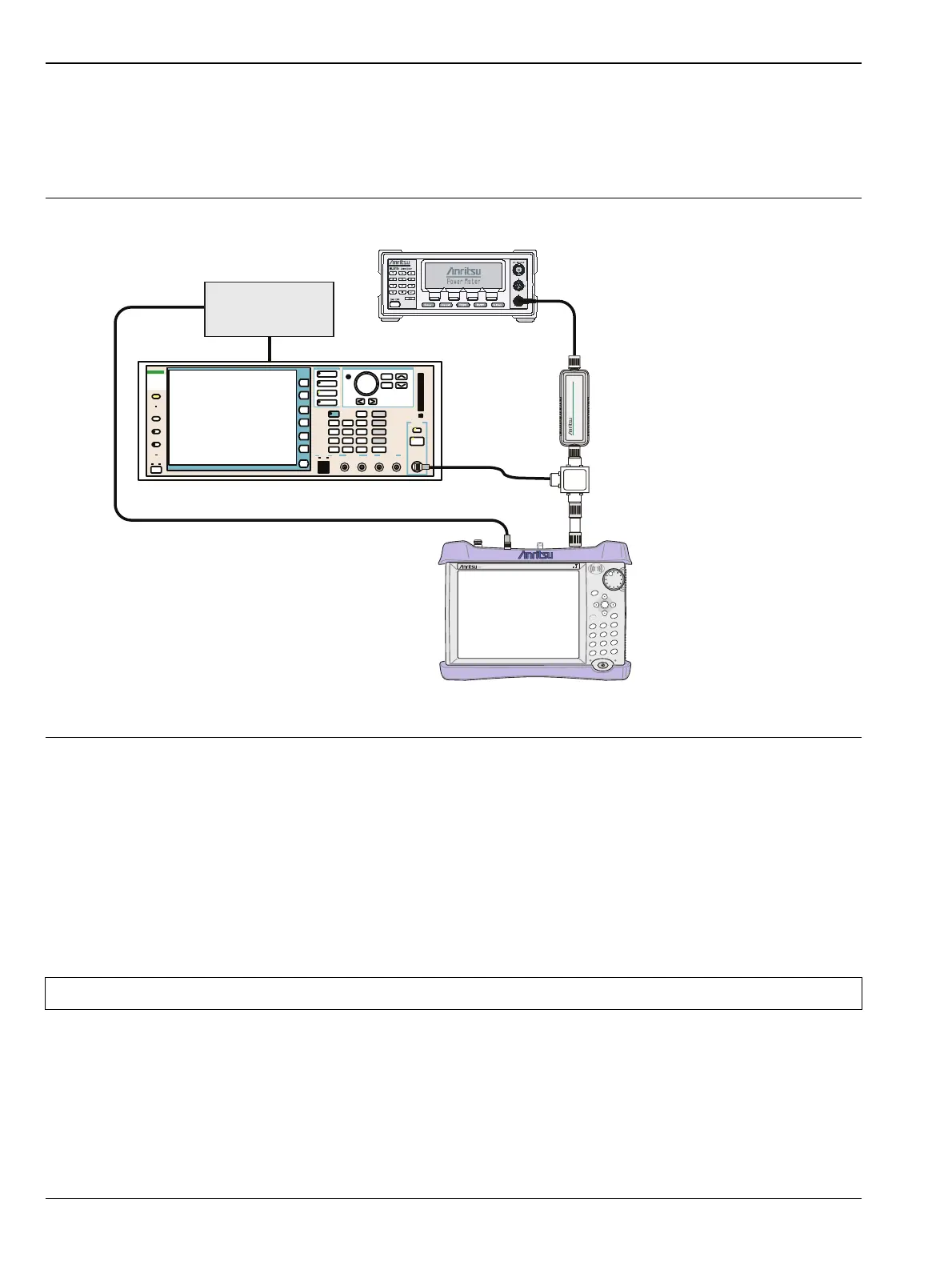
The tests in this section verify the level accuracy of the MT821xE in DVB-T/H SFN Signal Analyzer mode.
Setup
Procedure
1. Perform a Zero/Cal on Sensor B of the power meter. Set the calibration factor of the sensor to 474 MHz.
2. Connect the MG3700A Signal Generator, Power Splitter, Power Meter, and Power Sensors as shown in
Figure 5-18.
3. On the MG3700A, press the Preset key (Yellow key on the upper left-hand side).
4. Press the Down Arrow key to select Yes.
5. Press the Set key.
6. Press the (F1) soft key to select “Load File to Memory”.
7. Press the (F1) soft key again to select “Select Package”.
8. Using the Down Arrow key, step through the selection list until the “Digital_Broadcast” option is
highlighted.
9. Press the Set key.
Figure 5-18. DVB-T/H SFN Level Accuracy Setup
Note The MG3700A has two Set keys, and they both have the same function.
MT821xE Cell Master
Power Charge
+/-
.
0
3
Sweep
2
Calibrate
1
Preset
6
Limit
5
Trace
4
Measure
9
Mode
8
System
7
File
Shift
Back
Enter
ESC
CellMaster
MT8212E
MG3700A Vector Signal Generator
Function
Ethernet
Control Input
Modulation Input
Cursor/Edit
RF Output
3
MG3700
Vector Signal
Generator
250kHz-6GHz
10 MHz
Reference
ML2438A Power Meter
MA2482D
Power Sensor
1870A
Power Splitter














 To Next Page