2-2 Cable and Antenna Measurement Setup Cable and Antenna Analyzer
2-6 PN: 10580-00241 Rev. B Cable & Antenna Analyzer MG
Display Setup
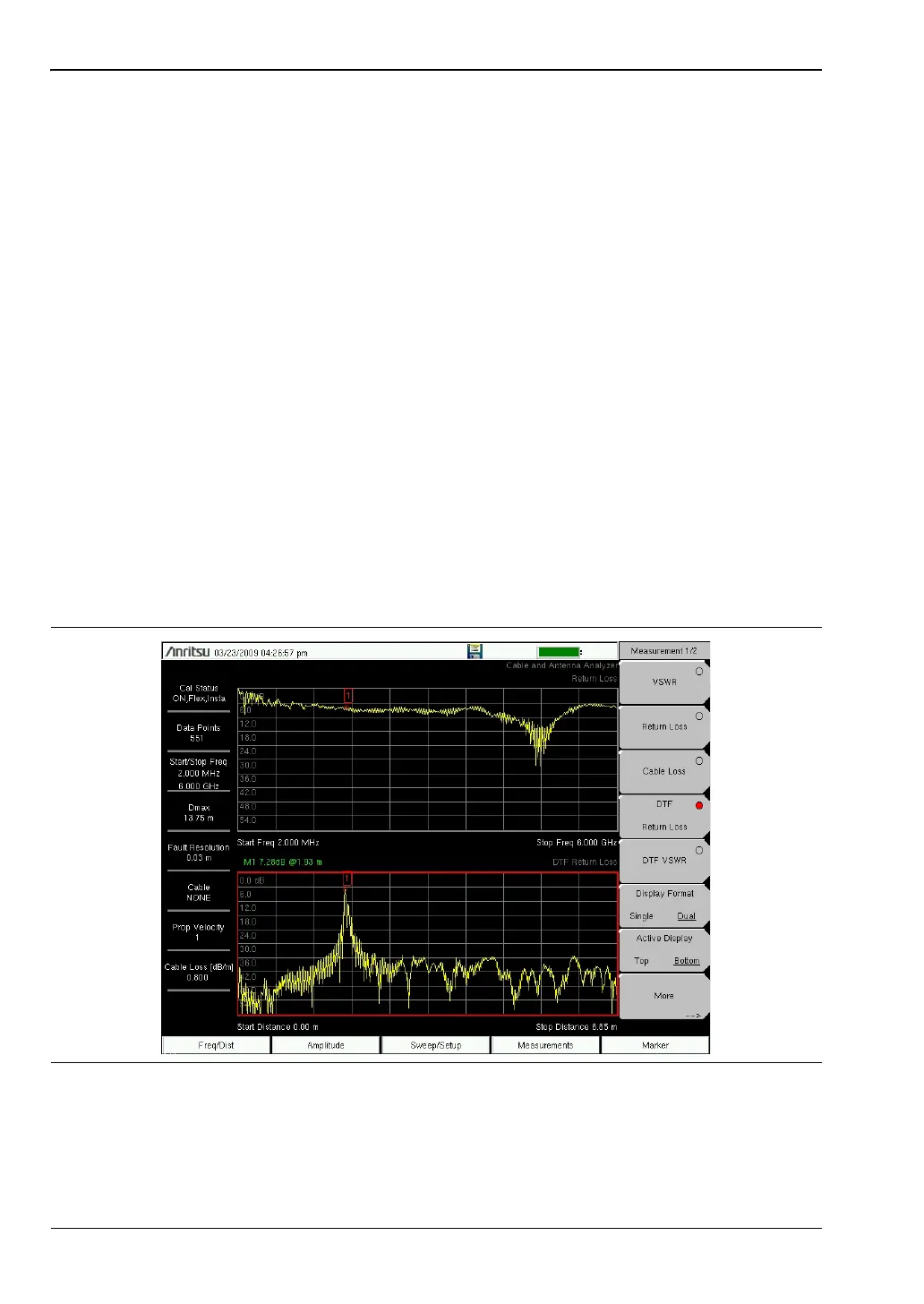
Single and Dual Display
The instrument can display two measurements simultaneously using the Dual Display
function.
Top and Bottom display can be set independently and it is possible to display all
measurements either on the top or bottom. Smith Chart is not supported in dual display
mode. Markers and Limit Lines can be set for each active display. Both Top and Bottom
measurements are saved when saving a measurement in dual display mode. If the Marker
Table is turned on in Dual Display Mode, the markers for the active display will show.
Setting Single and Dual Display
1. Press the Measurements main menu key
2. Toggle the Display Format submenu key so that it is set to Dual.
3. Press the Active Display key and set it to Top . This can also be done by touching the
upper display directly. The red outline indicates the active display.
4. Select the measurement for the top display.
5. Press the Marker main menu key and turn on the markers for the top display.
6. Open the Limit main menu Shift-6. Turn on the limit line.
7. Press Measurement and toggle Active Display to Bottom and repeat steps 4 to 6 to set the
measurements, markers, and limit lines for the bottom display.
Figure 2-2. Dual Display with the Bottom Display Active














 To Next Page