6-2 Battery Pack Removal and Replacement Battery Information
6-2 PN: 10580-00255 Rev. J MT8212E and MT8213E MM
6-2 Battery Pack Removal and Replacement
This section provides instructions for the removal and replacement of the Cell Master battery pack.
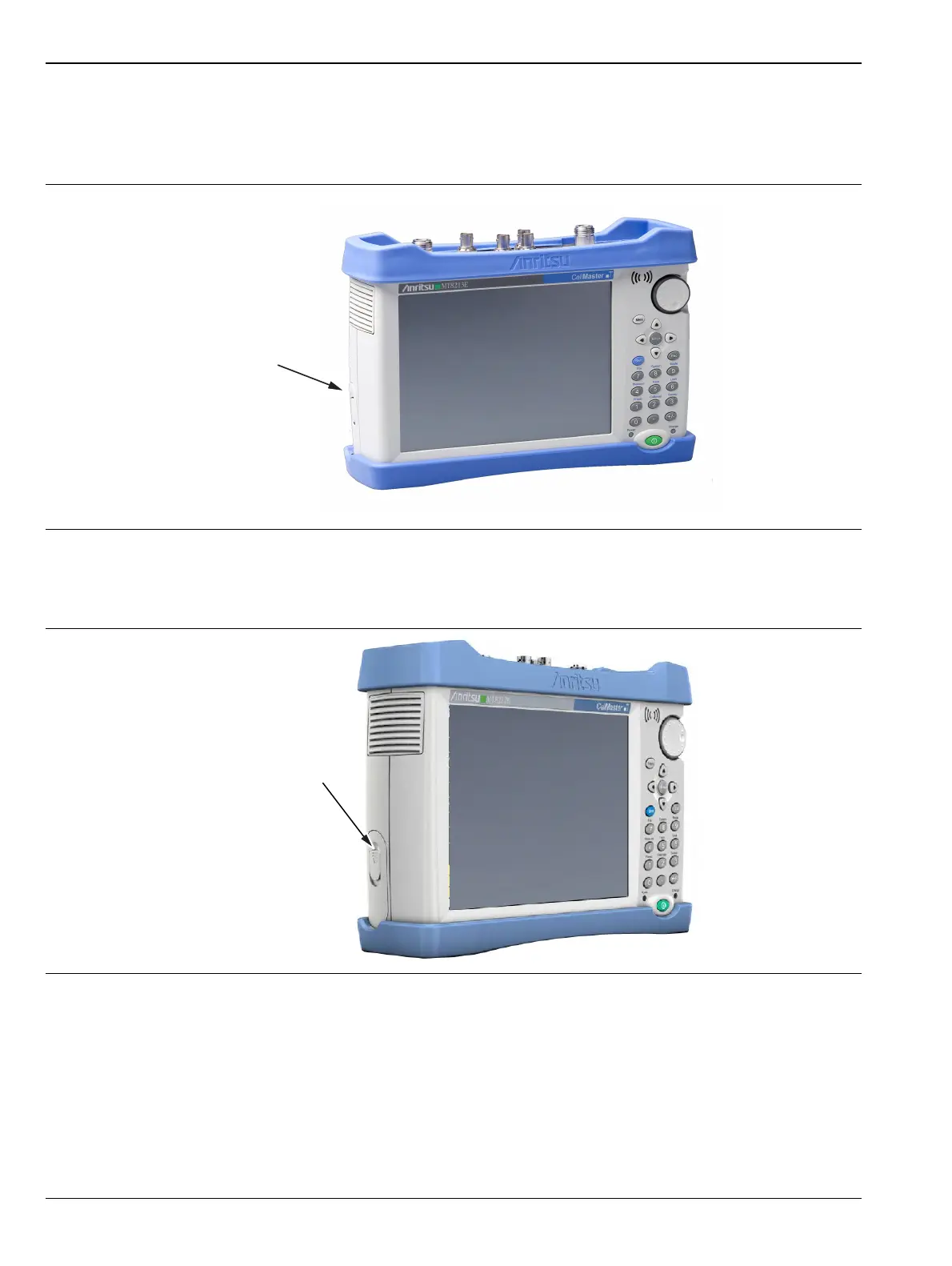
1. Locate the battery access door as illustrated in Figure 6-1.
2. Place a finger in the battery access door notch and push the door latch down towards the bottom of the
instrument, as illustrated in Figure 6-2.
3. Remove the battery access door, the top will pop out a bit and then pull it up out of the access enclosure.
Figure 6-1. Battery Access Door Location
Figure 6-2. Battery Access Door Notch














 To Next Page