Instrument Overview 2-4 Front Panel Overview
Cell Master UG PN: 10580-00250 Rev. K 2-3
Numeric keys 1 through 9 are dual purpose, depending upon the current mode of operation.
The dual-purpose keys are labeled with a number on the key itself and the alternate function
is printed in blue above each of the keys. Use the blue Shift key to access the functions printed
on the panel. The Escape key, used for aborting data entry, is the oval button located above
numeric key 9. The rotary knob, the four arrow keys, and the keypad can be used to change
the value of an active parameter.
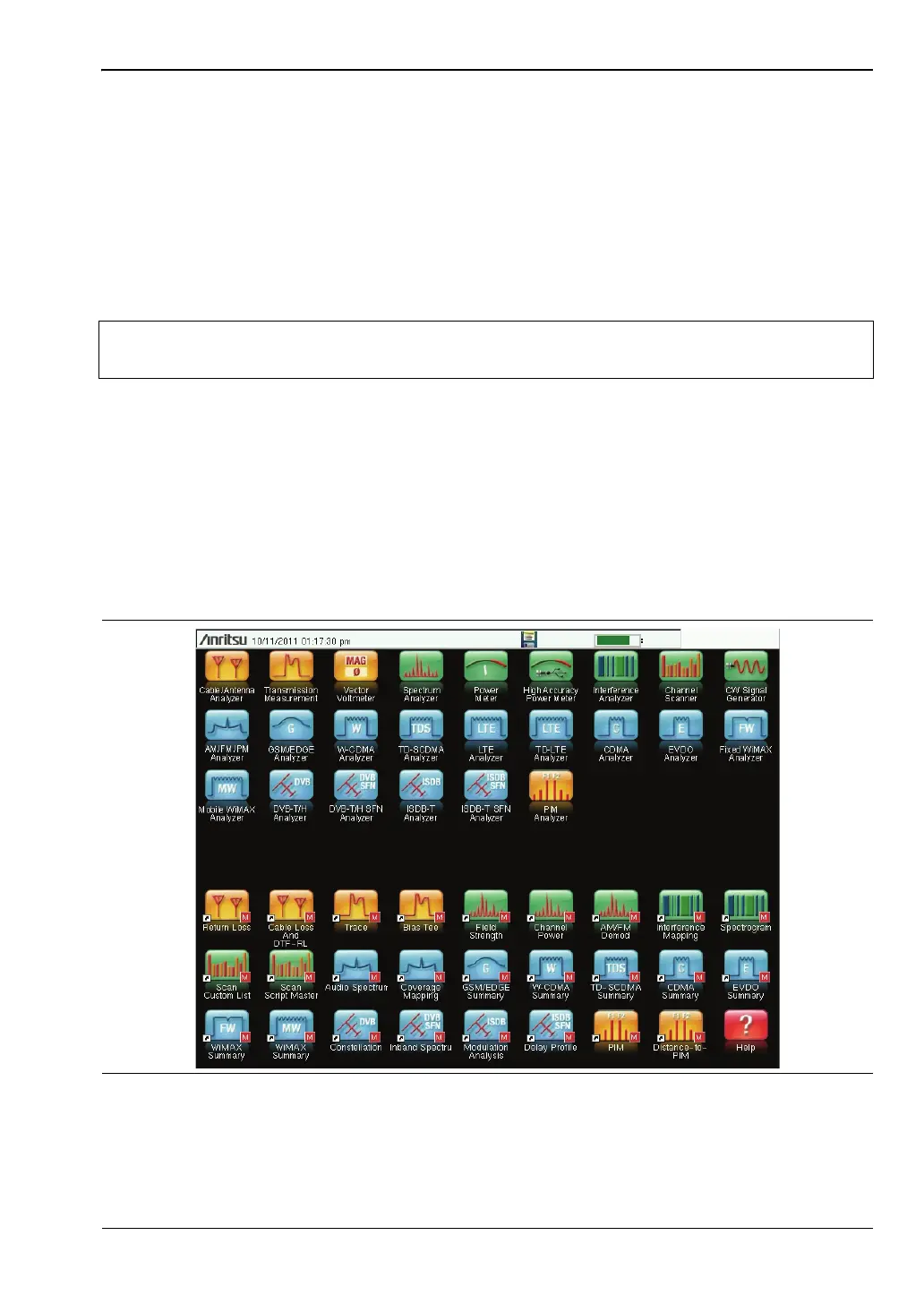
The Menu key provides graphical icons of all the installed measurement modes and user
defined short-cuts (see “Menu Key” on page 2-3). The locations of the keys are shown in
Figure 2-1.
Front Panel Keys
Menu Key
Press this key to display a grid of shortcut icons for installed measurement modes and user
selected menus and setup files.
Figure 2-2 shows the Menu key screen with shortcut icons for the installed measurement
modes. Touch one of the icons in the top two rows to change modes. These icons are
preinstalled and cannot be moved or deleted.
Note
Keep the fan inlet and exhaust ports clear of obstructions at all times for proper
ventilation and cooling of the instrument.
Figure 2-2. Menu Key Screen, Icons for Installed Measurements














 To Next Page