7-6 GPS (Option 31) Replacement Assembly Replacement
7-6 PN: 10580-00255 Rev. J MT8212E and MT8213E MM
7-6 GPS (Option 31) Replacement
This procedure provides instructions for removing and replacing the GPS Module.
1. Open the case as described in Section 7-2 “Opening the Cell Master Case”.
2. Remove the PCB Assembly from the front panel as described in Section 7-3 “PCB Assembly
Replacement”.
3. Remove the SPA board as described in Section 7-4 “SPA Assembly Replacement”.
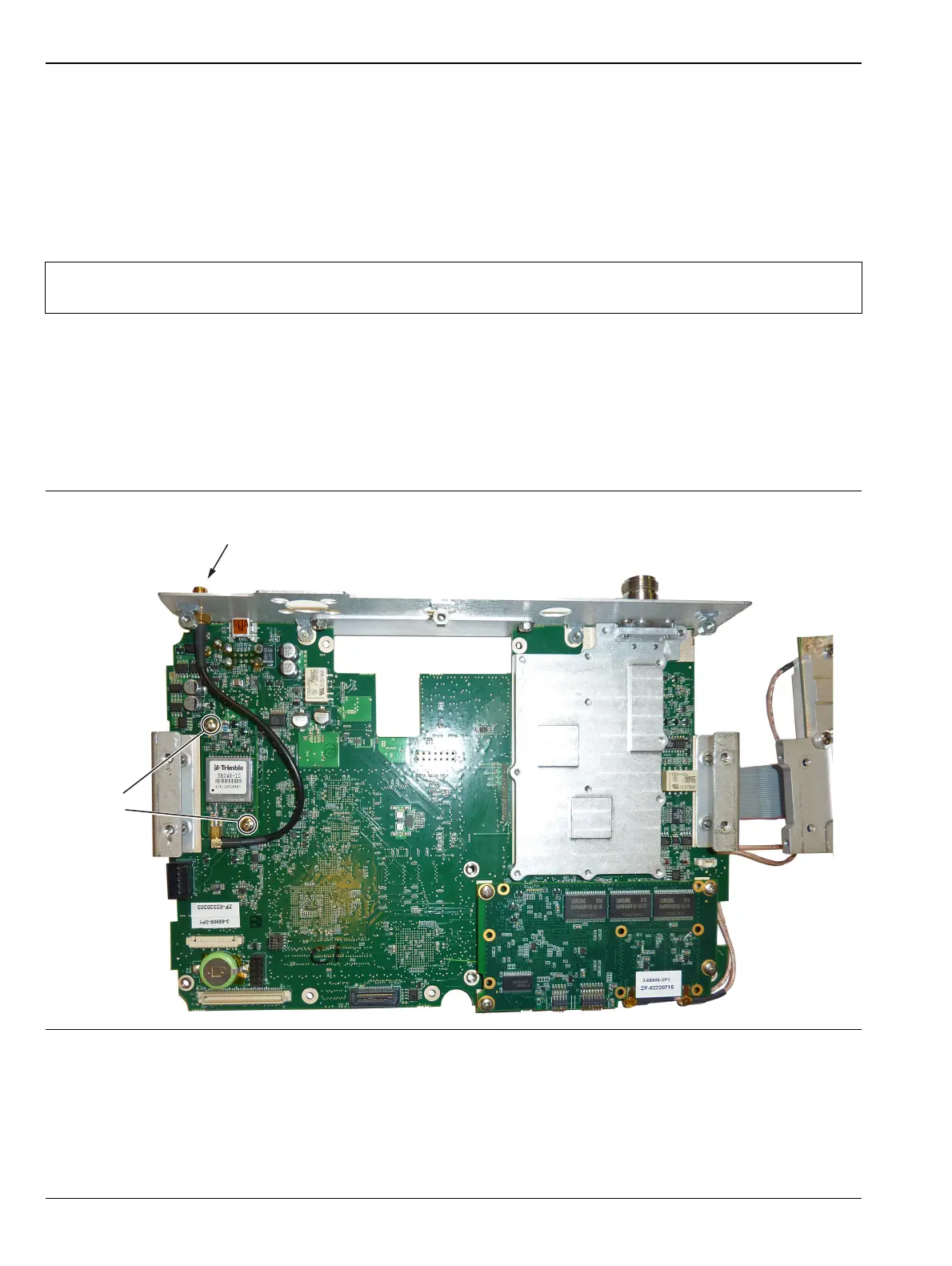
4. Use a 5/16 inch wrench to remove the nut and washer from the GPS SMA connector. Push the connector
through the top panel.
5. Remove the 2 screws retaining the GPS module to the Motherboard.
6. Carefully lift straight up on the GPS module to remove. The back of the GPS module board is directly
connected to the Motherboard.
7. Installation is the reverse of removal.
Note
The SPA board cables, connector and the DSP board do not need to be removed when replacing the
GPS Module. Remove the screws and move the SPA board to the side.
Figure 7-8. Removing the GPS Module from the Motherboard (SPA board set to the side)
Remove
2 screws
Remove nut and washer
from GPS SMA connector














 To Next Page