Cable and Antenna Analyzer 2-2 Cable and Antenna Measurement Setup
Cable & Antenna Analyzer MG PN: 10580-00241 Rev. B 2-5
Smoothing %
Smoothing is a mathematical function that calculates a rolling average of the trace data.
This provides a way to look at the general shape of a measurement while smoothing out
smaller variations. The value is the amount of the display that is incorporated into the rolling
average. Valid entries range from 0% (no smoothing) to 10% (maximum smoothing).
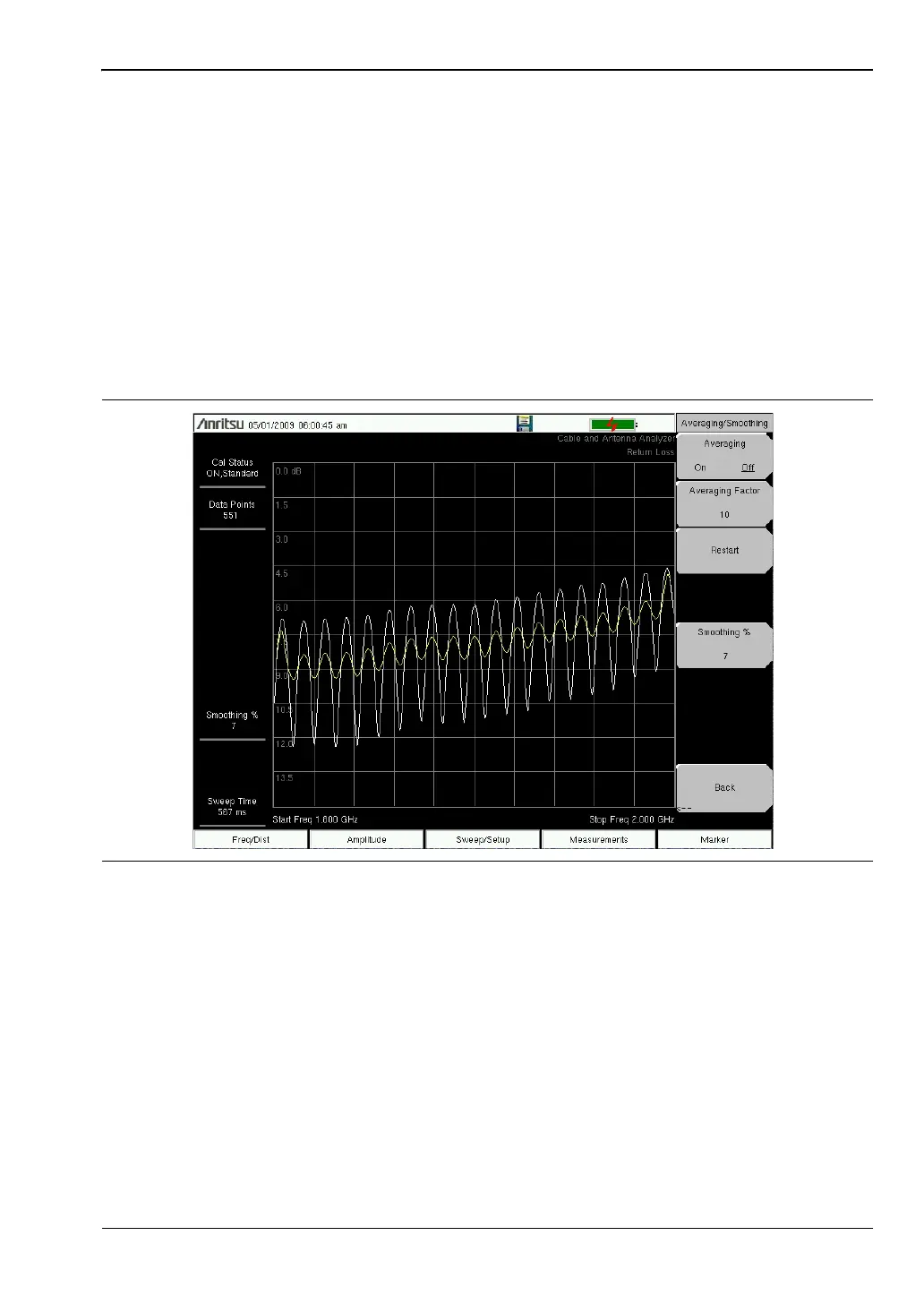
The display in Figure 2-1 illustrates how smoothing can be used to reduce ripples when
making 1-port cable loss measurements. The white trace shows the trace with no smoothing
and the yellow trace shows the trace with 7% smoothing.
1. Press the Sweep/Setup main menu key.
2. Press the Averaging/Smoothing submenu key.
3. Select the Smoothing % key and enter the level of smoothing (1% to 10%).
Output Power (Low/High)
The power level defaults to High for all 1-port measurements (~ 0 dBm). It can be changed to
Low (~ –35 dBm) if needed. All line sweep 1-port measurements should be performed with the
output power High setting.
1. Press the Sweep/Setup main menu key.
2. Select the Output Power submenu key and toggle Output Power between High and Low.
Refer to “Sweep/Setup Menu” on page 2-32 for additional information.
Figure 2-1. Smoothing Reduces Ripple














 To Next Page