ANSER CODING INC. 15 A1 User Interface
1.3 Getting to Know the Homepage
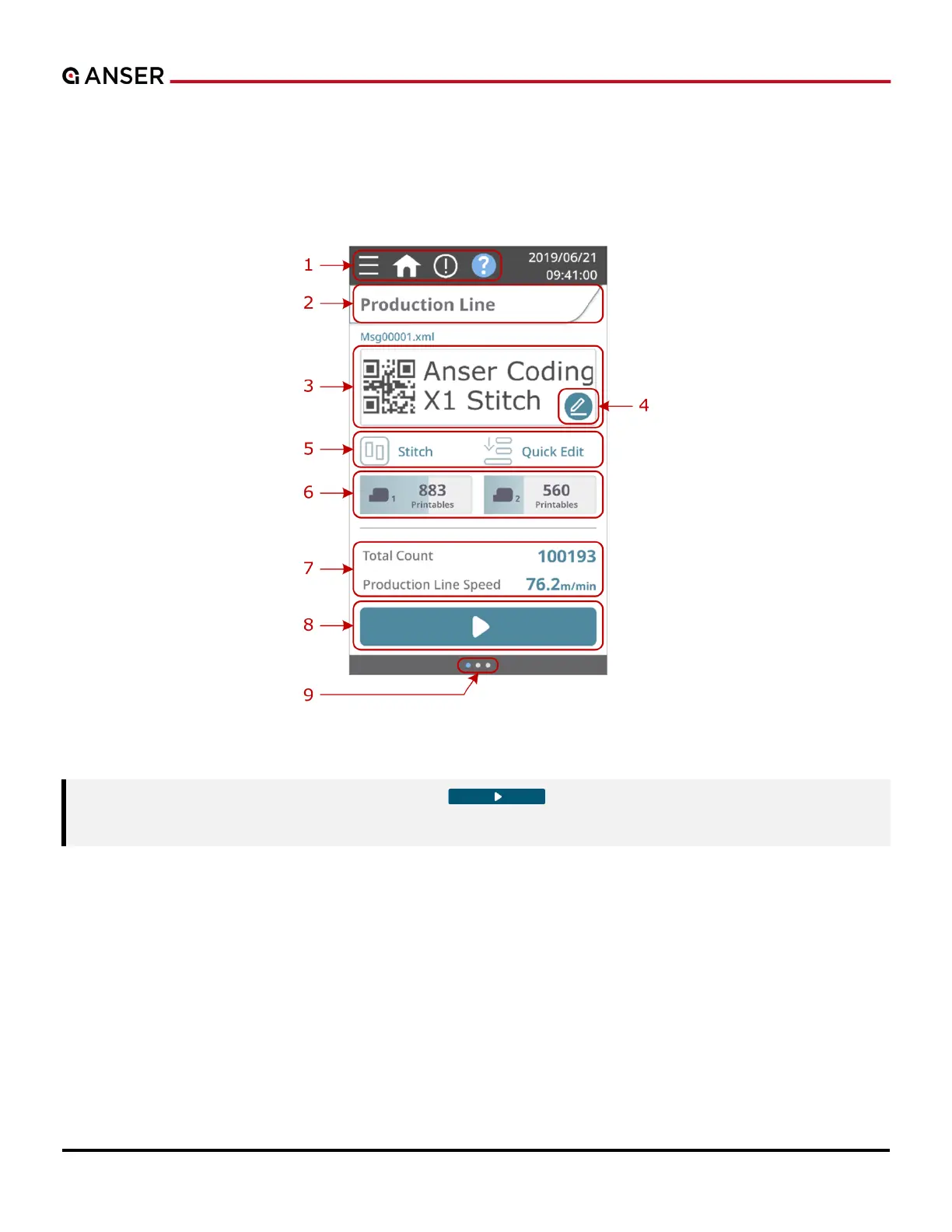
The A1 system homepage provides essential information about the status of the production line, print station, and
printhead(s), where users can quickly know what is happening through all these components. Each part of A1 system
homepage is marked by a red number in Figure 1-18 below and is described in the following Table 1-2.
Figure 1-18. A1 System Homepage
Note:
dust cover before hitting the Start “ ” botton to ensure that cartridge latch



 To Next Page