ANSER CODING INC. 61 A1 Printing Setup
2 A1 Printing Setup
2.1 Production Line Setup
Production line settings are the top layer of the A1 function structure, (Please see Figure 1-4.) and they encapsulate print
stations and messages. It is required for having a production line created before setting up print stations and selecting
messages.
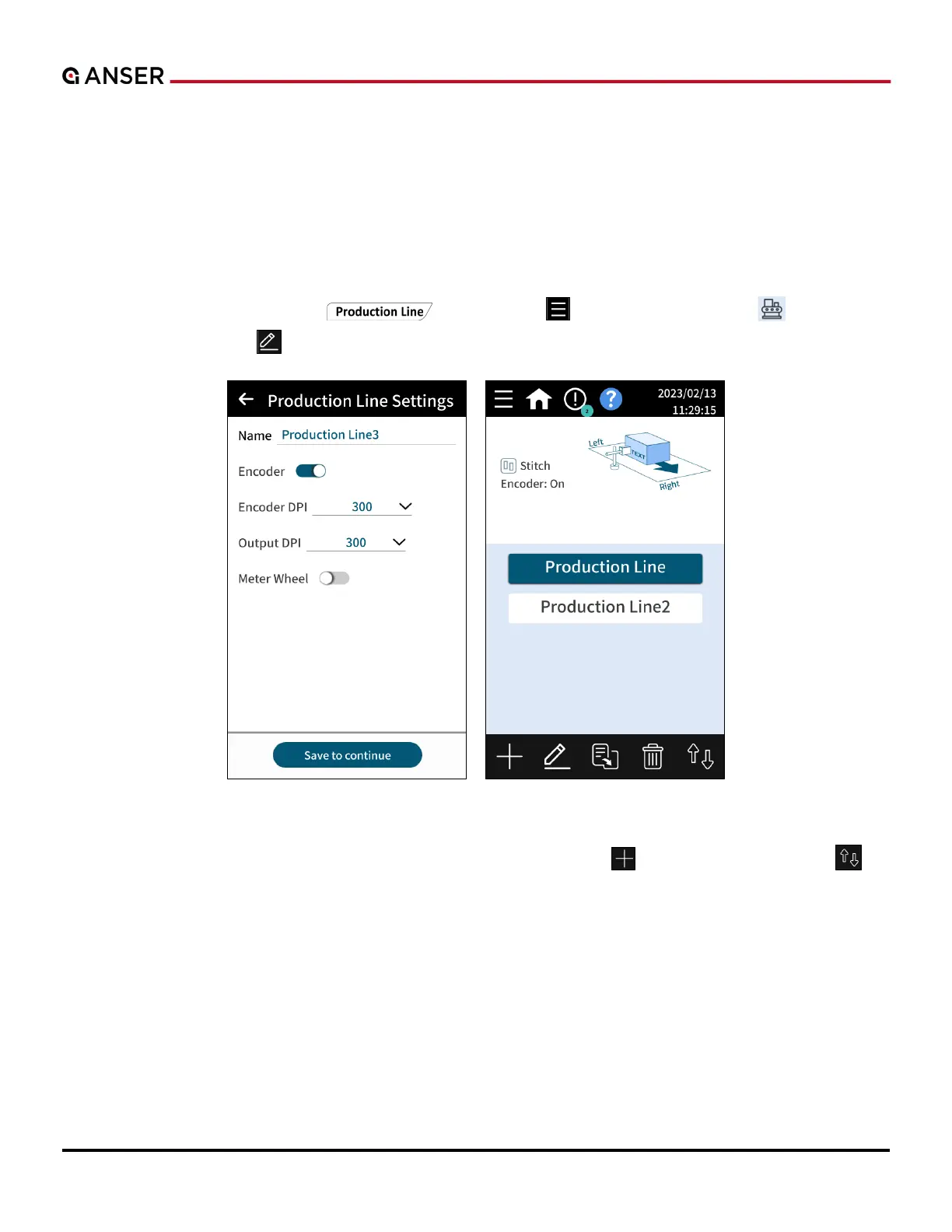
In homepage, press Production Line “
” or use Menu “ ” > Device Configuration “ ” > Production
Line & Print Station > Edit “ ” to go to settings page. Please refer to Figure 2-1 below.
Figure 2-1. Production Line Settings Page
Users have the options to create a production line either by pressing the Add “ ” button or Import/Export “ ” to
import one from the other printer’s backup settings.



 To Next Page