ANSER CODING INC. 70 A1 Printing Setup
For example, printing 10 times, 10mm after triggering the photocell sensor, and leave a gap of 20mm between each
repetition:
Table 2-1. The Example of Repeat Print Settings
Parameter Value
Period 20mm
Infinite OFF
Count 10
Trigger ON
Initial Delay 10mm
Note: The period (20mm) refers to message width + message delay or station delay + 10mm tolerance +
physical printhead width 33mm (stitch mode only). Period value must be greater than total width of
the printing content.
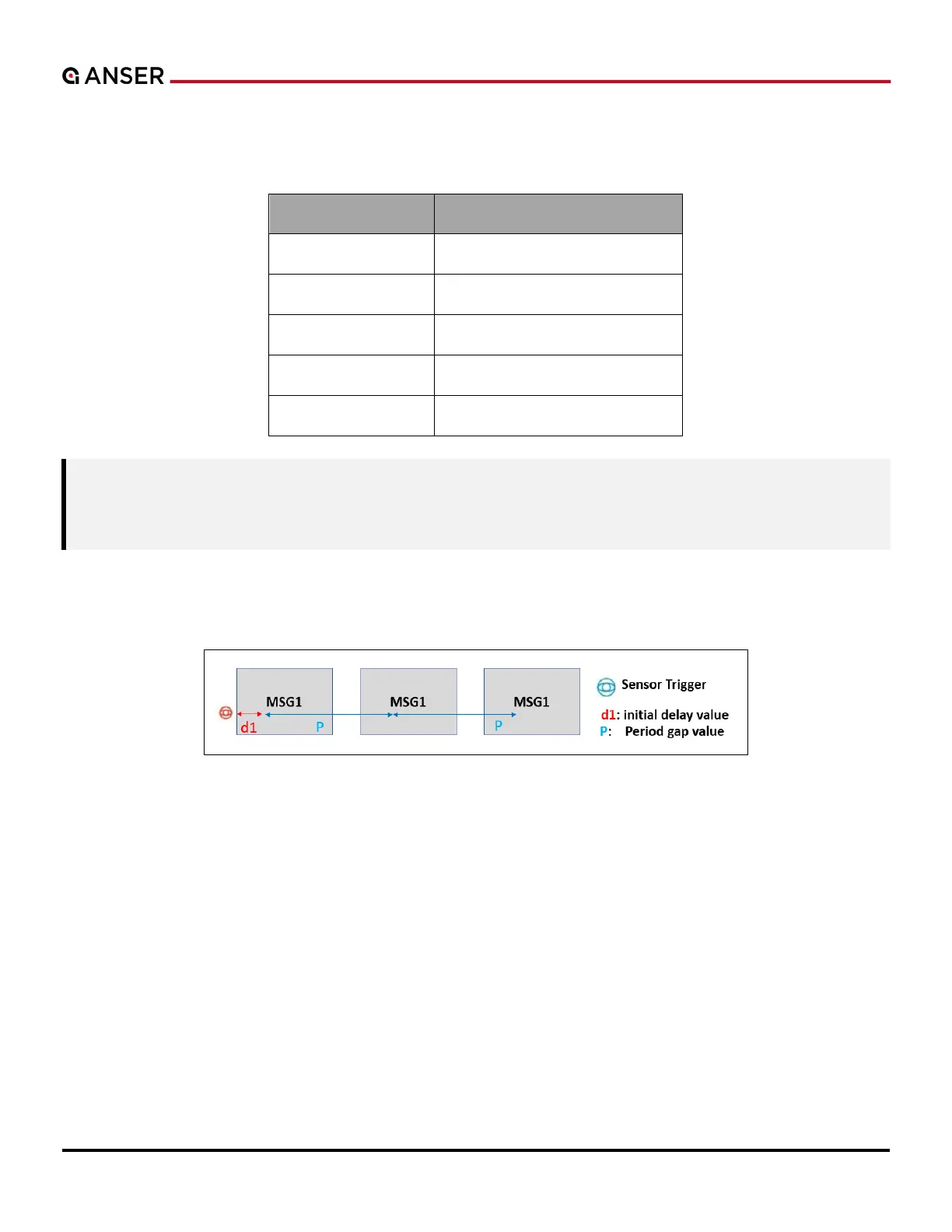
In repeat printing, set an initial delay value to the beginning of the first print in the repetitions after the sensor being
triggered. Initial delay has top priority over message and print station delays.
Figure 2-11. Repeat Print – Initial Delay
2.4.6 Stitch
Please refer to Section 2.3.3 Stitching Alignment for detailed settings.



 To Next Page