ANSER CODING INC. 24 A1 User Interface
1.4.1.1.1 Adjust Size and Position
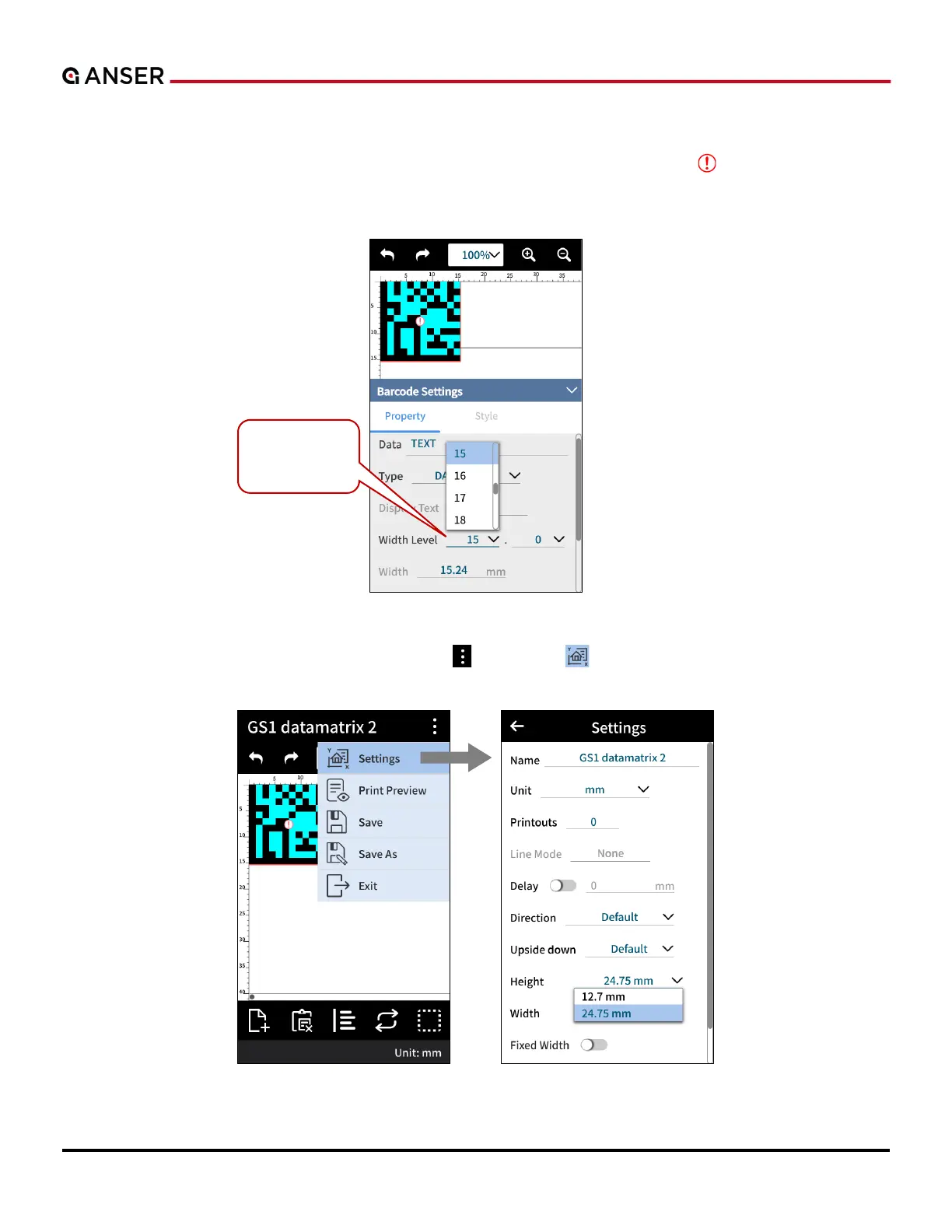
If the size of a text or an object is too big that it goes across print area, a red warning sign “ ” appears to remind that
a part of the message will not be printed out. A printable message height is based on the type of printhead used. For a
½” printhead, the maximum height is half inch. Double-click on a selected object to adjust its size.
Figure 1-25. Add Object – Adjust Object Size
And if the physical print area allows, use More Settings “ ” > Settings “ ” to adjust message height, as the following
figure shows.
Figure 1-26. Add Object – Adjust Message Height
Adjust Size of
the object.



 To Next Page