ANSER CODING INC. 28 A1 User Interface
1.4.1.2 Add Object: Date/Time
Use a Date/Time object to print a production date or an expiration date.
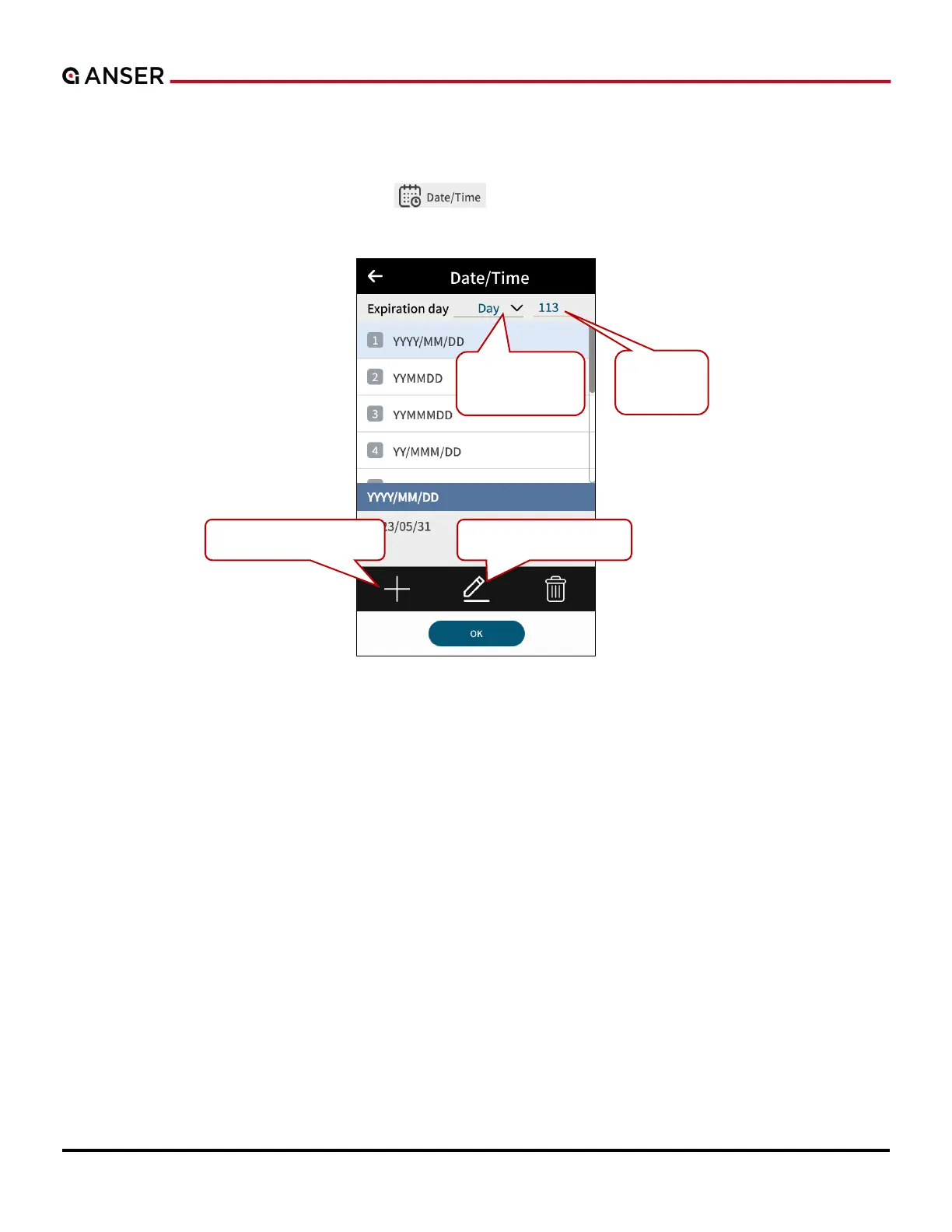
STEP 1: In Add Object page, select Date/Time “ ” and the following page will show. Select a template and
key in expiration day/month/year.
Figure 1-29. Add Object – Date/Time Template
Select Day,
Month or Year.
Key in
shelf life.
Create a new template.
Edit selected template.



 To Next Page