ANSER CODING INC. 32 A1 User Interface
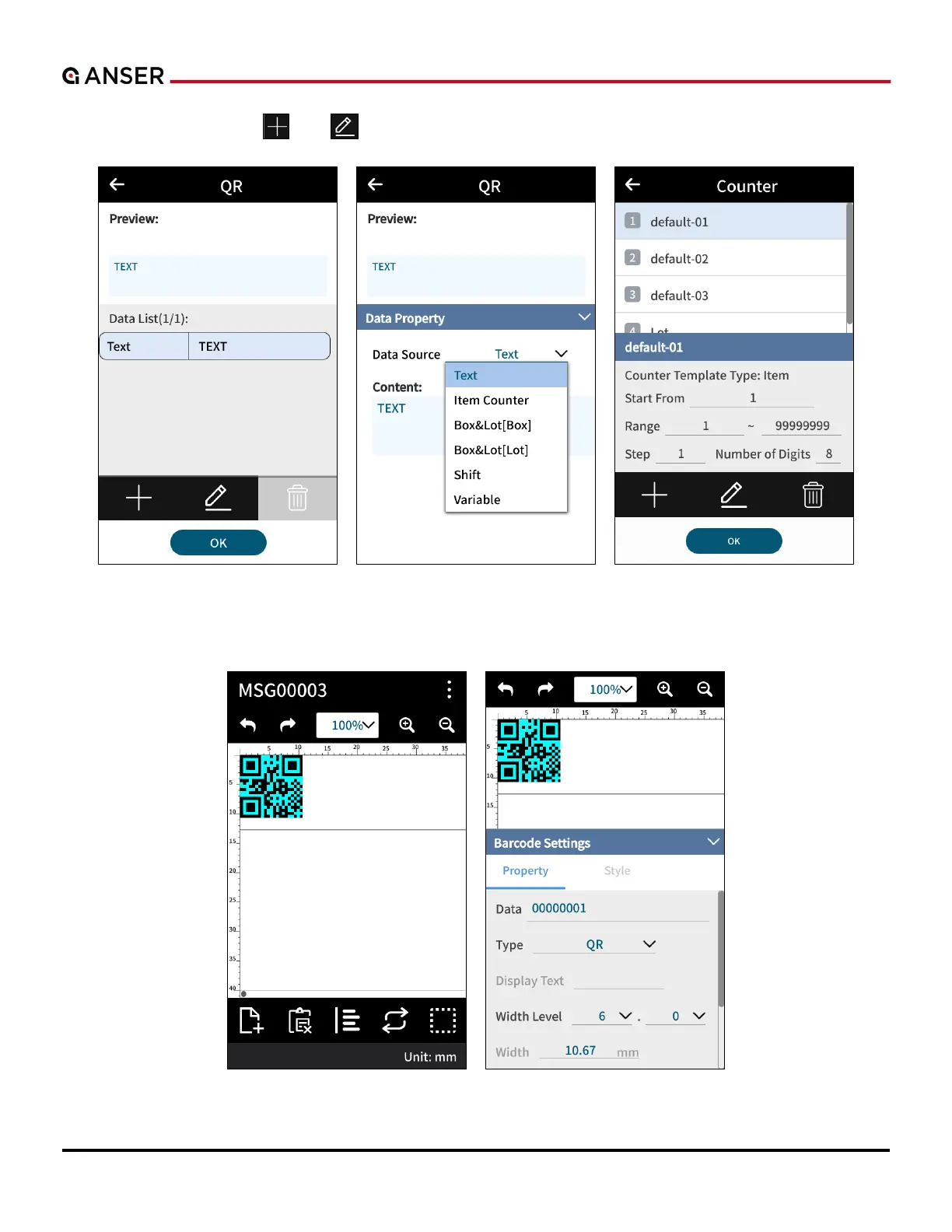
STEP 2: Select Text and use “ ” or “ ” to create or to edit items inside a barcode. After item settings, press OK.
Figure 1-34. Add Object – Edit Barcode Content
STEP 3: In Message Editor, double click to enter Barcode Settings page.
Figure 1-35. Add Object – Barcode Settings



 To Next Page