ANSER CODING INC. 35 A1 User Interface
1.4.1.5 Add Object: Counter, Image, Shape, and Shift
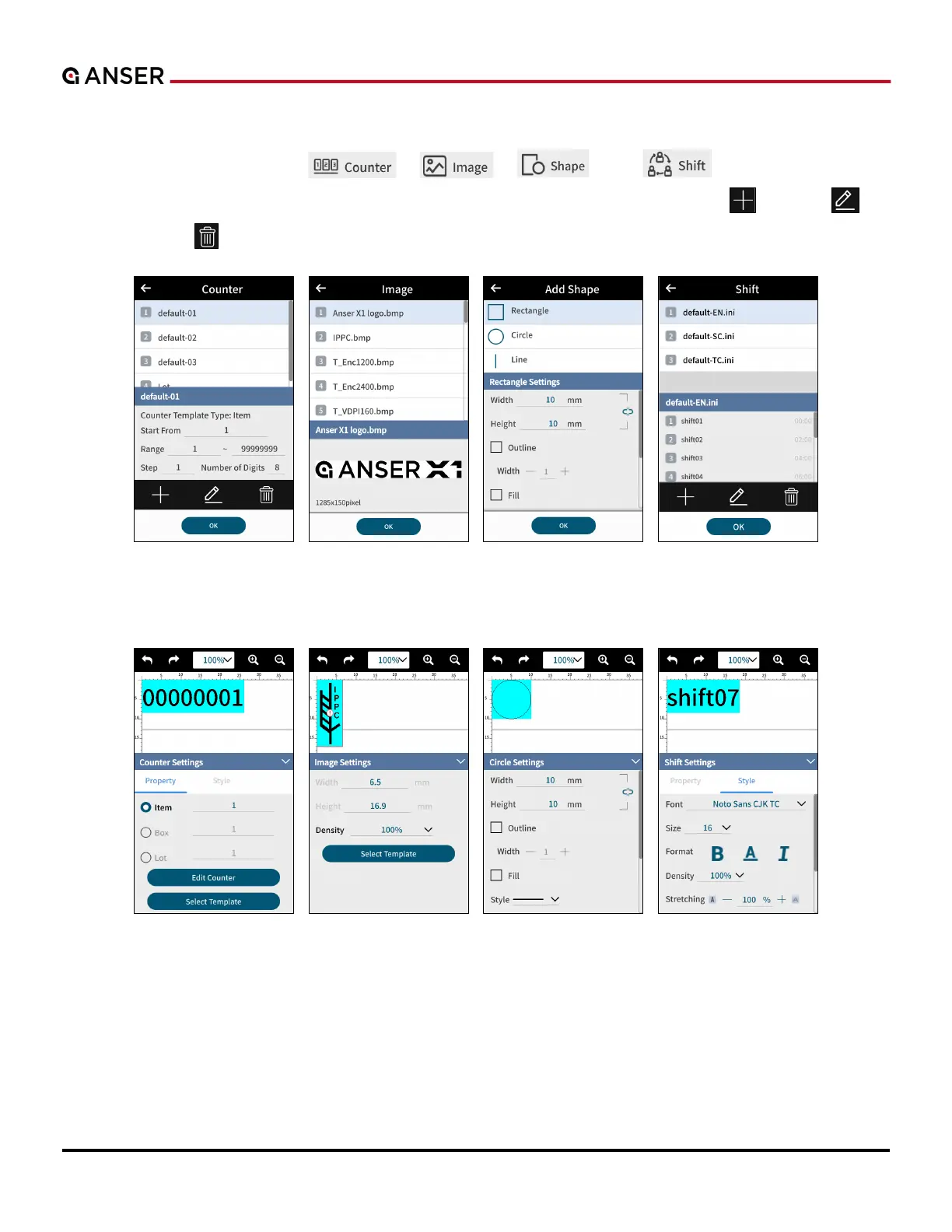
STEP 1: In Add Object page, press “ ”, “ ”, “ ”, and “ ” and the following pages
of Counter, Image, Shape and Shift will show respectively. Use lower buttons to create “ ”, to edit “ ”, or
to delete “ ” a certain object. After that, press OK.
Figure 1-38. Add Object – Counter, Image, Shape and Shift
STEP 2: Template Inserted. Make detailed adjustment in each of their settings pages.
Figure 1-39. Add Object – Counter, Image, Shape and Shift Settings



 To Next Page