ANSER CODING INC. 42 A1 User Interface
1.5.2 Print Station Settings
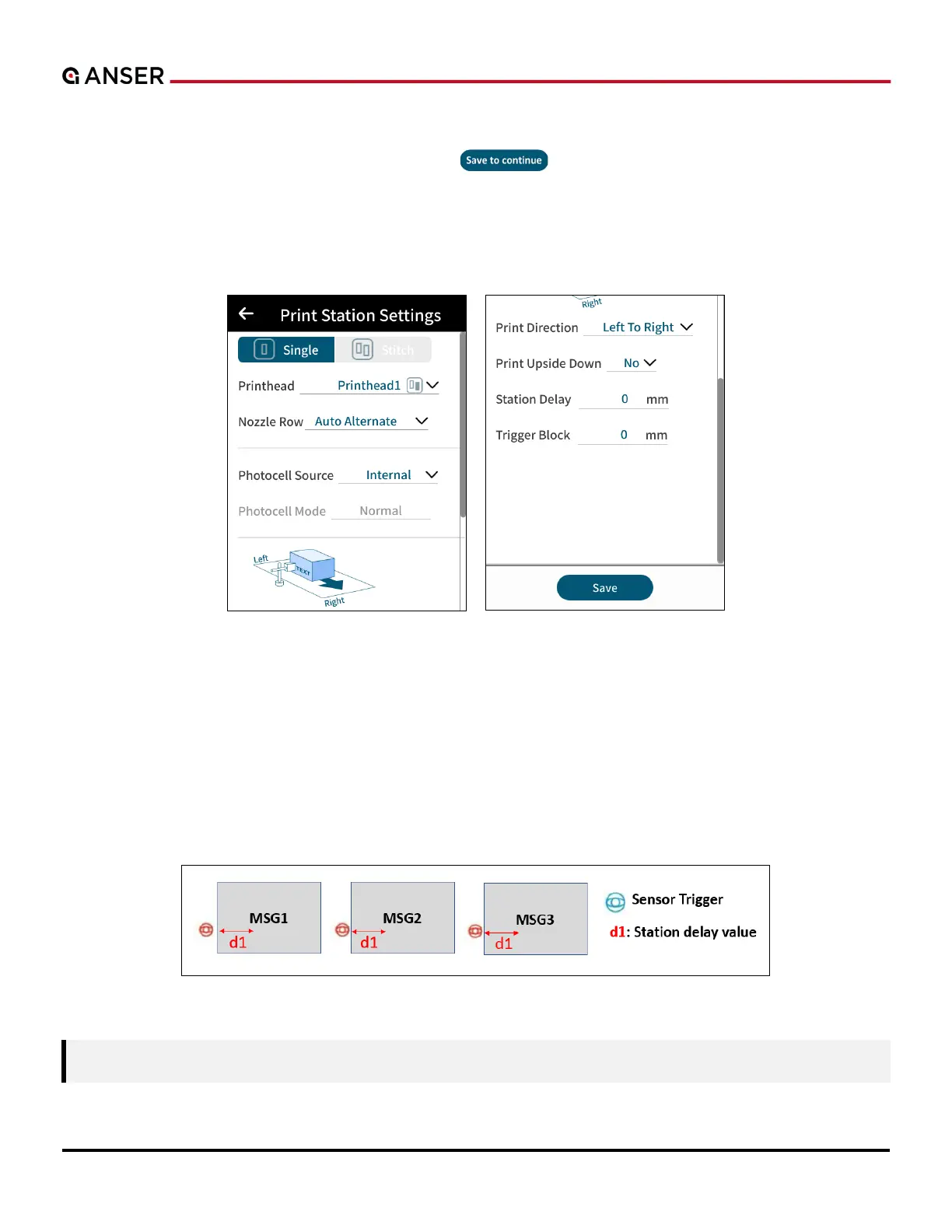
In Production Line settings page, press Save to continue “ ” to enter Print Station Settings page where users
can assign different print station modes (Single or Stitch Mode). Swipe up to find settings related to the photocell sensor,
print direction, and print delay.
1.5.2.1 Single Print Station Mode
Figure 1-46. Print Station Settings – Single Mode
1.5.2.1.1 Print Station Delay
Users must measure the distance from the sensor trigger point to the location of the product where message printing
starts, and the measurement should include the distance from sensor installation to the cartridge nozzle. The definition
of print station delay is the same as message delay, and the differences are: 1. Print station delay is set for all messages
with a default value while message delay is set for individual message with higher priority; 2. When no message delay is
set, A1 will use print station delay as message delay.
Figure 1-47. Print Station Delay
Note: The same delay value applies to all printing messages.



 To Next Page