ANSER CODING INC. 67 A1 Printing Setup
2.3.3 Stitching Alignment
When working with print stations in stitch mode, a full-height message is printed by dividing the content into two parts
and assigning them to each of the printheads forming the stitch print station. It is during the initial setup that there could
be issues with a message not being properly aligned.
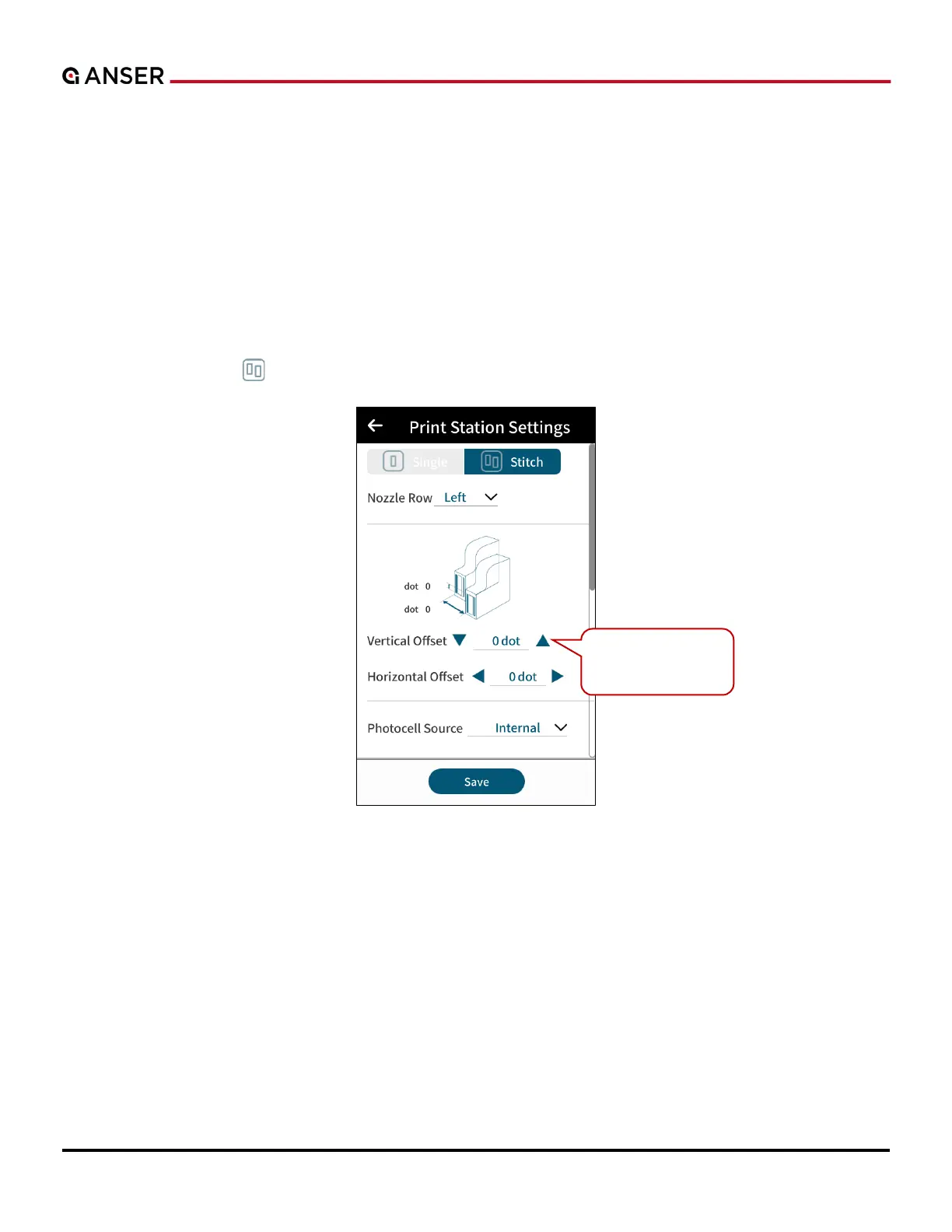
To align the printheads and print a complete message, users can fine tune stitching alignment in A1 software.
a. Perform an initial test print to confirm stitching alignment status.
b. If there is a separation between the content, access printhead settings page and adjust the vertical
or horizontal offset.
In homepage, use Stitch “
” to access the settings page. Please see Figure 2-7 below.
Figure 2-7. Printhead Settings — Stitching Alignment
Fine tune Stitching
Alignment.



 To Next Page