ANSER CODING INC. 38 A1 User Interface
1.4.3 Printing a Message
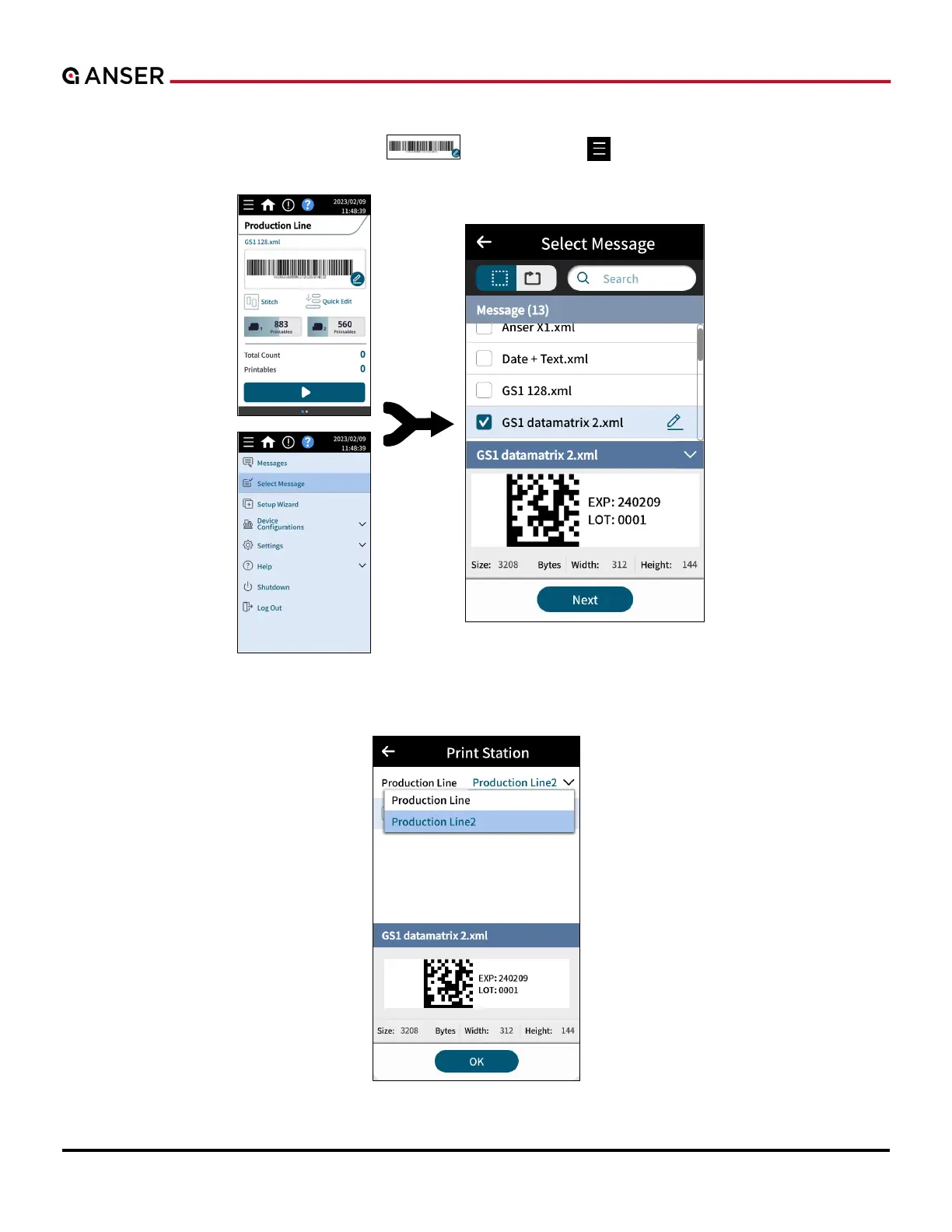
STEP 1: In homepage, press the message box “ ” or go to Menu “
” > Select Message to select a message.
Press Next.
Figure 1-41. Homepage and Select Message
STEP 2: Select a production line. Press OK.
Figure 1-42. Select a Production Line



 To Next Page