ANSER CODING INC. 29 A1 User Interface
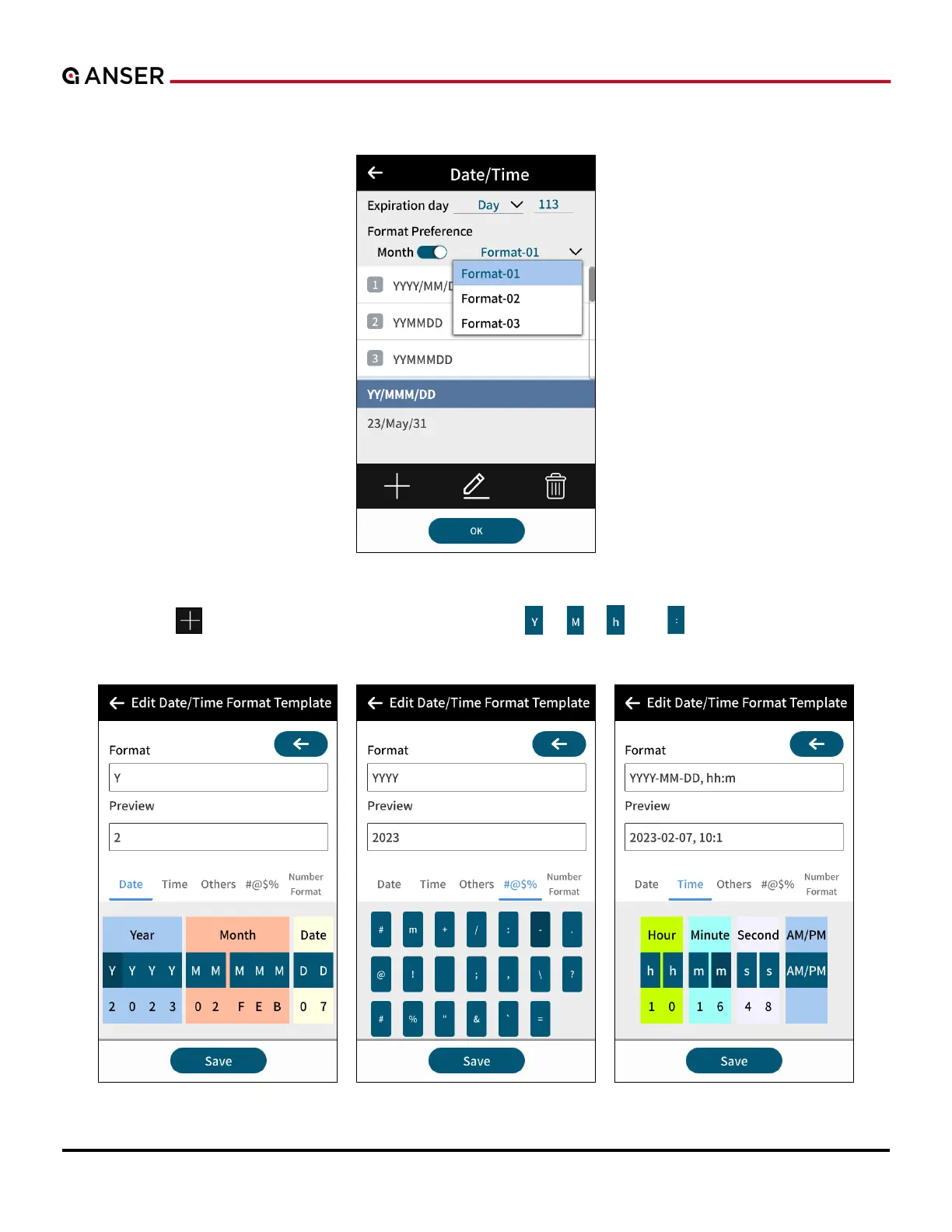
STEP 2: If there is a Format Preference button, press it to select more format options.
Figure 1-30. Add Object – Date/Time Format Preference
STEP 3: Or use “ ” to create a new template. Use buttons like “ ”, “ ”, “ ”, or “ ” to add desired digit into the
template. Press Save to enter Message Editor.
Figure 1-31. Add Object – Creating Date/Time Template



 To Next Page