ANSER CODING INC. 22 A1 User Interface
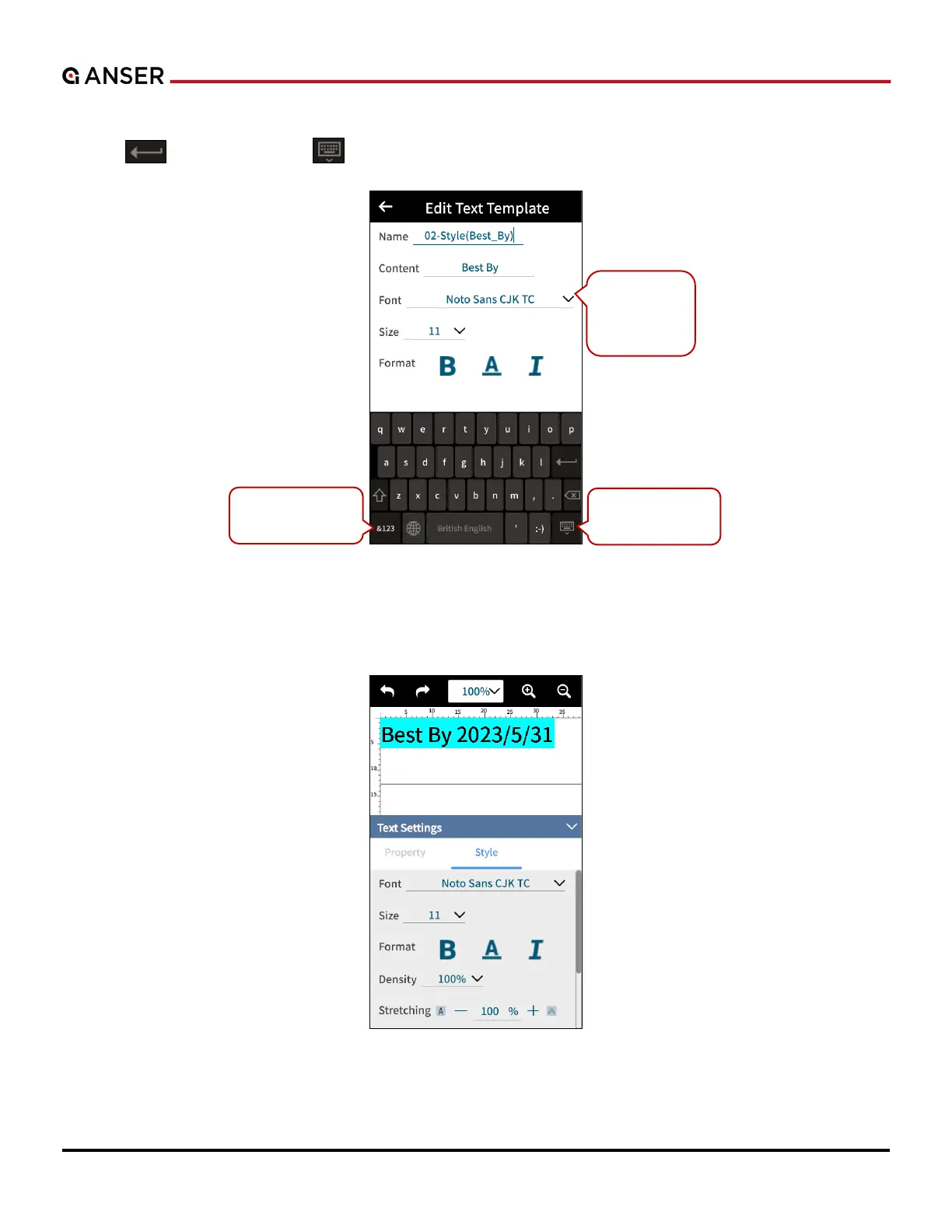
STEP 2: When editing a text template, use a pop-up keyboard to key-in names and customized content. Press Enter
“ ” or Hide Keyboard “ ” to finish key-in. Press Save to store your editing.
Figure 1-22. Add Object – Edit a Text
STEP 3: After pressing OK, a text is added and shown in Message Editor. Double-click on the selected text (marked in
blue) to enter Text Settings page.
Figure 1-23. Add Object – Text Settings
Toggle symbols
and letters.
Leave and hide
the keyboard.
Select Font,
Size and
Format.



 To Next Page